'/%3e%3c/g%3e%3c/svg%3e)

Best Email App for Multiple Accounts in 2026
Juggling more than one inbox? Here is the best email app for multiple accounts in 2026, plus two other ways to fix inbox overwhelm for good.

Most of these roundups just rank apps by feature count and call it a day. Nobody asks the question that actually matters once you’re running more than one inbox: does this app handle every account cleanly, or does it just add a second mess on top of the first.
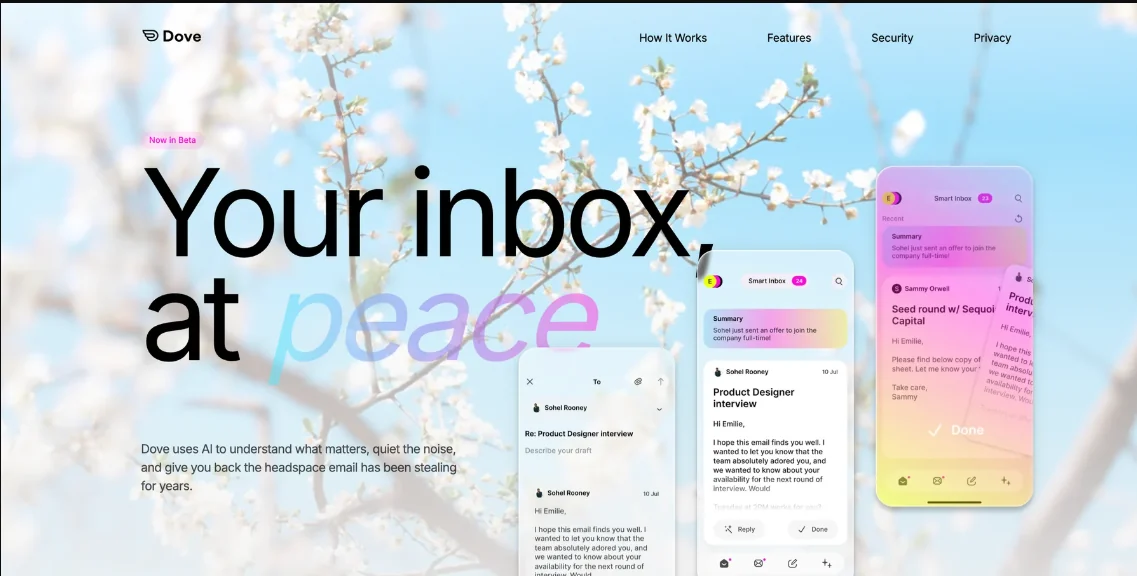
Here’s the actual problem we’re solving for: your inbox stopped being annoying a while back and turned into something that costs you real time, every single day, and that gets worse fast once you’re juggling a business account, a personal one, and whatever else you’re forwarding into it. You don’t need another app with more buttons. You need something built to handle every account you actually use, not just the one you signed up with. Three apps stand out for taking this seriously.
Disclosure: Dove is built by the same team publishing this post. We’ve aimed to be fair to SaneBox and Spark throughout, and we say plainly where each one fits better than Dove.
What Inbox Overwhelm Actually Is
It’s got nothing to do with your unread count. Plenty of people are sitting on 4,000 unread messages and feel completely fine about it, because none of it actually needs them. Overwhelm kicks in the moment you can’t tell, at a glance, what needs action versus what you can safely ignore.
Which is exactly why more folders don’t help. A rule for invoices, a label for newsletters, a filter for clients… each one is a new bucket you now have to build, maintain, and go check manually. Congratulations, you’ve just relocated the sorting problem from your inbox to your folder tree.
The three apps below skip that trap entirely. Instead of handing you more places to put email, they make the “does this need me” decision before you’ve even opened the app.
What to Look For in an Email App for Multiple Accounts
Before we get into specific apps, it’s worth being clear on what separates a real fix from something that just looks organized.
Rather than ranking email apps by the number of features they offer, this guide focuses on three different approaches to reducing inbox overwhelm: automatic triage, filtering on top of your existing inbox, and team-based organization.
Does it cover the accounts you actually use? If you’re running a business, freelancing, or splitting time between a founder inbox and a personal one, an app that only handles a single account is only solving half your problem.
Does it decide, or does it just organize? A colored label still needs you to look at it and interpret what it means. A real triage system just tells you flat out: this one needs you, this one doesn’t.
Does it get smarter on its own? Manual rules snap the second your inbox changes shape even slightly. What you actually want is something that learns from what you open, what you reply to, and what you ignore, without you having to babysit it.
Dove: Decides What Needs You, Across Your Accounts
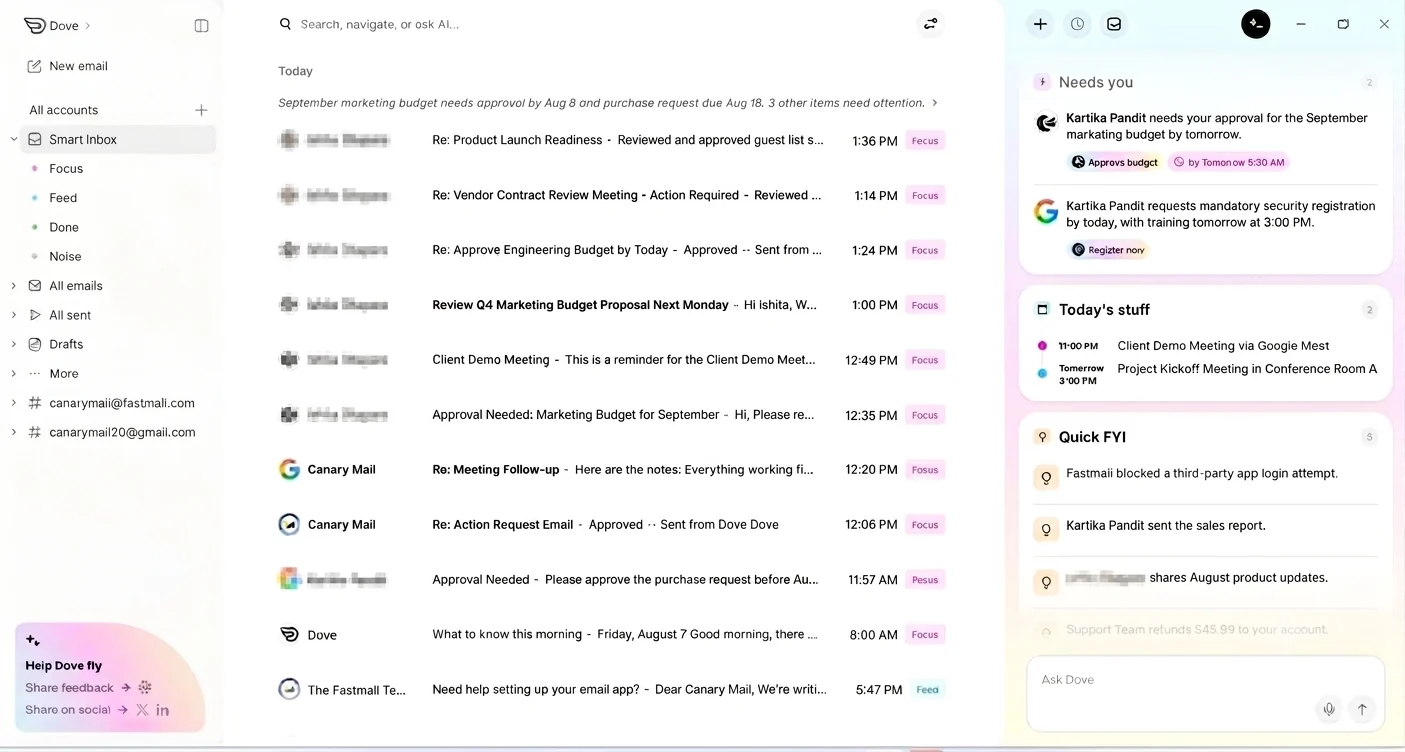
Dove sorts every email into Focus, Feed, Noise, or Done, across every account you connect, not just one. Focus is a real person with a real ask. Feed is newsletters, updates, and subscriptions, the stuff you actually chose to receive and might want to read, just not mixed in with things that need a reply from you. Noise is everything else that doesn’t need you at all. Done means you already dealt with it. There’s no middle “maybe later” pile quietly turning into a second backlog behind your back, Feed just keeps the read-later stuff separate from the decide-now stuff.
That’s really the whole mechanism. No folder tree to build, no rules to write out by hand, and none of it doubles as a separate job for each account you connect. Smart Inbox classifies based on content, not just who sent it, so a real client email and a newsletter from that same company still end up in different places, no matter which inbox they landed in.
Picture a founder checking email before 9am across a business account and a personal one. Without Dove, that’s customer requests, investor updates, and vendor noise all dumped into two separate piles, and you’re stuck scanning both just to find what’s urgent. With Dove, Focus already has what needs a response sitting there waiting, pulled from every account at once. Noise stays out of your way. The scanning is already done by the time you show up.
It also reduces the work after triage. AI Actions can handle repetitive email tasks in plain English, so clearing the messages that don’t need your attention doesn’t become another manual chore.
The to-do list part of that now lives in the Today panel, sitting right alongside your inbox, so you’re not bouncing between your calendar and your email just to piece together what your day looks like. It splits into what needs you right now, quick FYIs that don’t need a response, and scheduled tasks or meetings coming up, all in one glance, pulled from every account you’ve connected.
Want your inbox to sort itself before you open it? Try Dove.
Best for: self-employed professionals, consultants, and founders juggling multiple accounts who’d rather the sorting decision get made for them than manage one more system themselves.
SaneBox: Overwhelm Control Without Switching Inboxes
SaneBox goes about this differently. Rather than replacing your email client, it sits on top of whatever you’re already using, Gmail, Outlook, doesn’t matter. It filters the low-priority stuff into its own folder and sends you a daily digest of what got moved, so nothing disappears without you knowing about it.
This one’s for a specific kind of person: someone who’s fine with their current inbox and has zero interest in relearning a new interface, but still wants the noise handled without lifting a finger. The catch is that SaneBox is a filtering layer, not a rebuild of how your inbox actually works. It quiets things down. It doesn’t change how you act on what’s left once it does.
Best for: people who want the overwhelm handled without touching their main email client.
Spark: Bundled Triage for Teams
Spark’s Smart Inbox sorts messages into bundles, Personal, Notifications, Newsletters, which does cut down on the visual clutter of a busy inbox. Where it really pulls ahead, though, is collaboration. Shared drafts, comments, delegation, all inside the same thread.
If your version of overwhelm sounds more like “my team keeps losing track of who’s handling what in a shared inbox,” that’s a different problem than personal triage, and Spark was built for exactly that. If you’re managing a solo inbox, most of that collaboration machinery just sits there unused.
Best for: small teams or shared inboxes where more than one person needs eyes on the same thread.
Which One Fits You
If your overwhelm is personal, meaning you’re the only one dealing with your inbox and you want it sorted before you even see it, Dove is built for that specific job.
If you like your current setup and just want the noise dialed down without switching anything, SaneBox does that without asking you to change a thing else.
If the overwhelm comes from multiple people sharing one inbox, Spark’s collaboration tools solve something neither of the other two touches.
If you already have a system down and just want to move faster through it, Superhuman and Shortwave are worth a look too, though neither is built specifically around handling multiple accounts the way this list is.
Tired of deciding what matters every morning? Let your inbox decide for you. Try Dove.
FAQ
What causes inbox overwhelm?
Usually it’s not the volume, it’s the lack of a clear signal for what actually needs action. When everything looks equally urgent, you end up manually scanning all of it, and that’s where the time and the stress come from.
Is Dove only for founders?
No. It’s designed with self-employed professionals, consultants, and founders in mind since they tend to run multiple accounts and can’t afford to lose a real request in the noise, but anyone dealing with a heavy inbox gets the same benefit from the triage.
What’s the difference between Dove and Spark?
Dove automatically sorts email into Focus, Feed, Noise, and Done, separating messages that need your attention from updates you may want to read and email you’ve already handled. Spark is built around team collaboration inside a shared inbox, using bundled categories instead of a binary sort.
Does SaneBox replace my email app?
No, it filters and sorts on top of whatever client you’re already using. Your interface stays exactly the same while the noise gets handled quietly in the background.
The Bottom Line
Inbox overwhelm doesn’t get fixed by handing yourself more places to file email. It gets fixed by getting a straight answer to one question every time something lands: does this need me, or not.
Dove, SaneBox, and Spark each answer that differently, depending on what you’re actually dealing with. If you’re looking for the best email app for multiple accounts and want the decision made before you open it, Dove’s Focus, Feed, Noise, and Done make that call across every inbox you connect.
Your inbox doesn’t have to be another thing you manage, times however many accounts you’re running. Try Dove free and see what’s left once the noise is gone.
More from Dove
Recent posts

July 1, 2026
Best Airmail Alternatives in 2026
The best Airmail alternatives in 2026 compared. See platform support, pricing, strengths, and weaknesses for Dove, Canary Mail, Spark Mail, Mimestream, Edison Mail, Shortwave, Outlook, and Apple Mail.

June 30, 2026
Best Spike Alternatives in 2026
The best Spike alternatives in 2026 compared. See platforms, pricing, strengths, and weaknesses for Dove, Shortwave, Spark, Missive, and Superhuman.

June 26, 2026
Best Zoho Mail alternatives in 2026
The best Zoho Mail alternatives in 2026, compared by platform, AI, pricing, strengths, and weaknesses. See how Dove, Proton Mail, Fastmail, and Google Workspace stack up.