'/%3e%3c/g%3e%3c/svg%3e)

Best Email Apps for Remote Workers in 2026
The best email apps for remote workers in 2026, compared by platform, AI, pricing, and how well they handle async communication. Dove, Outlook, Spark, and Missive reviewed.

Remote work made email worse, not better. Once you stop sharing an office, your inbox quietly becomes the wire that holds the rest of the job together: meeting invites, status updates, client check-ins, and the Slack notifications someone forwarded because they knew you’d miss the original. Time zones make it heavier. Mail piles up while you sleep, more piles up during deep work, and the rest shows up after you’ve already mentally moved on to something else.
What you end up with is an inbox that technically works but practically doesn’t. The mail app that came with your laptop wasn’t designed for any of this. It doesn’t know the difference between a contract you need to sign today and a newsletter you forgot you subscribed to in 2019. It can’t tell you what happened in a 40-message thread that ran overnight while you were on a call with someone in Berlin. Notifications are on or off, with nothing in between.
The good news is the apps built for remote workers in 2026 are noticeably better at this. They triage automatically, sync cleanly across the laptop and phone you actually carry around, support habits like snooze and scheduled send, and in the best cases, they think about your mail so you don’t have to. Here’s how the strongest options stack up.
Key takeaways
Dove is the best fit for remote workers who want AI to handle triage on its own. Incoming mail is sorted into Focus, Noise, and Done before you open the app, so only the things that need you show up first.
Microsoft Outlook is the obvious choice if you already live inside Microsoft 365, with Copilot AI, shared calendars, and tight Teams integration.
Spark Mail works well for small remote teams that want to write and assign emails together without leaving the inbox.
Missive is built specifically for shared inboxes and team conversations on top of email threads.
Gmail is everywhere and connects to everything, but its AI is still shallow and the default inbox doesn’t do much to cut noise on its own.
What remote workers actually need from an email app
Not every email problem is a remote work problem. The ones that get specifically worse when you go distributed are:
Async triage. Mail shows up at all hours. The app needs to make some early decisions about what matters, instead of dumping everything into one flat list.
Multi-account management. Most remote workers carry a personal inbox, a work inbox, and sometimes a client or project address on the side. Switching between them shouldn’t mean switching apps.
Real native apps, not just a browser tab. A web client is fine occasionally. If you live in email, a real desktop app and a real mobile app feel different in the hand and keep working when your VPN hiccups.
Calendar and meeting awareness. Remote work runs on calls. An app that can connect a thread to a meeting invite and nudge you to prep is doing more work than one that just stores the message.
Notification control. Always-on notifications are the remote version of open-plan interruptions. The good apps let you set priority rules so your phone isn’t lighting up every time someone hits reply-all.
Security. You’re logging in from cafes, home Wi-Fi, and the occasional hotel network. Phishing and impersonation attempts hit distributed workers more often than people sitting behind a corporate firewall.
Remote work email apps at a glance
Email app | Platforms | AI approach | Starting price | What it does well | Where it falls short |
|---|---|---|---|---|---|
iOS, Android, macOS, Windows, Web | AI-native, automatic triage | Free plan (10 AI actions/day); Pro $20/month, 7-day trial | Focus/Noise/Done sorting, thread intelligence, daily task list, security scoring | Newest name here, smaller third-party integration list today | |
Microsoft Outlook | iOS, Android, macOS, Windows, Web | Copilot AI (M365 add-on) | Included with Microsoft 365 ($6/user/month and up) | Deep M365 integration, Copilot, shared calendar, Teams bridge | Copilot costs extra; heavy for solo workers or non-Microsoft stacks |
Spark Mail | iOS, macOS, Android, Windows | AI drafting, priority inbox | Free (1 account); Premium $4.99/month; Teams $6.99/user/month | Team drafts, shared inbox, easy collaboration | Sync relies on Spark’s servers; privacy trade-off for teams |
Missive | iOS, macOS, Android, Windows, Web | Basic AI drafting | Solo free; Starter $14/user/month; Productivity $18/user/month | Shared inbox with real-time collaboration, assignment threads, internal comments | Overkill for solo workers; pricing climbs fast per seat |
Gmail | Web, iOS, Android (desktop via browser) | Gemini AI (Workspace add-on) | Free (personal); Google Workspace from $6/user/month | Universal compatibility, integrations, search | No native desktop app; Gemini costs extra; weak triage out of the box |
Pricing is approximate and changes often. Check each provider before committing.
1. Dove: best for remote workers who want the inbox to do the sorting
Remote work surfaces inbox overload faster than any other setup. You’re not at a desk catching things as they land. You come back from a focus block or a call and there’s a stack waiting, with no obvious place to start. Dove was built for exactly that moment.
Anything that hits Dove gets sorted into one of three states: Focus (needs you), Noise (doesn’t), or Done (already handled). When you open the app, the first pass is done. You’re picking up from somewhere, not starting from zero.
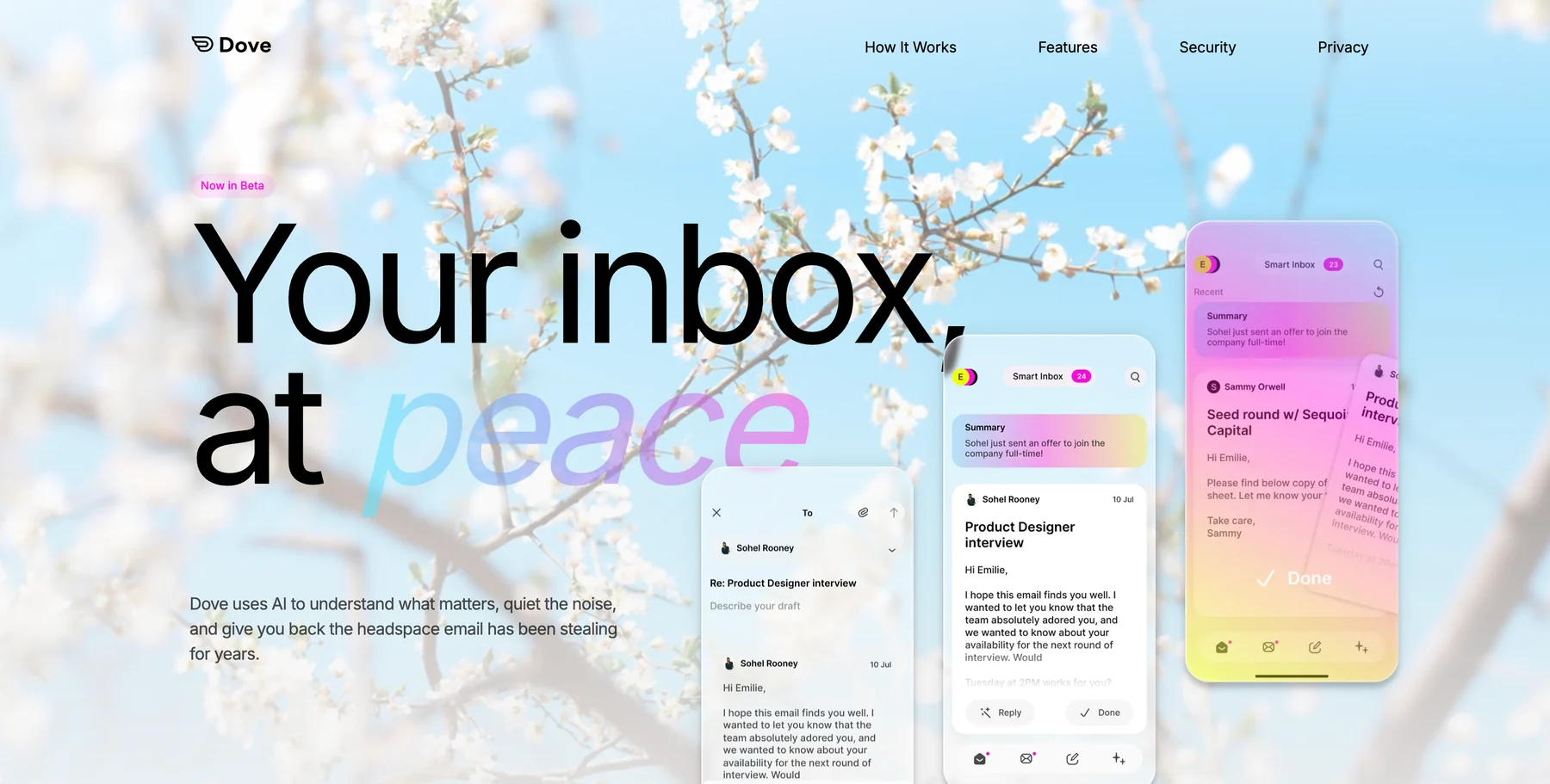
Open a Focus thread and Wingman reads the whole conversation for you: what changed, who promised what, what needs a reply, and whether anything looks off. If you’re catching up on 30 messages from a team that runs six hours ahead, that saves real time. AI Assist takes plain-language commands (search, archive, label, draft, summarize) without making you hunt through menus. Daily Tasks pulls action items out of your Focus mail and ranks them, so each morning starts with a list rather than the idea of a list.
The security layer matters more for remote workers than it sounds. Dove scores every incoming message for phishing and impersonation risk and quarantines the dangerous ones before they reach you. That’s genuinely useful when you’re connecting from networks that aren’t behind a corporate perimeter.
Platforms: iOS, Android, macOS, Windows, and Web. Triage happens server-side, so it stays consistent across devices without any per-device setup.
What it does well: Automatic sorting that actually cuts the cognitive load of coming back to a full inbox. Thread intelligence through Wingman. Daily task extraction. Phishing and impersonation detection built in. A clean interface that doesn’t change shape between platforms.
Where it falls short: Dove is the newest app on this list, so the third-party integration library is smaller than Microsoft or Gmail today. A few classic power-user shortcuts are still being filled in.
Pricing: A free plan covers core inbox features with up to 10 AI actions per day across unlimited email accounts. Pro is $20/month with a 7-day free trial, which unlocks unlimited AI, daily tasks, meeting detection, and a unified inbox across Gmail, Microsoft, and IMAP on all platforms.
Best for: Remote workers whose main problem is an inbox that never stops and a day that never has time to sort it.
Try Dove on the inbox you already use.
2. Microsoft Outlook: best for remote workers already inside Microsoft 365
If your company runs Microsoft 365, Outlook is already paid for. For a distributed team using Teams for calls, SharePoint for docs, and Microsoft 365 for everything else, Outlook is the tightest fit. The desktop apps on Mac and Windows are solid, shared calendar and delegation are mature, and Teams meetings work out of the box.
Microsoft 365 Copilot brings AI drafting, summaries, and thread analysis into Outlook, but it’s a paid add-on on top of the base subscription rather than something included at the standard tiers. At the Pro Plus level it’s a real upgrade. At the basic Business plan, the AI feels closer to Gmail’s Gemini than to Dove’s automatic triage.
Platforms: iOS, Android, macOS, Windows, and Web.
What it does well: Best-in-class Microsoft 365 integration, mature shared calendar and delegation, Focused Inbox filtering, and Copilot AI for summaries and drafts once licensed. Teams calls launch straight from threads.
Where it falls short: Copilot needs an add-on license that adds meaningful per-seat cost. Outside a Microsoft-heavy stack, Outlook can feel heavy for what you actually use. The macOS app still trails the Windows version in a few spots.
Pricing: Included with Microsoft 365 plans starting at around $6/user/month (Business Basic). Copilot is an add-on that varies by plan and region; check Microsoft’s current pricing.
Best for: Remote workers on a Microsoft 365 team who want deep calendar, Teams, and document integration without juggling a separate mail app.
3. Spark Mail: best for small remote teams who share an inbox
Spark Mail is the cleanest option for small remote teams that want to collaborate inside email without moving to a dedicated shared-inbox platform. You can assign threads to teammates, leave private comments on a message, draft replies together in real time, and share templates, all inside the mail app. Fewer tabs, fewer Slack messages about email.
The AI layer covers priority inbox sorting, smart replies, and drafting help. The sorting isn’t as deep as Dove’s three-state triage, but it does meaningfully cut noise compared with a raw Gmail or Outlook view.
Platforms: iOS, macOS, Android, and Windows, all native.
What it does well: Collaborative drafts, thread assignments, internal comments, team templates, and a priority inbox that surfaces what matters. Works across Gmail, Microsoft 365, and most IMAP accounts.
Where it falls short: Email is synced through Spark’s servers, which is a privacy trade-off worth knowing. The free plan caps you at one account, and team features need a paid plan. Heavy users have reported occasional sync delays.
Pricing: Free for one account. Premium is $4.99/month per person. Teams is $6.99/user/month. Annual billing brings those rates down.
Best for: Distributed teams of 2 to 20 people who want to collaborate on email without adopting a full help-desk or shared-inbox platform.
4. Missive: best for shared inboxes at scale
Missive is built for shared inboxes, and it does that job better than any general email client. Every thread can carry internal comments, assignments, and real-time co-editing on draft replies. It handles support queues, team inboxes, client-facing aliases, and internal team chat all inside one interface.
For a remote customer-facing team or an agency running multiple client accounts, Missive solves problems no other app on this list is really aimed at.
Platforms: iOS, macOS, Android, Windows, and Web.
What it does well: Real-time collaborative email, internal threading on top of messages, assignment and resolution flows, support for multiple shared inboxes, and a rules engine for routing. Works with Gmail, Outlook, and IMAP.
Where it falls short: If you’re a solo remote worker, Missive is serious overkill. It’s priced per seat and built for teams, so the per-user cost stacks up quickly without enough collaboration to justify it.
Pricing: A Solo plan is free with limited history. Starter is $14/user/month, Productivity is $18/user/month, and Business is $26/user/month, all billed annually.
Best for: Remote customer support teams, agencies, and any distributed team that owns a shared address and needs everyone aligned on it.
5. Gmail: best for broad compatibility and integrations
Most of the world’s email already lives in Gmail, and it connects to roughly everything. For a remote worker who needs maximum compatibility and isn’t bothered about AI-driven triage, staying in Gmail with sensible habits and a few filters is a fine default.
Gemini in Gmail adds drafting help and some summarization, but it’s a paid add-on on the Workspace side, and the triage assistance is lighter than what Dove or Spark do automatically. Priority Inbox helps a little. It’s still a rough filter, not an AI reading a thread and telling you what changed while you were away.
Platforms: Web, iOS, and Android. There’s no native desktop app; Mac and Windows users live in the browser or run a third-party client over IMAP.
What it does well: Unmatched third-party integrations, powerful search, free for personal use, and the widest compatibility on this list. Gemini handles drafts and summaries when you turn it on.
Where it falls short: No native desktop app. Gemini’s triage features are thin compared with purpose-built AI clients. Out of the box, Gmail does nothing to separate a contract revision from a newsletter.
Pricing: Free for personal accounts. Google Workspace plans start at around $6/user/month for Business Starter. Gemini for Workspace adds cost on top.
Best for: Remote workers who need maximum integrations and compatibility and are happy doing their own triage manually.
How to choose the right email app for remote work
It comes down to where your actual bottleneck is.
If the problem is inbox overload: Dove’s automatic three-state triage is the most direct fix. You aren’t filtering or labeling by hand; the AI is making the first pass on every message before you open the app.
If the problem is privacy or client confidentiality:so you decide when AI sees your mail and when it doesn’t.
If the problem is team coordination inside email threads: Spark Mail is the lighter choice for small teams. Missive is the better fit if you need full shared-inbox management.
If the problem is Microsoft 365 integration: Outlook is the natural home if your company is already running on Teams and SharePoint. Copilot adds real value once licensed.
If you just need everything to work: Gmail is the baseline. It connects to everything and works everywhere, even if it doesn’t lighten the cognitive load on its own.
One practical thing worth flagging: these apps aren’t mutually exclusive at the service level. Dove works on top of Gmail and Microsoft 365 accounts. . If you’re happy with your email host but not with the experience of processing mail, you don’t need to change providers. You need a better client.
Try Dove free, works on top of Gmail, Outlook, and IMAP in minutes.
Frequently asked questions
What is the best email app for remote workers in 2026?
Dove is the strongest pick for most remote workers because its AI-native triage automatically sorts incoming mail into Focus, Noise, and Done, so coming back to a full inbox after deep work or a call becomes manageable instead of overwhelming. For privacy-first remote workers For teams that need shared-inbox collaboration, Spark Mail or Missive are worth a look.
Do I need to switch email providers to use a better email app?
No. Most of the apps in this guide, including Dove Spark Mail, and Outlook, connect to Gmail, Microsoft 365, iCloud, and standard IMAP accounts. You keep your existing email address and history. You just get a better interface and smarter processing on top.
Is AI email sorting reliable enough to trust for remote work?
Dove’s Focus, Noise, and Done classification improves with use and is designed to be conservative on Focus sorting, so the things that genuinely need you rarely get muted. Wingman’s summaries are read-only, so they help you understand a thread faster but don’t act on your behalf. You can always scan the Noise list if you want to double-check that nothing important got sorted there.
What should remote workers look for in email security?
Phishing and impersonation attempts hit people working outside a corporate network more often. Dove’s built-in security scoring flags risky messages and quarantines the dangerous ones before they reach your inbox. . Both are real upgrades over the default security posture of Gmail or Outlook without add-ons.
Can I use multiple email accounts in one app?
Yes. Dove Spark Mail, and Outlook all support multiple accounts in a unified view. Dove’s Pro plan in particular covers unlimited accounts across Gmail, Microsoft, and IMAP. Pulling a work account, a personal account, and a client-facing alias into one place is one of the main reasons remote workers switch off the default mail app.
How does async communication change what you need from an email app?
In an office, you catch things as they happen. On a remote team, you walk back into a pile. An app built for async work needs to do more than sort by time. It needs to tell you what actually changed in a thread you weren’t watching, surface anything needing a response, and let you cleanly defer things until you have bandwidth. Triage, thread intelligence, and task extraction together are what Dove is specifically built around.
Bottom line
Remote work changes the shape of email. Messages arrive across time zones, the pile is waiting when you come back from focused work, and the default inbox has no way to tell a contract revision apart from a newsletter. The best email apps for remote workers in 2026 fix that by doing more of the sorting before you ever open the app.
Dove handles triage automatically, so you open it to a ranked view of what needs you instead of a wall of unread messages. . Spark and Missive are for distributed teams that need to coordinate inside threads. Outlook is the natural choice inside a Microsoft 365 organization. Gmail wins on compatibility when nothing else matters more.
Pick based on your real bottleneck. For most remote workers, the bottleneck is the inbox itself.
Try Dove free, works on top of your existing email, takes 2 minutes to connect.
More from Dove
Recent posts

September 16, 2026
Dove vs Superhuman: Two Answers to the Same Inbox
Superhuman makes you faster at email. Dove does more of the email for you. Compare AI triage, platforms, providers and plans to find your fit.

August 17, 2026
Best Email App for Multiple Accounts in 2026
Juggling more than one inbox? Here is the best email app for multiple accounts in 2026, plus two other ways to fix inbox overwhelm for good.

July 1, 2026
Best Airmail Alternatives in 2026
The best Airmail alternatives in 2026 compared. See platform support, pricing, strengths, and weaknesses for Dove, Canary Mail, Spark Mail, Mimestream, Edison Mail, Shortwave, Outlook, and Apple Mail.