'/%3e%3c/g%3e%3c/svg%3e)

Best Spike Alternatives in 2026
The best Spike alternatives in 2026 compared. See platforms, pricing, strengths, and weaknesses for Dove, Canary Mail, Shortwave, Spark, Missive, and Superhuman.

Spike made a real bet: turn email into chat. Instead of formal threads with signatures and quoted replies, you get a conversational feed that looks like a messaging app, plus collaborative notes, tasks, and groups bolted on top. For some people that clicks. For a lot of others, the chat metaphor adds noise instead of removing it, the interface feels busy, and the AI never quite takes work off their plate.
If you are looking for a Spike alternative in 2026, you usually want one of three things: a calmer inbox that actually triages for you, a more private and traditional client, or stronger team collaboration without the chat-first framing. We compared six apps across what they do well, where they fall short, which platforms they support, and what they cost.
Key Takeaways
Dove is the best Spike alternative if your real problem is overload and noise, because it triages every message into Focus, Noise, and Done instead of turning email into another chat feed.
Canary Mail is the best pick for privacy-conscious users who want a mature, traditional client with PGP encryption and optional AI rather than AI by default.
Shortwave is the strongest AI assistant if you live in Gmail and want chat-style answers about your inbox.
Spark and Missive are the closest matches for Spike’s team collaboration and shared-inbox features.
Superhuman is the fastest keyboard-first option, but it is the most expensive and only supports Gmail and Outlook.
Why people look for a Spike alternative
Spike is genuinely good at a few things. The conversational view strips away clutter for short back-and-forth exchanges, the built-in notes and tasks are handy, and it runs on nearly every platform. The reasons people leave tend to be consistent:
The chat-style inbox reframes every email as a message, which works for quick replies but feels wrong for long, formal, or reference-heavy threads.
Notes, tasks, groups, and meetings make the app feel crowded if all you wanted was a better inbox.
The AI assists with writing but does not meaningfully reduce how many messages you have to deal with.
Privacy-focused users want stronger encryption controls and AI that is optional rather than on by default.
Spike platforms: Web, macOS, Windows, Linux, iOS, and Android. Spike pricing: a free tier, Solo Pro at roughly $8 per month billed annually, and team plans from about $6 to $12 per user per month as of June 2026.
How we evaluated Spike alternatives
We graded each app on four axes so you can match it to your actual problem:
What it does well, the one or two things this app is genuinely best at.
What it does poorly, the gaps and rough edges that show up in daily use.
Platform support, the operating systems and devices the app really runs on.
Pricing, published prices as of June 2026, including free tiers where they exist.
For the wider category, see our roundup of the best email apps in 2026 and the best AI email apps in 2026. If privacy is your priority, start with the best email apps for privacy.
The best Spike alternatives at a glance
App | Best for | Platforms | Free tier | Paid pricing (from) | AI approach |
|---|---|---|---|---|---|
AI-native triage and threat detection | Web, iOS, Android, macOS, Windows | Free (10 AI actions/day) | $20/month, 7-day trial | AI-native, the foundation | |
Privacy-first client with optional AI | macOS, iOS, Android, Windows | Yes | Growth $36/year, Pro+ $100/year | Optional AI, PGP encryption | |
Shortwave | AI assistant for Gmail | Web, iOS, Android | Yes (limited) | $9/month | AI assistant layer |
Spark Mail | Team email and shared inbox | macOS, iOS, Android, Windows | Yes | Premium from $6/month per user | Cloud AI assist |
Missive | Team collaboration and shared inboxes | Web, macOS, Windows, iOS, Android | Yes (limited) | From about $14/user/month | Optional AI add-ons |
Superhuman | Speed and keyboard-first power users | macOS, Windows, iOS, Android, Web | No | $30/month | Cloud AI assist |
1. Dove: best for AI-native triage and threat detection
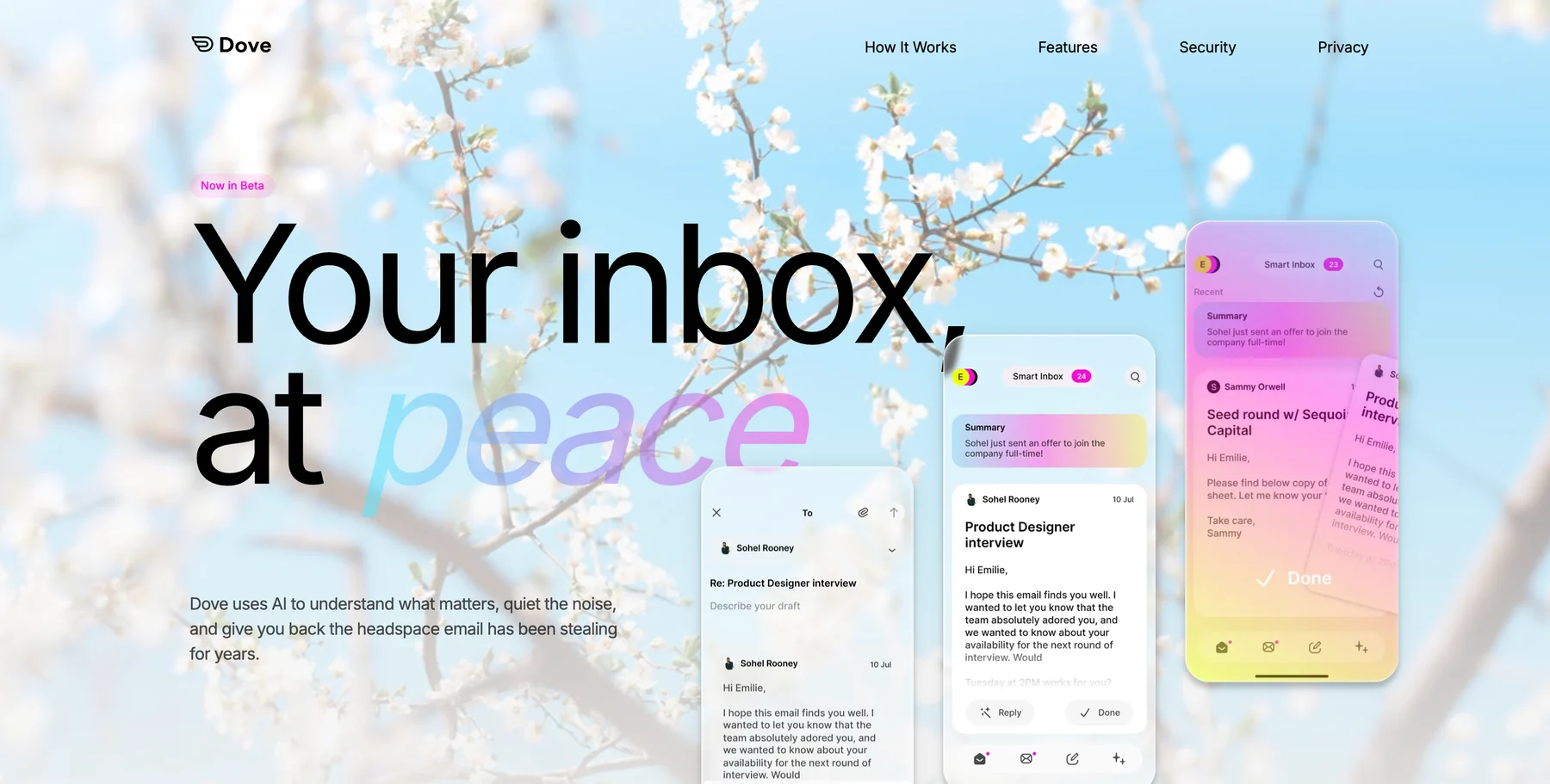
Spike tries to fix email by changing how it looks. Dove fixes it by changing what your inbox does with each message. Every incoming email is scored for risk and importance, then sorted into Focus (needs you), Noise (newsletters, junk, threats), or Done (already handled). Phishing and impersonation attempts get quarantined into Noise before they reach your attention.
That is a different promise from a chat feed. Where Spike makes every message look like a text, Dove decides which messages deserve to be seen at all. The Wingman feature reads thread context to surface risks buried inside long conversations, and the triage keeps learning from what you reply to, archive, and ignore. If your frustration with Spike is volume rather than formatting, this is the alternative that addresses it directly.
Dove is an AI-native inbox that connects to your existing Gmail, Outlook, iCloud, or IMAP accounts, so switching does not mean migrating to a new mailbox.
Platform support: Web, iOS, Android, macOS, and Windows.
Pricing: A free plan with 10 AI actions per day, a single paid plan at $20 per month, and a 7-day trial. See current details on the Dove site.
What Dove does well:
AI triage into Focus, Noise, and Done is the core product, not an add-on
Automatic risk scoring with phishing and impersonation detection
Wingman thread intelligence catches threats hidden in long replies
Works with your existing accounts across every major platform
Calm, single-stream inbox instead of a busy chat-plus-notes layout
What Dove does poorly:
It is not a chat, notes, and tasks suite, so if you specifically liked Spike’s all-in-one workspace, Dove is narrower by design
It is not an end-to-end encrypted email provider, so pair it with Canary Mail for PGP if encryption is critical
AI triage is cloud-based rather than on-device
If your real problem is an inbox that feels like a second job, Dove is the right starting point. Learn more about how Dove’s triage works.
2. Canary Mail: best for privacy-conscious users who want optional AI
Where Spike puts conversation first and Dove puts AI triage first, Canary Mail puts privacy first. It is a mature, traditional email client that has been refined for years, with end-to-end PGP encryption, read receipts, and a clean focused inbox. Its AI features, including writing help and summaries, are optional rather than switched on by default, which matters if you would rather keep AI out of sensitive mail.
Canary Mail works with any account and runs natively on desktop and mobile, so it is a natural home for people who want control over their data without giving up a polished app.
Platform support: macOS, iOS, Android, and Windows.
Pricing: A free tier, Growth at $36 per year, and Pro+ at $100 per year as of June 2026.
What Canary Mail does well:
Built-in PGP encryption for end-to-end secure email
AI is optional, so you decide when it touches your messages
Mature, stable client with years of refinement
Works with any IMAP, Gmail, Outlook, or iCloud account
What Canary Mail does poorly:
No native Linux app, which Spike does offer
AI is capable but not the foundation of the product the way it is in Dove
Some advanced features sit behind the Pro+ tier
For more privacy-first picks, see the best email apps for privacy.
3. Shortwave: best AI assistant for Gmail
Shortwave was built by ex-Google engineers as a Gmail rebuild centered on an AI assistant. Its standout feature is the assistant chat: you ask questions about your inbox in plain language and it pulls context from across your threads to answer. It also bundles related messages automatically and summarizes long threads. If you liked Spike’s conversational feel but want the AI to actually do work, Shortwave is the closest fit for Gmail users.
Platform support: Web, iOS, and Android. There are no native desktop apps, so desktop users run the web app.
Pricing: A free tier with limited AI usage, Personal at $9 per month, and Business at $19 per user per month.
What Shortwave does well:
The AI assistant chat is one of the most useful AI inbox features available
Smart bundles auto-group receipts, newsletters, and calendar mail
AI-ranked search is genuinely fast and accurate
What Shortwave does poorly:
Gmail only, so it is a non-starter for Outlook, iCloud, or IMAP accounts
No native macOS or Windows app
Full AI access requires a paid plan
See our full list of Shortwave alternatives for more context.
4. Spark Mail: best for team email and shared inboxes
Spark is the closest match for the collaborative side of Spike. It offers shared inboxes, delegated threads, private team comments, and a Smart Inbox that groups mail by type. If what you valued in Spike was working on email together with a team, Spark covers most of that ground with a more conventional inbox layout.
Platform support: macOS, iOS, Android, and Windows.
Pricing: A free tier, with Premium from about $6 per month per user as of June 2026.
What Spark does well:
Strong team features: shared inboxes, comments, and delegation
Smart Inbox automatically separates important mail from noise
Clean cross-platform apps on desktop and mobile
What Spark does poorly:
Team features and full AI sit behind paid plans
Some users dislike that email data flows through Spark’s servers
The AI assists rather than fundamentally reducing your message load
Compare more options in our Spark Mail alternatives guide.
5. Missive: best for team collaboration
Missive leans even harder into collaboration than Spike does. It combines shared inboxes with chat, assignments, and internal discussion threads attached to each conversation, which makes it a favorite for support and operations teams. If you adopted Spike mainly as a lightweight team hub, Missive is the more serious version of that idea.
Platform support: Web, macOS, Windows, iOS, and Android.
Pricing: A limited free tier, with paid plans from about $14 per user per month as of June 2026.
What Missive does well:
Deep collaboration: shared inboxes, internal chat, and assignments in one place
Rules and workflows for routing team mail
Works across web, desktop, and mobile
What Missive does poorly:
Overkill for a solo user who just wants a better personal inbox
Per-seat pricing adds up quickly for larger teams
AI is an optional add-on rather than a core strength
6. Superhuman: best for speed and keyboard-first power users
Superhuman is the premium, speed-obsessed option. It is built around keyboard shortcuts and sub-100ms response times, with AI that drafts replies in your voice, summarizes threads, and automates follow-ups. If your complaint about Spike was that it felt slow or cluttered, Superhuman is the opposite experience, though you pay for it.
Platform support: macOS, Windows, iOS, Android, and Web.
Pricing: $30 per month per user, with no free tier.
What Superhuman does well:
The fastest, most polished keyboard-driven inbox available
AI-written replies in your voice are accurate
Split inbox separates VIPs, team, news, and marketing
What Superhuman does poorly:
$30 per month is the most expensive consumer email app
Gmail and Outlook only, with no IMAP, iCloud, or other providers
Onboarding is deliberately slow
See our Superhuman alternatives roundup if speed matters most to you.
How to choose the right Spike alternative
Match the tool to the reason you are leaving Spike:
You want a calmer inbox that triages for you: choose Dove.
You want privacy, encryption, and AI that stays optional: choose Canary Mail.
You live in Gmail and want a real AI assistant: choose Shortwave.
You need team email and shared inboxes: choose Spark or Missive.
You want raw speed and keyboard control: choose Superhuman.
Most people who tried Spike were really after a quieter inbox, not a chat app. If that is you, an AI-native triage tool like Dove solves the actual problem, while Canary Mail covers you if privacy and encryption come first.
FAQ
What is the best Spike alternative in 2026?
For most people, Dove is the best Spike alternative because it triages every message into Focus, Noise, and Done instead of turning email into a chat feed, which addresses the overload that pushes people away from Spike. If privacy matters most, Canary Mail is the better choice thanks to PGP encryption and optional AI.
Is there a free alternative to Spike?
Yes. Dove offers a free plan with 10 AI actions per day, and Canary Mail, Shortwave, Spark, and Missive all have free tiers. Each free plan has limits, so check whether the features you rely on, such as AI usage or team collaboration, are included before you commit.
Which Spike alternative works on Linux?
Spike itself runs on Linux, but most alternatives focus on web, desktop, and mobile. Dove runs on Web, iOS, Android, macOS, and Windows, and its web app works in any Linux browser. If you need a fully native Linux desktop client, a standards-based option accessed through a Linux email client may suit you better.
Which Spike alternative is best for teams?
Spark and Missive are the strongest team picks. Spark offers shared inboxes, delegation, and private comments, while Missive goes further with internal chat and assignments attached to each conversation. Both are closer to Spike’s collaborative side than the personal-inbox tools on this list.
Does Dove use AI like Spike?
Dove uses AI differently. Spike’s AI mainly helps you write and summarize, while Dove’s AI is the foundation of the inbox: it scores every message for risk and importance and sorts it into Focus, Noise, or Done automatically. Canary Mail, by contrast, keeps AI optional so you control when it is used.
Do these Spike alternatives work with my existing email account?
Most do. Dove connects to your existing Gmail, Outlook, iCloud, or IMAP accounts, and Canary Mail, Spark, and Missive also work with standard providers. Shortwave is the exception, since it only supports Gmail, and Superhuman supports Gmail and Outlook only.
Bottom line
Spike does one thing well: it turns email into a fast, chat-style feed with notes, tasks, and groups attached. If that format genuinely suits how you work, it is still a fine app. The moment the chat metaphor starts adding noise instead of removing it, a different inbox makes more sense. Dove is the cleanest upgrade, triaging every message into Focus, Noise, and Done, reading long threads, and surfacing what needs a reply so nothing important slips, and it sits right on top of your existing Gmail, Outlook, or IMAP account. Canary Mail covers the same ground when privacy comes first, with optional AI you turn on only when you want it. Shortwave is the strongest AI assistant if you live in Gmail, Spark and Missive handle team and shared-inbox workflows, and Superhuman is there if raw speed matters most.
Try Dove free, it works on top of your existing email and takes about two minutes to connect.
More from Dove
Recent posts

June 26, 2026
Best Zoho Mail alternatives in 2026
The best Zoho Mail alternatives in 2026, compared by platform, AI, pricing, strengths, and weaknesses. See how Dove, Canary Mail, Proton Mail, Fastmail, and Google Workspace stack up.

June 25, 2026
Best Proton Mail alternatives in 2026
The best Proton Mail alternatives in 2026, compared by platform, AI, pricing, strengths, and weaknesses. See how Dove, Canary Mail, Tuta, and Fastmail stack up.

June 24, 2026
Best Email Apps for Remote Workers in 2026
The best email apps for remote workers in 2026, compared by platform, AI, pricing, and how well they handle async communication. Dove, Canary Mail, Outlook, Spark, and Missive reviewed.