'/%3e%3c/g%3e%3c/svg%3e)

Best Airmail Alternatives in 2026
The best Airmail alternatives in 2026 compared. See platform support, pricing, strengths, and weaknesses for Dove, Canary Mail, Spark Mail, Mimestream, Edison Mail, Shortwave, Outlook, and Apple Mail.

Airmail has been a fixture on the Mac and iOS App Store for over a decade, and its deep customization (custom actions, swipe gestures, unified inbox) still has a loyal following. But it has real limits in 2026. It only runs on Apple hardware, so there is no version for Windows or Android. Sync between devices has been an inconsistent complaint across App Store reviews for years, and the shift from a one-time purchase to an Airmail Pro subscription frustrated long-time users who bought the app expecting to own it outright.
If you want the customization Airmail is known for, or you are simply ready to move to something with proper cross-platform support and modern AI, the 2026 email market has stronger options in almost every direction.
We compared eight Airmail alternatives on platform support, pricing, what each app does well, and what it does poorly. Whether you want an AI-native inbox, a privacy-first client, or a free cross-platform default, this guide covers the range.
Key Takeaways
Dove is the best all-around Airmail alternative if inbox overload and phishing risk are your real problem, not custom swipe gestures.
Canary Mail is the closest match for Airmail’s power-user customization, with PGP encryption and optional on-device AI thrown in.
Mimestream is the most direct one-to-one replacement for Mac users who only need Gmail, though it shares Airmail’s single-platform limitation.
Edison Mail and Outlook are the strongest free, cross-platform picks if you just want out of the Apple-only bubble.
Shortwave is worth a look only if you are Gmail-only and willing to pay premium pricing for AI.
How we evaluated Airmail alternatives
Airmail’s biggest limitation isn’t features, it’s reach. So platform support was the first axis we graded on, not an afterthought. We scored each app on:
Platform support: which operating systems the app actually runs on, since this is exactly where Airmail falls short.
What it does well: the one or two things this app is genuinely best at.
What it does poorly: the gaps, missing features, or rough edges that show up in daily use.
Pricing: published prices as of mid-2026, including free tiers where they exist.
For background on the broader category, see our full roundup of the best email apps in 2026 and our AI email apps comparison.
The best Airmail alternatives at a glance
App | Best for | Platforms | Free tier | Paid pricing | AI |
|---|---|---|---|---|---|
AI-native triage and threat detection | Web, iOS, Android, macOS, Windows | Yes, 10 AI actions/day | $20/month, one plan | Cloud | |
Power-user customization with privacy | macOS, iOS, Android, Windows | Yes, free forever plan | Growth $36/year, Pro+ $100/year | Optional, on-device | |
Spark Mail | Cross-platform teams and shared drafts | macOS, iOS, Android, Windows | Yes, limited | From $7.99/month | Cloud |
Mimestream | Mac-native Gmail power users | macOS only | No, 14-day trial | $4.99/month or $49.99/year | None |
Edison Mail | Free, cross-platform default | iOS, Android, macOS | Yes, full-featured | Plus $14.99/month | None |
Shortwave | AI assistant for Gmail-only users | Web, iOS, Android | No, 14-day trial | From $24/month per seat | Cloud |
Outlook | Free Microsoft 365 ecosystem | Windows, macOS, iOS, Android, Web | Yes | Microsoft 365 Personal $6.99/month | Copilot add-on |
Apple Mail | Free native fallback on Apple devices | macOS, iOS only | Yes, built in | Free | None |
1. Dove: best for AI-native triage and threat detection
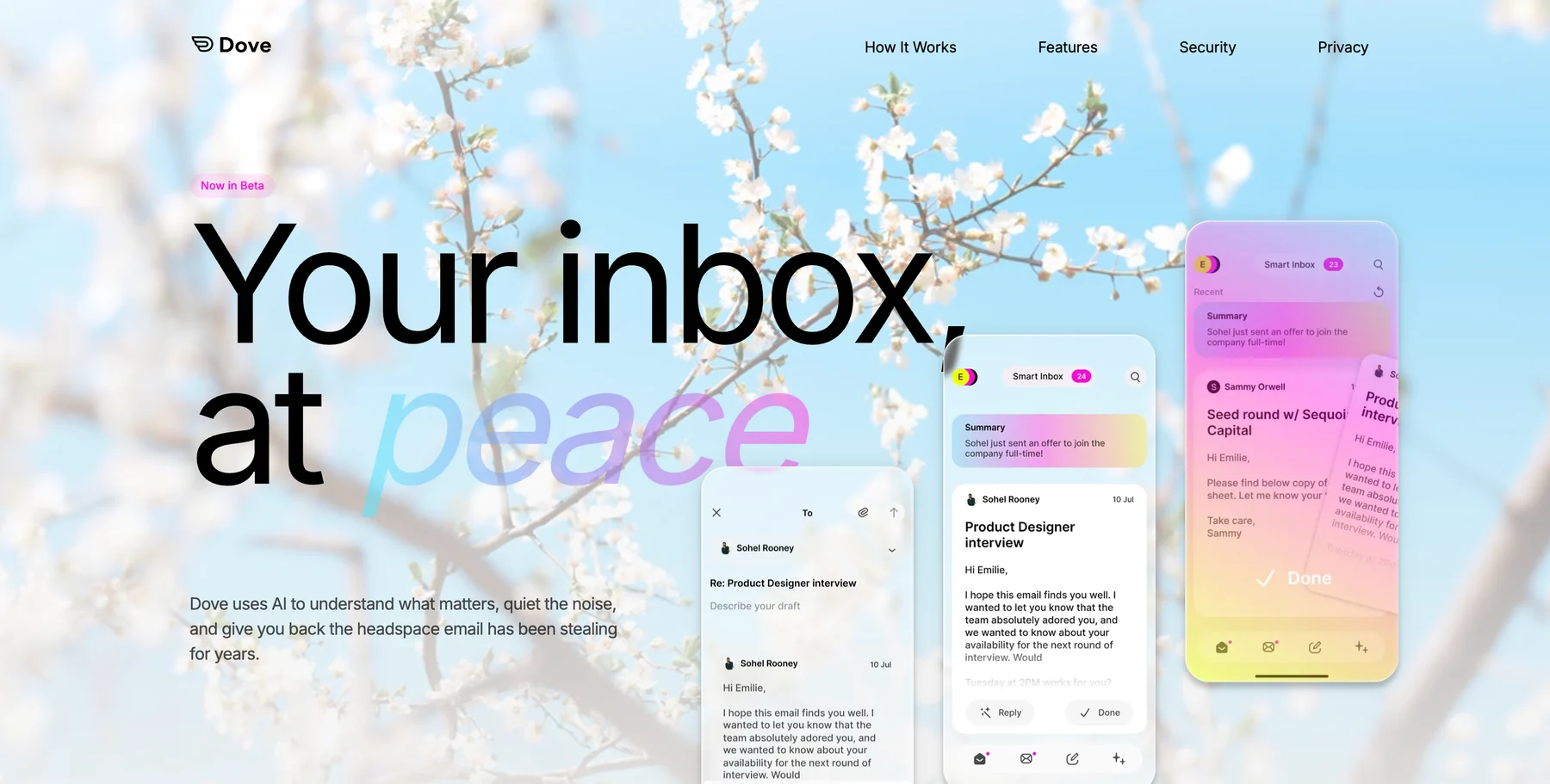
Dove takes a completely different approach than Airmail. Instead of giving you more manual controls to sort mail yourself, Dove triages every incoming message automatically into Focus, Noise, or Done, so you are never the one deciding what deserves attention. Phishing attempts and impersonation attacks get scored for risk and routed into Noise before you ever see them, which is something Airmail’s custom rules and swipe actions were never built to handle.
Dove also solves Airmail’s biggest structural problem: platform reach. It works on Web, iOS, Android, macOS, and Windows from day one, connecting to your existing Gmail, Outlook, iCloud, or IMAP account.
Platform support: Web, iOS, Android, macOS, Windows.
Pricing: Dove is officially launched with a free plan that includes 10 AI actions per day, and a single paid plan at $20/month with unlimited AI actions and a 7-day free trial.
What Dove does well:
AI triage into Focus, Noise, and Done is the foundation, not a bolt-on feature
Automatic risk scoring with phishing and impersonation detection
Wingman thread intelligence catches risks and action items buried in long replies
Works with your existing Gmail, Outlook, iCloud, or IMAP accounts
Cross-platform from day one, unlike Airmail’s Apple-only reach
What Dove does poorly:
No dedicated custom swipe-action editor for users who liked tuning Airmail’s gestures
Not an end-to-end encrypted provider; pair with Canary Mail for PGP if encryption is the priority
Newer to the market than Airmail, so some long-tail power-user shortcuts are still catching up
If your real complaint about Airmail is that you are still doing the sorting yourself, Dove is the clearest upgrade. Start the 7-day free trial.
2. Canary Mail: best for power-user customization with privacy
Canary Mail is the closest match to what Airmail users actually liked, deep customization, a fast native feel, and support for every major account type, but with PGP encryption and optional on-device AI layered on top. Where Airmail’s AI features are limited to writing assistance, Canary Mail’s AI is genuinely optional. It runs locally on your device, and you can use every core email feature with it switched off entirely.
Canary Mail also fixes Airmail’s platform gap outright. It runs on macOS, iOS, Android, and Windows, so switching does not mean giving up your Windows machine or Android phone.
Platform support: macOS, iOS, Android, Windows.
Pricing: Free forever plan with core email and PGP encryption. Growth is $36/year, Pro+ (added security and SecureSend) is $100/year. A 7-day trial unlocks every paid feature with no credit card required.
What Canary Mail does well:
Optional, on-device AI means privacy-conscious users are never forced into cloud processing
PGP encryption and SecureSend for HIPAA-level message security
Custom swipe actions, unified inbox, and smart folders that feel familiar to former Airmail users
Genuinely free-forever tier, not just a trial
What Canary Mail does poorly:
AI features are optional add-ons rather than the core experience, so it is not the pick if AI triage is your main goal
Growth and Pro+ pricing is annual only, no monthly option
Less aggressive automatic sorting out of the box than Dove
If what you actually want is Airmail’s customization with better security and a real cross-platform footprint, Canary Mail is the direct upgrade.
3. Spark Mail: best for cross-platform teams and shared drafts
Spark Mail replaces Airmail’s single-user customization with collaboration. Shared drafts, comment threads on emails, and delegated inboxes make it the strongest option here for small teams who need more than one person managing a shared address. Spark’s AI assist can draft replies and summarize threads, though it runs on a usage quota tied to your plan.
Platform support: macOS, iOS, Android, Windows.
Pricing: Free plan with limited AI and one account. Premium Individual starts at $7.99/month ($59.99/year). Spark has also begun moving new signups to Plus ($10/user/month) and Pro ($20/user/month) team tiers.
What Spark Mail does well:
Shared drafts and inbox delegation are genuinely useful for small teams
Cross-platform with a consistent design on every major OS
AI assist for drafting and summarizing is included on paid tiers
What Spark Mail does poorly:
Free plan restricts you to a single account
Newer pricing tiers (Plus, Pro) are more expensive than the legacy Premium plan
AI usage is capped by quota rather than unlimited
If your Airmail frustration is really about managing a shared team inbox, Spark Mail is worth the switch on its own.
4. Mimestream: best for Mac-native Gmail power users
Mimestream is built by a former Apple Mail engineer specifically for Gmail on macOS, and it is the most direct one-to-one replacement for Airmail users who live entirely in Gmail on a Mac. It uses the Gmail API directly rather than treating Gmail as a generic IMAP account, so labels, threading, and search behave exactly like Gmail expects.
The catch is that Mimestream inherits Airmail’s core weakness: it only runs on one platform. There is no iPhone, iPad, Windows, or Android app, and it only connects to Gmail or Google Workspace accounts.
Platform support: macOS only.
Pricing: $4.99/month or $49.99/year, with a 14-day free trial and no credit card required.
What Mimestream does well:
Native macOS performance that feels faster than Airmail on the same hardware
True Gmail API integration, not generic IMAP, so labels and search work correctly
Clean, distraction-free interface with none of Airmail’s dated visual clutter
What Mimestream does poorly:
macOS only, no iPhone, iPad, Windows, or Android app at all
Gmail and Google Workspace only, no support for Outlook, iCloud, or other IMAP accounts
No AI features of any kind
If you are Mac-and-Gmail-only and just want a faster, cleaner Airmail replacement, Mimestream is the closest match, but it will not solve Airmail’s platform problem.
5. Edison Mail: best for a free, cross-platform default
Edison Mail is free, full-featured, and available on iOS, Android, and Mac, making it one of the easiest ways to leave Airmail’s single-platform world without paying anything. Smart categories, one-tap unsubscribe, and travel and package tracking are all included at no cost.
Platform support: iOS, Android, macOS.
Pricing: Free, with all core features unlocked. Edison Mail Plus is $14.99/month ($99.99/year) for enhanced price tracking and priority support, which most users will not need.
What Edison Mail does well:
Genuinely free with no feature paywall for core email use
Smart categories and one-tap unsubscribe cut down on inbox clutter automatically
Available on Android, unlike Airmail
What Edison Mail does poorly:
No Windows app
No meaningful AI triage or threat detection
Plus tier pricing is steep for features most people can live without
If cost is the deciding factor and you want to be off Apple-only software, Edison Mail is the easiest, lowest-risk switch.
6. Shortwave: best for AI-first Gmail users willing to pay for it
Shortwave rebuilds Gmail around an AI assistant that can draft, summarize, and search your inbox conversationally. If you are Gmail-only and want the most AI-forward experience available, Shortwave is a strong pick, but it is priced and scoped for Gmail power users specifically, not a general Airmail replacement.
Platform support: Web, iOS, Android. Gmail accounts only, no Outlook, no IMAP.
Pricing: No permanent free tier. A 14-day trial precedes Business at $24/month per seat (billed annually) or Premier at $36/month per seat.
What Shortwave does well:
Conversational AI search and summarization across long threads
Ghostwriter drafting that adapts to your writing style
Clean, modern interface built for Gmail specifically
What Shortwave does poorly:
Gmail only, so it is not an option if you use Outlook, iCloud, or another provider
No permanent free tier once the trial ends
Pricing is the highest on this list outside of dedicated team tools
If you are all-in on Gmail and want the most AI-native experience money can buy, Shortwave delivers, at a real cost.
7. Outlook: best free option in the Microsoft 365 ecosystem
The modern Outlook app is Microsoft’s answer to a unified, cross-platform inbox, and it is free to use with any account, not just Microsoft 365. If your work already runs on Microsoft 365, Outlook’s calendar, Teams, and file integration make it hard to beat, and Copilot adds AI drafting and summarization on paid plans.
Platform support: Windows, macOS, iOS, Android, Web.
Pricing: Free for personal use with any email account. Microsoft 365 Personal is $6.99/month for premium features. Copilot AI is a separate add-on available on paid Microsoft 365 plans.
What Outlook does well:
Free, cross-platform, and works with Gmail, iCloud, and IMAP accounts, not just Microsoft 365
Deep integration with Teams, Calendar, and OneDrive for Microsoft 365 users
Copilot AI drafting and summarization on paid plans
What Outlook does poorly:
Copilot AI is a paid add-on, not included by default
Interface feels more like a productivity suite than a fast, opinionated inbox
Less proactive triage than Dove; you are still doing most of the sorting yourself
If you live in the Microsoft ecosystem and want a free, no-compromise cross-platform client, Outlook is the practical default.
8. Apple Mail: best free native fallback on Apple devices
Apple Mail is the simplest possible Airmail replacement for users who do not need custom swipe actions or AI at all, just a fast, free, built-in client. It ships with every Mac and iPhone, requires no subscription, and handles the basics reliably.
Platform support: macOS, iOS only.
Pricing: Free, built into the operating system.
What Apple Mail does well:
Completely free with no subscription of any kind
Fast, stable, and deeply integrated with the rest of Apple’s ecosystem
No account limits and no feature paywall
What Apple Mail does poorly:
macOS and iOS only, so it inherits Airmail’s exact platform limitation
No AI triage, no threat detection, and minimal customization
Search and unified inbox handling are noticeably weaker than Airmail’s
If you just want out of Airmail’s subscription without switching ecosystems or paying anything, Apple Mail is the zero-effort option, though it will not fix the platform ceiling you were already hitting.
How to choose the right Airmail alternative
The comparison table above covers the essentials, but the right pick depends on why you are actually leaving Airmail.
If your real complaint is that you are still sorting your own inbox and you want AI to do the triage instead, Dove is the clearest answer. Focus, Noise, and Done replaces manual rules with automatic sorting, and phishing protection is built in. Start with the 7-day free trial.
If you liked Airmail’s customization and privacy matters most, Canary Mail keeps the swipe actions and unified inbox you are used to, adds PGP encryption, and makes AI entirely optional.
If you manage a shared team inbox, Spark Mail’s shared drafts and delegation features solve a problem Airmail was never built for.
If you are Mac-and-Gmail-only and just want something faster and cleaner than Airmail, Mimestream is the closest one-to-one swap, though it will not get you off a single platform.
If cost is the deciding factor, Edison Mail and Apple Mail are both free, with Edison Mail adding Android support that Airmail and Apple Mail lack.
If you are fully committed to Gmail and want the most AI-forward experience, Shortwave delivers it, at premium pricing.
For a broader view beyond Airmail specifically, see our full roundup of the best email apps of 2026, the best email apps for Mac, and the best email apps for iPhone.
Bottom line
Airmail does one thing well: deep customization on Apple hardware, with custom actions, swipe gestures, and a unified inbox that power users spent years tuning. If you never leave the Apple ecosystem and enjoy fine-tuning rules, it still has a place. The moment you need it on Windows or Android, or you want the inbox to actually help instead of waiting for you to sort it, its limits show. Dove is the cleanest upgrade, triaging every message into Focus, Noise, and Done, reading long threads, and pulling out tasks so nothing important slips, and it works on every platform Airmail never reached. Canary Mail covers the same ground when privacy comes first, with optional on-device AI you turn on only when you want it. Mimestream is the closest one-to-one swap for Mac-and-Gmail users, and Edison Mail or Apple Mail are the free fallbacks if cost is all that matters.
Try Dove free, it works on top of your existing email and takes about two minutes to connect.
FAQ
What is the best alternative to Airmail in 2026?
The best Airmail alternative depends on why you are switching. Dove is the top pick if you want AI to triage your inbox into Focus, Noise, and Done automatically instead of managing custom rules yourself. Canary Mail is the closest match for Airmail’s customization and adds PGP encryption with optional on-device AI. If you only need Gmail on a Mac, Mimestream is the most direct one-to-one swap. See the comparison table above for a full side-by-side breakdown.
Does Airmail work on Windows or Android?
No. Airmail is available exclusively on Apple platforms, macOS, iOS, iPadOS, and visionOS through the App Store and Mac App Store. There is no Windows or Android version. If you need an app that works across every platform, Dove, Canary Mail, Spark Mail, and Outlook all run on macOS, iOS, Android, and Windows.
Is there a free alternative to Airmail?
Yes. Apple Mail is free and built into every Mac and iPhone, though it is limited to Apple devices and has no AI features. Edison Mail is free with full features on iOS, Android, and Mac. Canary Mail offers a free-forever plan with PGP encryption included. Dove has a free plan with 10 AI actions per day, plus a 7-day trial of the full $20/month plan.
Why did Airmail switch from a one-time purchase to a subscription?
Airmail moved from a one-time purchase model to an Airmail Pro subscription to fund ongoing development and server costs, a shift many long-time users who originally bought the app outright found frustrating. If a recurring subscription for a client that still has sync reliability complaints is not appealing, Canary Mail offers a genuinely free-forever tier, and Dove includes a daily-limited free plan alongside its paid tier.
Which Airmail alternative has the best AI features?
Dove has the most complete AI feature set of any app on this list. Every email is automatically triaged into Focus, Noise, or Done, Wingman flags risks and action items inside long threads, and AI Assist lets you search and manage your inbox in natural language, all included in the $20/month plan. Canary Mail offers optional AI that runs on-device rather than in the cloud, and Shortwave offers strong AI features but only for Gmail accounts.
Is Airmail safe to use for sensitive email?
Airmail does not offer end-to-end encryption by default, so it is not the strongest choice for highly sensitive correspondence. For PGP encryption and HIPAA-compliant SecureSend, Canary Mail is the more secure alternative. For automatic phishing and impersonation detection so risky messages never reach your inbox in the first place, Dove scores every incoming email for risk before you see it.
More from Dove
Recent posts

June 30, 2026
Best Spike Alternatives in 2026
The best Spike alternatives in 2026 compared. See platforms, pricing, strengths, and weaknesses for Dove, Canary Mail, Shortwave, Spark, Missive, and Superhuman.

June 26, 2026
Best Zoho Mail alternatives in 2026
The best Zoho Mail alternatives in 2026, compared by platform, AI, pricing, strengths, and weaknesses. See how Dove, Canary Mail, Proton Mail, Fastmail, and Google Workspace stack up.

June 25, 2026
Best Proton Mail alternatives in 2026
The best Proton Mail alternatives in 2026, compared by platform, AI, pricing, strengths, and weaknesses. See how Dove, Canary Mail, Tuta, and Fastmail stack up.