'/%3e%3c/g%3e%3c/svg%3e)

How to Build an Email Triage System That Actually Sticks
A real email triage system sorts Focus from Noise before you touch a single message. Here's the structure that holds up -- and how AI removes the maintenance burden.
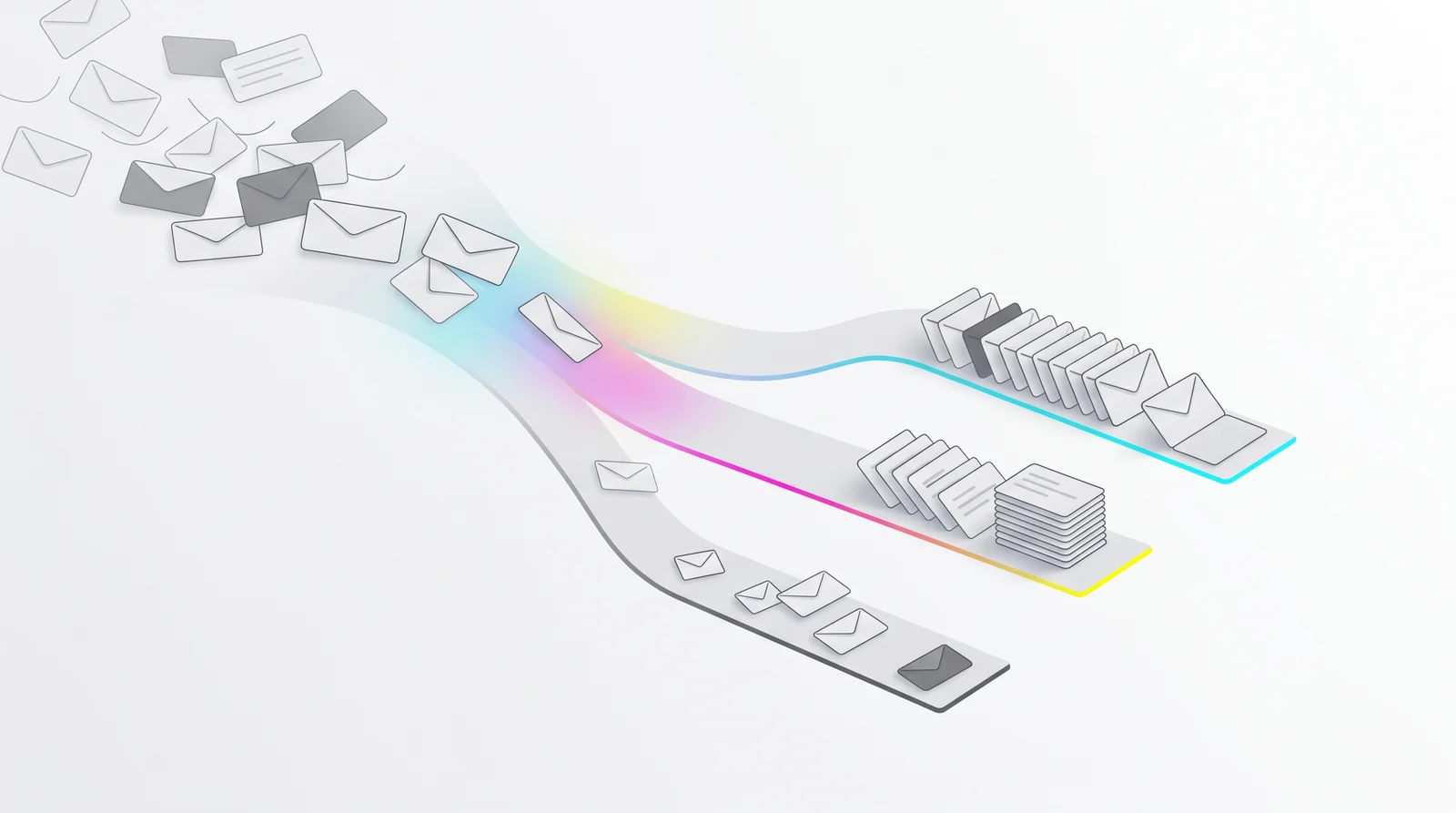
An email triage system that works sorts every message into one of three states – Focus, Noise, or Done – so you open your inbox knowing what needs you and what doesn’t. Most people skip this structure entirely, and the inbox wins.
You’ve probably tried before. Maybe you created folders. Set up filters. Committed to Inbox Zero on a Monday in January. Two weeks later the inbox was right back where it started, the folders had gone quiet, and the filters were catching the wrong things.
The problem isn’t discipline. It’s that most triage systems require you to make decisions every single day. That’s the opposite of what a triage system is supposed to do.
This guide shows you how to build one that reduces the daily decision load rather than adding to it – and why that distinction is the only thing that separates systems people actually use from ones they quietly abandon.
Key Takeaways
A working triage system has exactly three states: needs you, doesn’t need you, handled. More buckets mean more decisions.
The daily sorting ritual – open, decide, file – is the real source of inbox burnout, not the volume of email itself.
AI-powered triage removes the human decision step by learning your behavior and classifying automatically.
Setup should take under 10 minutes. If it takes longer, the system is too complex to survive real use.
The goal isn’t inbox zero. It’s inbox peace: opening your email and already knowing the answer.
Why Most Email Triage Systems Collapse Within Weeks
The average knowledge worker spends 28% of their workday managing email, according to McKinsey Global Institute – roughly 2.5 hours every day. A Radicati Group study found that business users receive an average of 121 emails per day, a number that has grown every year since 2015. And most of that time isn’t spent reading or responding. It’s spent deciding what to read and respond to.
Inbox management is largely decision management. And decisions compound: the more of them you make in a row, the worse your judgment gets.
That’s the structural problem with traditional triage systems. You create a folder called “Follow Up.” Every email that might need a response goes there. Now you have two inboxes – the actual inbox and the Follow Up folder you’re avoiding because it has 340 items and no order to them.
You set up a filter that moves newsletters to a “Reading” label. But newsletters from your biggest client also get caught. Now you’re checking two places anyway, just to be safe.
A product manager once described her “bulletproof” Gmail filter system to me: 14 filters, 8 labels, color-coded by urgency. By week four she had stopped maintaining it. New sender types appeared that didn’t fit any category, labels multiplied, and the filters created false confidence – things were “organized” but she still had to open everything to know what mattered.
It didn’t fail because she wasn’t committed. It failed because it was designed to be maintained by someone who already had too much to do.
A triage system that holds up has to maintain itself. That’s the requirement most people skip.
The Three-State Framework: The Only Structure You Actually Need
Strip email triage down to its core function: for every message, you need to know whether it requires your attention right now.
That question has three answers:
Focus – This email needs you. A real person made a real ask. Open it.
Noise – This email doesn’t need you. Marketing, newsletters, automated notifications, bulk mail. Skip it.
Done – You handled it. The loop is closed.
That’s the whole system. No “maybe later.” No reference pile. No color-coded labels for six types of meeting requests.
The moment you add a fourth category, you’ve reintroduced the sorting problem. Every new bucket is a new decision about where things belong, made repeatedly, forever.
Want to see how a three-state system works in practice? Dove’s AI triage classifies every incoming email into Focus, Noise, or Done automatically – so the structure is already built when you open your inbox.
The three-state framework works because it mirrors how your brain actually handles urgency. It forces a single binary question: does this need me, or doesn’t it? That takes a fraction of a second. A seven-label taxonomy takes seven seconds – and seven seconds, 121 times a day, adds up.
How to Set Up Your Triage System in Under 10 Minutes
The faster a system is to set up, the more likely it is to survive contact with real life.
Step 1: Define what “Focus” means for your role
Before you touch a single filter or folder, write down three types of email that always need your response. Be specific.
For a freelance designer: direct client asks, project feedback, and payment discussions.
For a team manager: direct reports asking for decisions, cross-functional dependencies, and escalations.
For a founder: investor communication, partnership proposals, and anything from a customer with an active account.
Your Focus definition cannot be “anything that seems important.” That’s the decision you’re trying to eliminate. You want a rule, not a judgment call.
Step 2: Define what “Noise” means for your role
Now list five types of email you consistently read and then wish you hadn’t – the ones that feel like they might matter but almost never do.
Common ones:
Newsletters you subscribed to months ago
Automated notifications from project tools (Slack digest, Asana updates)
Mass CC’d threads you’re on for visibility but never need to act on
Marketing from SaaS tools you already use
Conference and event announcements
Noise is not spam. Spam goes to the trash. Noise is email that has legitimate reasons to exist but doesn’t require your active attention.
Step 3: Set up three and only three places
Whether you’re in Gmail, Outlook, or a dedicated client:
A primary inbox (Focus arrives here, or is marked here)
A low-priority section (Noise lands here)
An archive (Done goes here immediately)
If your client supports it, create a filter that moves obvious Noise senders directly out of the primary view. A newsletter from a vendor you’ve never responded to shouldn’t compete visually with a message from your biggest client.
Step 4: Build the Done reflex
Every email you read has one of two outcomes: it’s handled, or it’s not. The moment it’s handled, archive it. Don’t leave it sitting in Focus as a visual reminder – that’s what task managers are for.
The Done reflex is the hardest habit to build and the most valuable one. When Focus only shows things that genuinely need you, you stop dreading it.
The Hidden Cost of Manual Triage
A sales lead at a regional consulting firm once described his Outlook triage setup: a solid rule system that had taken a full afternoon to configure. It worked well for about three months.
Then his company merged with another team. Suddenly he was getting mail from 30 new colleagues whose patterns didn’t match any of his rules. Internal announcements from an unfamiliar HR system were landing in Focus. Client emails from new accounts were going to Noise because the domains hadn’t been whitelisted.
He spent two hours on a Sunday afternoon rebuilding. Six weeks later, a new vendor partnership broke it again.
The problem with manual triage isn’t the concept – it’s that rules are static and email isn’t. The volume grows. The senders change. Your role shifts. A rule that was accurate in January is a liability in April.
This is why the “set it and forget it” promise of manual filters has always been slightly dishonest. Filters require maintenance, and the more complex the system, the more maintenance it demands.
How much time are you spending maintaining your system instead of using it? If it’s more than 20 minutes a week, the system is costing more than it’s saving.
How AI Triage Solves What Manual Systems Can’t
AI-powered email triage flips the maintenance problem. Instead of you writing rules that the system enforces, the AI observes your behavior and updates its own model as your patterns change.
The practical difference is significant.
With a manual filter, you write: “Move any email from @newsletter.com to Noise.” That rule is rigid. It doesn’t know that the CEO of a company you’re partnering with just started using that domain for outreach.
With AI triage, the system watches what you do. You open an email from that CEO and respond quickly. The system registers: this sender gets Focus, regardless of the domain pattern. No manual update needed.
The AI gets smarter from your actual behavior, not from rules you intended to maintain but forgot about.
Dove classifies every incoming email into Focus, Noise, or Done before you open your inbox. During onboarding it analyzes your existing email patterns, so by the time setup is finished it already has a baseline model of what matters to you. From day one, the inbox is pre-sorted.
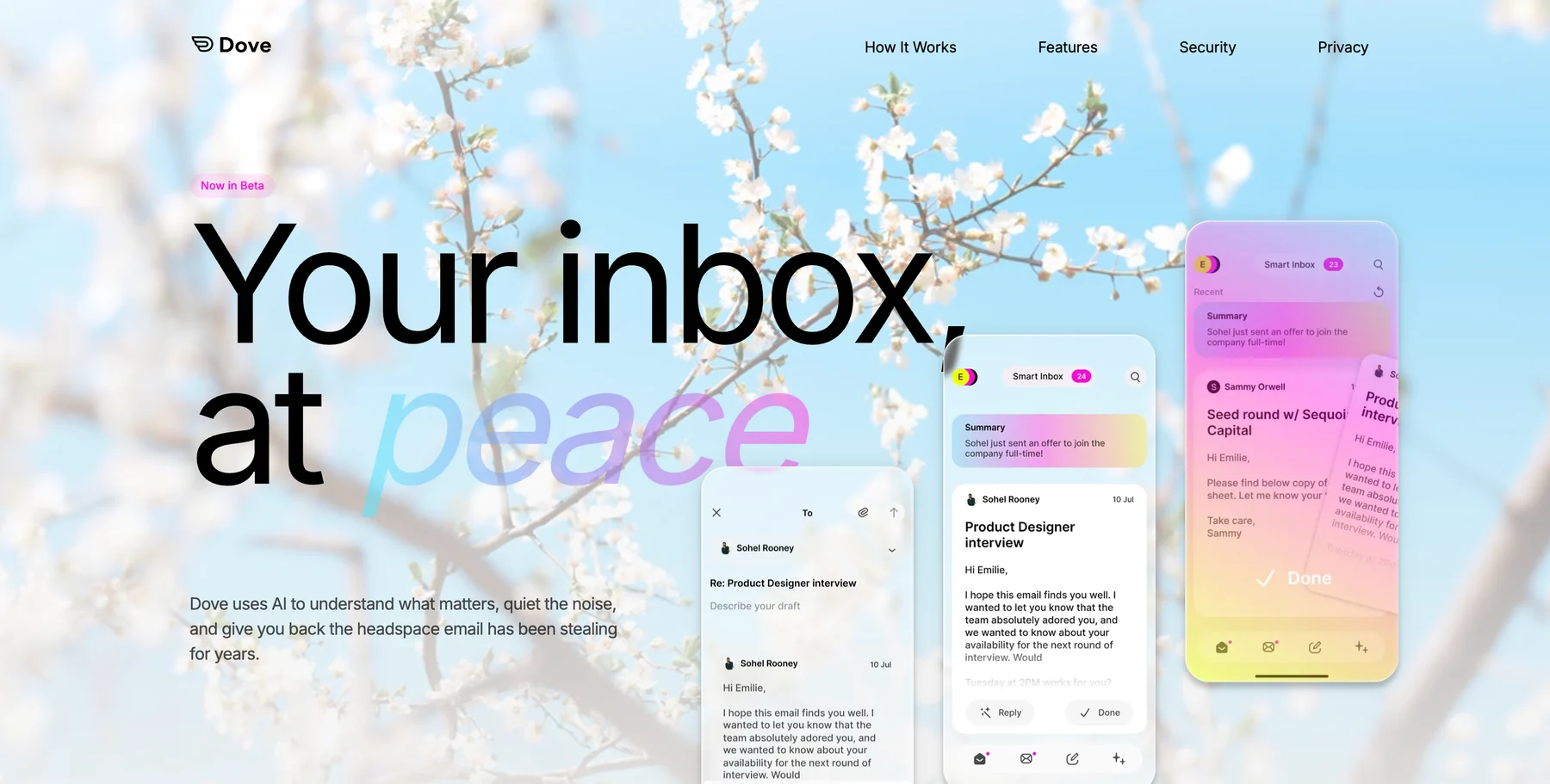
When you move a message from Noise to Focus, Dove adjusts. When you archive something from Focus without replying, it notes that too. The system adapts without any action on your part.
What AI triage does that rules can’t
Reads email content, not just sender and subject line
Adapts to behavioral signals (open rate, reply rate, response speed)
Handles new senders accurately from the first message
Catches phishing and impersonation before they reach Focus
Gets more accurate over time instead of degrading
This isn’t AI for the sake of it. It’s a solution to a specific, concrete problem: humans are unreliable email sorters, and rules require constant upkeep.
Thread Intelligence: Triage Goes Beyond the Inbox View
There’s a second layer of triage that most systems never reach: the thread.
You’ve identified that a message belongs in Focus. But you open a long thread and now you have to triage again – reading through 14 messages to figure out what’s actually being asked, what’s changed, and what you need to do.
This is where the time cost compounds. Inbox triage saves you from opening the wrong emails. Thread triage is the work you do inside the right ones.
Wingman, Dove’s thread intelligence feature, addresses this directly. When you open a Focus email, Wingman analyzes the full thread and surfaces what you’d otherwise skim past: action items that were requested but not yet fulfilled, terms or dates that changed mid-thread, the specific paragraph where something important was buried.
Picture a vendor thread spanning three weeks and 22 messages. Somewhere in the middle, payment terms shifted from Net 30 to Net 15 – buried in a paragraph about invoicing logistics, easy to miss on a fast read. Wingman surfaces it as a flag before you reply: “Payment terms changed. Vendor moved from Net 30 to Net 15 on May 6th.” You catch it before committing to the wrong terms.
That’s triage at the thread level – the layer that inbox-view sorting never reaches.
Building the Daily Habit: What Your Morning Email Routine Should Look Like
A good triage system changes the shape of your morning.
Without a triage system:
You open your inbox. 47 unread messages. You start from the top, reading sequentially. Some are irrelevant. Some need responses. Some are waiting on someone else. After 40 minutes, you’ve responded to three things and skimmed everything else. You feel behind.
With a working triage system:
You open Focus. 6 messages, each requiring something from you. You respond to three now, flag two for later, archive one that resolved itself. Done in 12 minutes. You close the inbox and start work.
The daily habit has two parts:
Morning: work Focus to zero. Not Inbox Zero – Focus Zero. Every email in Focus has a next action: respond, defer explicitly, or archive. Nothing sits there as a passive reminder.
Throughout the day: check Focus, leave Noise alone. You don’t need to monitor Noise for fires. If something there genuinely turns urgent, it will surface through other channels – a Slack message, a follow-up email that escalates into Focus. Noise is safe to ignore.
This routine only works if you trust the triage. Trust comes from two weeks of consistent use and seeing that nothing important was missed.
Try this for one week: Don’t open Noise at all. At the end of the week, check whether anything slipped through that mattered. For most people, the answer is no – and that’s when the habit starts to feel effortless.
Common Triage Mistakes
Too many categories. Every label you add is a decision you’ll make repeatedly. Three states. If something doesn’t fit Focus, Noise, or Done, the default is Done.
Using Focus as a to-do list. The moment you’ve decided what to do with an email, it goes to Done. Undone tasks belong in your task manager, not your inbox.
Checking Noise out of anxiety. If important mail from real people isn’t landing in Noise, you have no reason to check it. Trust the system for two weeks before adjusting.
Rebuilding the system every few months. Frequent tweaking is a sign the system is too fragile, not that you need a better system. A good triage setup gets more accurate over time, not more demanding. This is AI triage’s structural edge: it adapts without rebuilding.
Mixing triage with processing. Triage is sorting. Processing is responding, deciding, and acting. Do triage first, on everything. Then process Focus. Running them simultaneously means you’re making small sorting decisions and large response decisions at the same time – expensive cognitively, and slow.
Triage for Teams: When Your Inbox Isn’t Just Yours
Managers face a more complex version of this problem. You’re not just sorting your own messages – you’re extracting action items for other people, tracking dependencies across threads, and keeping things from falling between channels.
A few adjustments:
Build a delegation reflex. When a Focus email is actually for someone on your team, forward it and archive immediately. Don’t let it sit waiting for you to compose a longer handoff.
Summarize before you escalate. Before forwarding a 14-message thread with a “take a look” note, pull out the key ask and context. Dove’s Daily Tasks feature extracts action items from Focus emails automatically – so you can delegate with a specific task rather than dumping a raw thread on someone.
Triage by urgency, not seniority. An informational message from your CEO belongs in Noise. A genuine decision request from an intern belongs in Focus. Route based on what the email requires, not who sent it.
When Your Triage System Is Working: The Signs
You’ll know the system is working not because your inbox looks different, but because how you feel when you open it changes.
You open your inbox and immediately know how many things require action
You don’t feel behind after a weekend away – because Focus is small and accurate
You stop checking email compulsively between tasks, because you trust that urgent things will surface
Your response time to important emails improves, because Focus separates real asks from background noise
That’s inbox peace. Not an empty inbox – a quiet one. One where every message in Focus actually deserves to be there.
Ready to skip the manual setup entirely? Try Dove free – AI triage classifies your inbox from day one, no rules required.
Conclusion
A triage system that sticks does one thing: it removes the daily decision burden rather than adding to it. Inbox management only works when the system does the sorting, not you.
Focus, Noise, Done is the right structure. Manual filters can implement it, but they require upkeep and break when your email patterns shift. AI-powered triage implements the same structure but adapts as your behavior changes – no maintenance needed.
The steps:
Define Focus and Noise for your specific role
Set up three and only three places for email to live
Build the Done reflex – archive the moment something is handled
Leave Noise alone for two weeks before you adjust anything
Move to AI triage when manual rules start costing more than they save
The goal isn’t to care less about email. It’s to spend your attention on the emails that matter – and none on the ones that don’t.
FAQ
What is email triage?
Email triage is the practice of sorting incoming emails into action categories before reading or responding. A working email triage system – Focus, Noise, Done – lets you process your inbox in a predictable, low-stress order by separating what requires action from what doesn’t.
How long does it take to set up an email triage system?
A manual system using Gmail or Outlook filters takes 10-30 minutes to configure initially, but requires ongoing maintenance as senders and patterns change. An AI-powered triage system like Dove takes a couple of minutes to set up and adapts automatically from the first day.
Is email triage the same as Inbox Zero?
No. Inbox Zero is about reaching a literally empty inbox through aggressive archiving. Email triage is about sorting by relevance before you process anything. You can triage without hitting zero, and for most people, triage without the pressure of zero is more sustainable long-term.
What email app has the best triage system?
Dove is built around AI-native triage – every email is classified into Focus, Noise, or Done automatically, and the model adapts to your behavior over time. Canary Mail is a strong alternative for users who want a privacy-first traditional client with optional AI assist features. They solve different problems: Dove for triage-first workflows, Canary for users who prefer full control with AI as a tool.
What should go in Focus vs. Noise?
Focus: emails from real people that require a decision, response, or action from you. Noise: newsletters, automated notifications, marketing, mass CC’d threads, and anything that doesn’t require a response from you to move forward.
Can AI get email triage wrong?
Yes, especially early on. The system learns from corrections – if you move something from Noise to Focus, that signal is factored into future classifications. Most AI triage systems become highly accurate within a week or two of regular use.
More from Dove
Recent posts

July 1, 2026
Best Airmail Alternatives in 2026
The best Airmail alternatives in 2026 compared. See platform support, pricing, strengths, and weaknesses for Dove, Canary Mail, Spark Mail, Mimestream, Edison Mail, Shortwave, Outlook, and Apple Mail.
June 30, 2026
Best Spike Alternatives in 2026
The best Spike alternatives in 2026 compared. See platforms, pricing, strengths, and weaknesses for Dove, Shortwave, Spark, Missive, and Superhuman.

June 26, 2026
Best Zoho Mail alternatives in 2026
The best Zoho Mail alternatives in 2026, compared by platform, AI, pricing, strengths, and weaknesses. See how Dove, Proton Mail, Fastmail, and Google Workspace stack up.