'/%3e%3c/g%3e%3c/svg%3e)

12 Email Productivity Tips That Actually Work in 2026
Stop wasting hours in your inbox. These 12 email productivity tips — from AI triage to async batching — help busy professionals reclaim their day.
Most email advice sounds the same. Check less. Unsubscribe more. Touch each message once. These tips aren’t wrong — they’re just incomplete. They assume you have a system underneath that handles the volume, and most people don’t.
The professionals who spend 30 minutes on email instead of three hours aren’t more disciplined. They’ve set up their inbox so the hard work happens before they open it. That’s the real productivity move: reducing the decisions you have to make, not just reducing the time you spend making them.
Here are 12 strategies that actually hold up under real-world email volume — from solo founders processing 200 messages a day to team leads juggling five active projects.
1. Let AI Sort Your Inbox Before You Open It
Manual triage is the single biggest time sink in email. Scanning subject lines, guessing which threads need a reply, mentally categorizing each message — this is repetitive cognitive work that AI handles better than you do.
Dove runs AI triage on every incoming message and sorts it into one of three states:
Focus — messages that need your attention or a reply
Noise — newsletters, promotions, automated notifications
Done — messages already handled or needing no action
By the time you open your inbox, the sorting is finished. You go straight to the messages that matter. The AI learns from your behavior over time — who you reply to quickly, what you archive unread, which senders you always prioritize — so the triage gets sharper the more you use it.
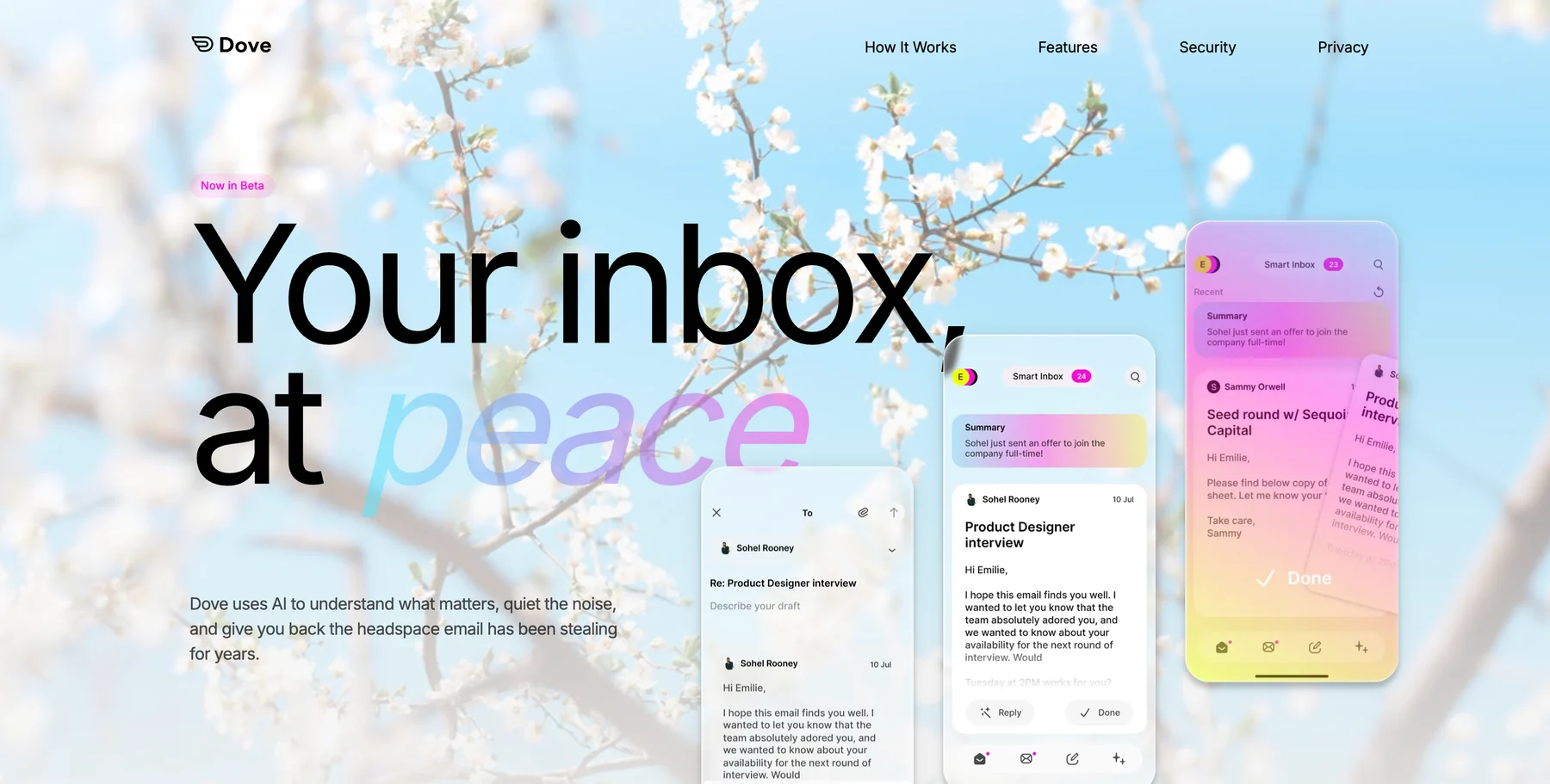
This is fundamentally different from Gmail’s tabs or Outlook’s Focused Inbox, which use rigid categories. AI triage adapts to you.
2. Process Email in Two or Three Batches, Not All Day
Constant inbox monitoring is a productivity killer. Every time you glance at a new notification, you break your focus on whatever you were doing. Research from the University of California found that it takes an average of 23 minutes to refocus after a context switch.
Pick two or three daily windows for email — maybe 9 AM, 1 PM, and 4:30 PM. During those windows, process aggressively: reply, delegate, archive. Outside those windows, close the tab entirely.
This feels risky at first. It isn’t. Most emails don’t require a reply within 30 minutes, and the ones that do tend to arrive via other channels (Slack, a phone call) anyway. The people who reply to every email within five minutes aren’t more productive — they’re just more interruptible.
3. Use the Two-Minute Rule — But Apply It Ruthlessly
David Allen’s classic rule: if an email takes less than two minutes to handle, do it immediately. If it takes longer, schedule it.
The mistake most people make is stretching “two minutes” to five or ten. A two-minute reply is short. It’s a confirmation, a yes/no answer, a quick redirect. If you’re writing more than three sentences, it’s not a two-minute task — flag it for a dedicated block.
During your batch sessions, aim to process your two-minute replies first. This clears volume fast, which creates psychological momentum for the harder responses.
4. Stop Using Your Inbox as a To-Do List
If an email requires action beyond a quick reply, get it out of your inbox and into your actual task system. Using your inbox as a to-do list means you have to re-read and re-evaluate the same messages every time you check email. That’s wasted effort.
Dove’s Daily Tasks feature handles this automatically. Every morning, the AI scans your Focus emails and extracts a prioritized task list — grouped by project, categorized as Action, Follow Up, Upcoming, or Done. You get a clear list of what needs doing without re-reading every thread.
If you’re not using a tool that extracts tasks automatically, at minimum forward action items to your task manager (Todoist, Things, a simple text file) and archive the email. The inbox should be a processing station, not a storage unit.
5. Write Shorter Emails
The fastest way to reduce time spent on email isn’t an inbox trick — it’s writing less. Long emails invite long replies. Short emails get faster responses and take less time to compose.
A few guidelines that hold up:
Lead with the ask. Put your question or request in the first line. Context goes below.
Use bullet points for multiple items. Nobody reads dense paragraphs in email.
Skip the preamble. “Hope this email finds you well” adds nothing. Get to the point.
If it takes more than five sentences, consider a call. Some conversations are faster synchronous.
People respect concise communication. Nobody has ever complained about an email being too clear and too short.
6. Use Templates for Repetitive Replies
If you find yourself typing the same kind of response more than twice a week, templatize it. Meeting confirmations, project status updates, common client questions — these don’t need fresh prose every time.
Most email clients support canned responses or text expansion. Gmail has Templates (under Settings > Advanced). Outlook has Quick Parts. Third-party tools like TextExpander work across any email client.
A good template library saves 15 to 30 minutes per day for professionals who handle high volumes of similar requests. The time investment to set it up is an afternoon. The return is weeks of recovered time per year.
7. Let AI Read the Thread So You Don’t Have To
Long email threads bury important details. Payment terms change in message 7. A deadline shifts in a reply buried 14 messages deep. You miss it because you skimmed instead of reading every word.
Dove’s Wingman reads the full thread before you reply and surfaces what matters: changed terms, overdue items, risks, unanswered questions, and suggested next steps. Instead of scrolling through a 20-message chain, you get a brief of what happened and what you need to do.
This is particularly valuable for threads you were CC’d on mid-conversation. Wingman catches you up without forcing you to read the entire history.
8. Unsubscribe From Everything You Haven’t Read in 30 Days
Newsletter subscriptions accumulate like dust. You signed up for a weekly roundup two years ago, never unsubscribed, and now it’s one of 15 newsletters adding noise to your inbox every morning.
The 30-day rule is simple: if you haven’t opened a recurring email in the past month, unsubscribe. Don’t archive it, don’t create a filter — unsubscribe. Fewer incoming messages means less to process, which means your batch sessions stay short.
Tools like Unroll.me (free) and Clean Email ($10/month) can show you every subscription tied to your address and let you bulk-unsubscribe in one session.
9. Separate Notifications from Human Messages
Automated notifications — GitHub alerts, Jira updates, Slack digests, shipping confirmations — are useful but shouldn’t compete with messages from real people.
Set up a basic filter that routes notifications to a dedicated folder or label. Check it once a day. This keeps your primary inbox focused on conversations that need a human response.
If you’re using Dove, this happens automatically. AI triage routes automated messages to Noise while keeping human communication in Focus. No filters to maintain.
10. Schedule Emails Instead of Sending Immediately
Sending an email at 11 PM trains people to expect responses at 11 PM. Scheduled send lets you compose when it’s convenient and deliver during business hours.
Gmail, Outlook, and most modern email clients support scheduled send natively. Use it. Write your late-night replies, schedule them for 8 AM, and protect your boundaries.
This also works tactically: an email sent at 8:30 AM is more likely to get a quick reply than one sent at 5:45 PM when the recipient is wrapping up their day.
11. Use Search Instead of Folders
Complex folder systems take more time to maintain than they save. You spend minutes deciding where to file each message, and then you still can’t find things because you forgot which folder you used.
Modern email search is fast and accurate. Instead of filing, archive everything and search when you need it. Gmail’s search handles natural queries well. Dove’s AI Assist goes further — you can ask conversational questions like “What did the landlord say about the lease renewal?” and get a synthesized answer across all relevant messages, not just a list of search results.
The only exceptions: a few high-value folders for active projects or time-sensitive categories. Keep it under five folders at any time.
12. Do a Weekly Inbox Reset
Spend 10 minutes every Friday afternoon clearing the decks. Archive anything you’ve handled. Move stale threads you’re not going to reply to out of your inbox. Review your task list for anything that came from email and hasn’t been addressed.
The goal isn’t inbox zero — it’s inbox clarity. You should end the week knowing exactly what’s pending and what’s done, with nothing lingering that you’ve forgotten about.
This weekly habit prevents the gradual accumulation of “I should probably deal with this” messages that makes inboxes feel overwhelming.
The Bigger Picture: Systems Over Willpower
Email productivity isn’t about working harder or being more disciplined. It’s about building systems that reduce the number of decisions you have to make.
The professionals who handle high email volumes without stress all share the same pattern: automated triage, scheduled processing, and clear rules about what goes where. The specific tools vary, but the principle is the same — the inbox should work for you before you start working in it.
Dove was built around this principle. AI triage, thread intelligence, and automatic task extraction aren’t productivity hacks — they’re the foundation. The inbox comes pre-sorted. The to-do list writes itself. You spend your time on replies and decisions, not on organizing and searching.
If your current email setup requires willpower to maintain, the setup is the problem.
Frequently Asked Questions
How much time does the average person spend on email?
Studies from McKinsey and Adobe consistently estimate that professionals spend 2.5 to 4 hours per day on email. That’s roughly 28% of the average workweek. The majority of that time goes to sorting, searching, and re-reading — not actual communication. Tools that automate triage and task extraction can cut that by 30 to 50 percent.
What is the best email app for productivity in 2026?
It depends on your priorities. Dove is the strongest option for AI-powered triage and automatic task management. Canary Mail is the best pick if you need end-to-end encryption alongside productivity features. Superhuman excels at keyboard-driven speed for power users. Gmail and Outlook remain solid free options if you’re willing to set up filters and rules manually.
Does checking email less actually improve productivity?
Yes. Research from the University of British Columbia found that limiting email checks to three times per day significantly reduced stress and improved well-being without negatively affecting work output. The productivity gain comes from fewer context switches — every time you check email, you interrupt whatever you were doing, and the recovery time adds up.
Should I use folders or labels to organize email?
For most people, neither. Archive everything and rely on search. Modern email search is fast enough that organizing into folders creates more work than it saves. If you do use folders, keep it to three or four active ones tied to current projects, and archive them when the project ends. Complex folder taxonomies are maintenance overhead disguised as organization.
How do I handle email overload at work?
Start with AI triage to automatically separate important messages from noise. Then adopt batched processing — two or three dedicated windows per day instead of constant checking. Finally, extract action items out of email and into your task manager. These three changes address the root causes of overload: volume, interruption, and decision fatigue. For a deeper breakdown, see our guide on how to manage too many emails.
More from Dove
Recent posts
July 1, 2026
Best Airmail Alternatives in 2026
The best Airmail alternatives in 2026 compared. See platform support, pricing, strengths, and weaknesses for Dove, Canary Mail, Spark Mail, Mimestream, Edison Mail, Shortwave, Outlook, and Apple Mail.
June 30, 2026
Best Spike Alternatives in 2026
The best Spike alternatives in 2026 compared. See platforms, pricing, strengths, and weaknesses for Dove, Shortwave, Spark, Missive, and Superhuman.

June 26, 2026
Best Zoho Mail alternatives in 2026
The best Zoho Mail alternatives in 2026, compared by platform, AI, pricing, strengths, and weaknesses. See how Dove, Proton Mail, Fastmail, and Google Workspace stack up.