'/%3e%3c/g%3e%3c/svg%3e)

Best Email Apps for Android in 2026
The best email apps for Android in 2026 compared. Pricing, platform support, strengths, weaknesses, and a side-by-side comparison of Dove Gmail, Outlook, and more.
The default Gmail app on Android works, but it was never designed to help you think less about email. It shows you everything in arrival order, leaves triage entirely to you, and treats a newsletter the same as a contract from your biggest client. If your inbox has grown past the point where that approach holds up, you have better options in 2026.
We tested and compared nine Android email apps across AI features, security, pricing, platform support, and real-world usability. Whether you want AI to sort your inbox before you open it, PGP encryption for sensitive messages, or a faster client that stays out of your way, this guide covers every angle.
Key takeaways
Doveis the best Android email app if you want AI to triage your inbox into Focus, Noise, and Done automatically. It costs $20 per month with a 7-day free trial.
is the best pick for privacy-first users who want PGP encryption and optional on-device AI in a modern client.
Gmail is still fine if you rely on Google Workspace integrations and do not mind manual sorting.
Outlook is the strongest free option for Microsoft 365 users and ships with Copilot AI on paid plans.
The right app depends on what you need most: AI triage, encryption, speed, or integration depth. The comparison table below maps each app to its strengths and weaknesses.
The best Android email apps at a glance
App | Pricing | Platforms | What it does well | What it does poorly |
|---|---|---|---|---|
Dove | $20/month (7-day free trial) | Android, iOS, macOS, Windows, Web | AI triage into Focus, Noise, Done. Phishing risk scoring. Daily tasks. | No PGP encryption. Newer, so smaller integration ecosystem. |
Gmail | Free. Google Workspace from $7.20/user/month. | Android, iOS, Web | Deep Google Workspace integration. Massive storage. Reliable spam filter. | No AI triage. Manual sorting only. Privacy concerns with ad-based model. |
Outlook | Free. Microsoft 365 Personal $6.99/month. | Android, iOS, macOS, Windows, Web | Focused Inbox, Copilot AI (365 plans), calendar integration. | AI features locked behind Microsoft 365 subscription. Telemetry concerns. |
Spark Mail | Free tier. Premium $7.99/month or $59.99/year. | Android, iOS, macOS, Windows | Smart inbox, team email, collaborative drafts. | Best features behind paywall. Redesign lost some long-time users. |
Thunderbird (K-9 Mail) | Free and open-source | Android (Linux, macOS, Windows for desktop) | Open-source, OpenPGP built in, works with any IMAP account. | Android app still maturing. Interface less polished than commercial clients. |
Samsung Email | Free (pre-installed on Samsung devices) | Android (Samsung only) | Clean, lightweight, supports Exchange and S/MIME. | Samsung devices only. No AI features. No cross-platform sync. |
FairEmail | Free and open-source | Android only | Privacy-focused, no tracking, full IMAP support. | Android only. Steep learning curve. Utilitarian interface. |
BlueMail | Free tier. BlueMail Plus $4.99/month. | Android, iOS, macOS, Windows | Unified inbox, cluster notifications, business calendar. | Past privacy controversy. Some features behind paywall. |
1. Dove – best for AI-native inbox triage on Android
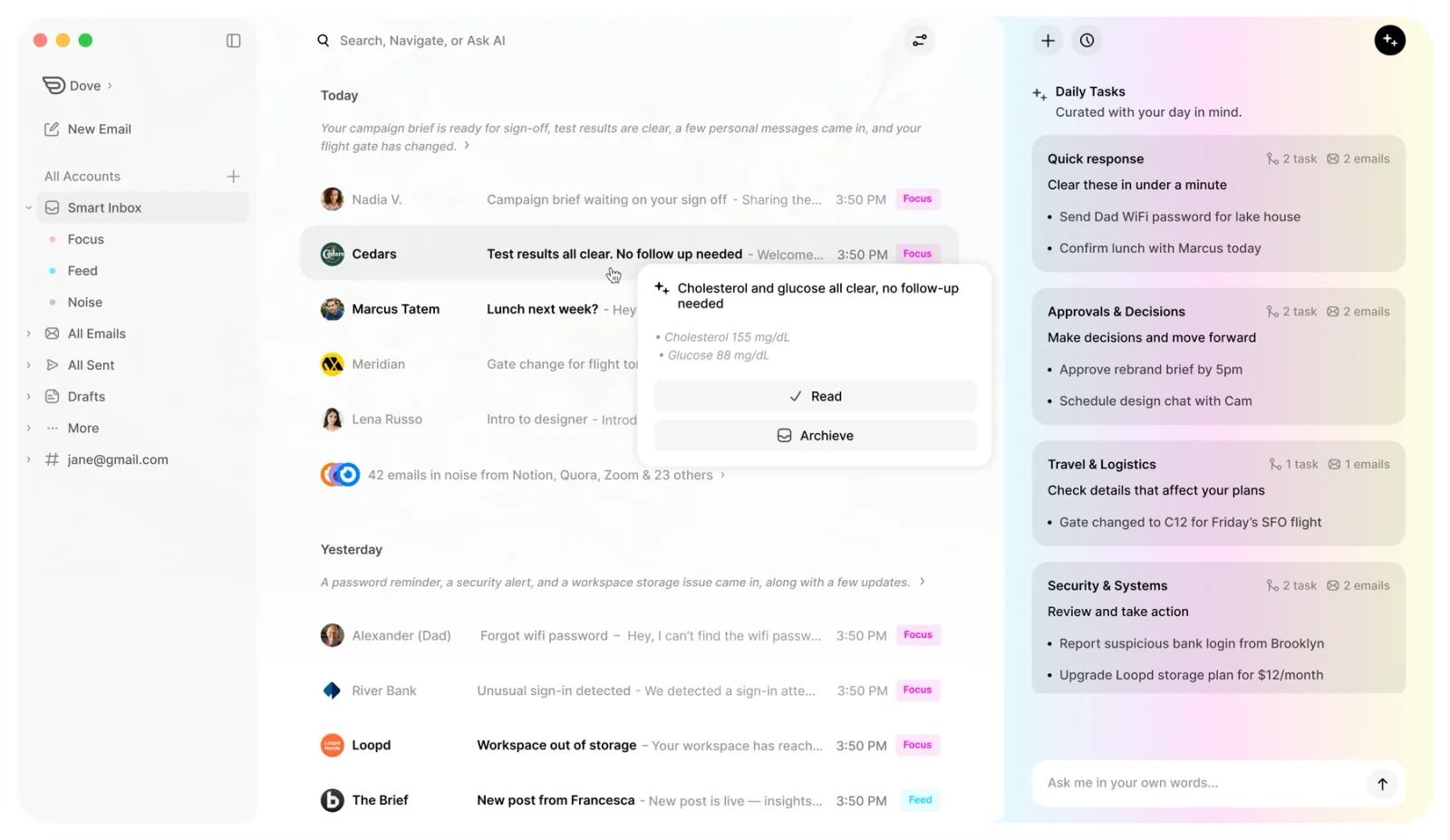
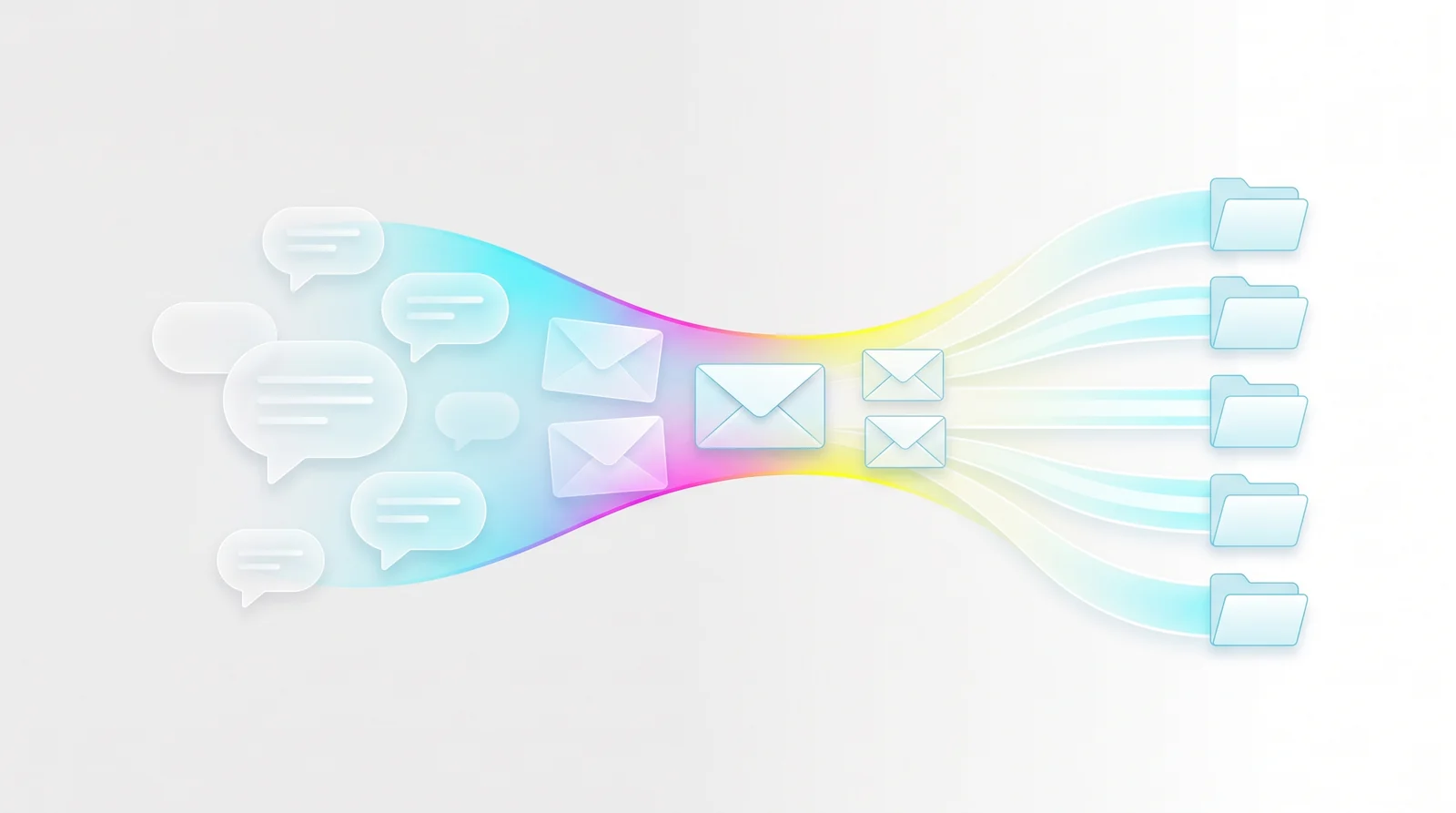
Dove, from Cartasec in Singapore, is the best Android email app if your main problem is inbox overload. Instead of showing you every email in arrival order and leaving you to sort it, Dove’s ambient AI watches every incoming message and routes it into three streams before you open the app:
Focus holds the messages that actually need your attention: replies you owe, decisions you need to make, and requests from real people.
Noise catches everything that does not: newsletters, marketing, receipts, social notifications, and anything Dove flags as a phishing or impersonation risk.
Done is the archive of handled threads, searchable but out of the way.
The AI triage is the core of the product, not a sidebar feature. Every email gets a risk score (Safe, Suspicious, or Dangerous), and phishing attempts are quarantined into Noise before they reach your Focus inbox. Wingman thread intelligence analyzes long email threads and surfaces risks, changed terms, and action items you might miss. Daily Tasks pulls your replies, follow-ups, and meetings into one short list each morning.
Dove works on top of your existing Gmail, Microsoft 365, or IMAP accounts. No new email address required.
Platform support. Android, iOS, macOS, Windows, Web. Synced across all of them.
Pricing. $20 per month with a 7-day free trial. Every feature is included with no AI credit caps, and your data is never used to train models. See Dove pricing for the full breakdown.
What it does well.
AI triage into Focus, Noise, and Done means your inbox is sorted before you open it. No manual rules, no filters to maintain.
Risk scoring on every email catches phishing and impersonation that a normal spam filter misses.
Daily Tasks surface replies you owe, action items, and meetings into one prioritized list.
Wingman thread intelligence catches asks and risks buried deep in long email threads.
Works on your existing email accounts with no migration.
One flat price with no feature gating or AI credit limits.
What it does poorly.
Newer product with a smaller third-party integration ecosystem than Gmail or Outlook.
Learn more about how Dove’s AI triage works, or see Dove in context in our full roundup of the best email apps of 2026.
2. Gmail – best for Google Workspace integration
Gmail is the default for a reason. If you live inside Google Workspace and rely on Google Calendar, Drive, Meet, and Chat every day, nothing else integrates as deeply. The Android app is stable, fast, and handles multiple accounts well.
Gmail’s spam filter is still one of the best, and the tabbed inbox (Primary, Social, Promotions, Updates) provides basic categorization. Google added Gemini AI features in 2025 for Workspace subscribers, including email summarization and draft suggestions.
Platform support. Android, iOS, Web. No native desktop app (use the browser or a third-party client).
Pricing. Free for personal use (15 GB shared across Google services). Google Workspace starts at $7.20 per user per month (Business Starter) with 30 GB per user, custom domains, and admin controls.
What it does well.
Deepest integration with Google Workspace: Calendar, Drive, Meet, Chat, all connected.
Reliable spam filtering with years of training data.
Handles multiple Google accounts smoothly on Android.
Generous free storage at 15 GB (shared with Drive and Photos).
What it does poorly.
No true AI triage. The tabbed inbox helps but still requires manual sorting within each tab.
Privacy concerns: Gmail’s business model is advertising, and email content informs ad targeting.
The Android app has grown cluttered with features over the years.
No built-in encryption. Confidential mode is not true end-to-end encryption.
Gmail works when your workflow revolves around Google. If it does not, you are paying an integration tax for features you are not using.
3. Outlook – best free option for Microsoft 365 users
The new Outlook for Android is a strong free email client that handles Gmail, Yahoo, and IMAP accounts alongside Microsoft 365. Focused Inbox separates important emails from the rest, and Copilot AI is available for Microsoft 365 subscribers.
Microsoft rebuilt the Outlook mobile apps from the ground up, and the 2025-2026 version is significantly better than the older releases. Calendar integration is tight, and the unified inbox handles multiple accounts without friction.
Platform support. Android, iOS, macOS, Windows, Web.
Pricing. Free for basic use. Microsoft 365 Personal at $6.99 per month or $69.99 per year unlocks Copilot AI, 1 TB OneDrive storage, and the full Office suite.
What it does well.
Free and functional for Gmail, Yahoo, iCloud, and IMAP accounts alongside Microsoft 365.
Focused Inbox provides basic AI-assisted sorting between important and other.
Copilot AI (on Microsoft 365 plans) can summarize threads, draft replies, and extract action items.
Tight calendar integration with meeting scheduling built in.
What it does poorly.
Copilot AI is locked behind the Microsoft 365 subscription. The free tier has no AI assistance.
Telemetry and data collection concerns for privacy-conscious users.
Focused Inbox is binary (important vs. other), not as nuanced as three-state triage.
The app occasionally pushes Microsoft services and integrations aggressively.
Outlook is the right call if you already pay for Microsoft 365 or need a free client that handles multiple account types.
4. Spark Mail – best for team email and collaborative drafts
Spark Mail is a cross-platform email client that combines a smart inbox with collaborative features. Shared drafts, team comments on emails, and delegated threads make it the strongest option for small teams who want to manage email together.
The smart inbox sorts email into categories (Personal, Notifications, Newsletters, Pins, Seen) and bundles less important messages so you can process them in bulk. Spark 3 added AI writing assistance and email summarization.
Platform support. Android, iOS, macOS, Windows.
Pricing. Free tier with basic features. Premium at $7.99 per month or $59.99 per year per user (AI features, advanced team tools, priority support).
What it does well.
Team email features: shared drafts, comments, delegated threads. Best in class for small team collaboration.
Smart inbox sorting reduces noise without manual configuration.
AI writing assistance and summarization on Premium plans.
Cross-platform with a consistent experience on Android, iOS, Mac, and Windows.
What it does poorly.
The Spark 3 redesign alienated some long-time users who preferred the earlier interface.
Most productivity features sit behind the Premium paywall.
AI features are not as deep as Dove’s triage or Superhuman’s Auto Drafts.
Data handling has drawn scrutiny: Spark processes emails on its servers for smart features.
Spark is the pick if you manage a shared inbox with a small team and want collaborative features baked in.
5. Thunderbird (K-9 Mail) – best open-source option for Android
K-9 Mail, Mozilla’s open-source Android email client, is being rebranded as Thunderbird for Android. It supports OpenPGP encryption, works with any IMAP or POP3 account, and collects no data. For users who want full control over their email client with zero tracking, this is the principled choice.
The app is actively developed and has improved significantly through 2025 and 2026, though it still lacks the polish of commercial clients.
Platform support. Android. Thunderbird desktop is available on Linux, macOS, and Windows.
Pricing. Free and open-source. Funded by donations and Mozilla.
What it does well.
Fully open-source and independently auditable. No tracking, no data collection.
OpenPGP encryption built in, no plugins required.
Works with any IMAP or POP3 email provider.
No subscription, no ads, no data mining.
What it does poorly.
The Android app is still maturing. Interface and UX lag behind commercial clients.
No AI features of any kind. Everything is manual.
Setup requires more technical comfort than consumer-focused alternatives.
No cloud sync between the Android app and Thunderbird desktop.
Thunderbird for Android is the right choice if open-source principles matter more than polish and you want encryption without paying for it.
6. Samsung Email – best for Samsung Galaxy users who want simplicity
Samsung Email is pre-installed on Galaxy phones and offers a clean, lightweight email experience. It supports Exchange ActiveSync, S/MIME encryption, and multiple accounts. For Samsung users who want a simple email client without installing a third-party app, it does the job.
Platform support. Android (Samsung Galaxy devices only).
Pricing. Free (pre-installed).
What it does well.
Clean, lightweight interface with no bloat.
S/MIME encryption support for enterprise users.
Exchange ActiveSync for corporate email without needing Outlook.
Deep integration with Samsung’s ecosystem (Galaxy Watch, DeX, One UI).
What it does poorly.
Samsung devices only. If you switch to a Pixel or another brand, your email setup does not follow.
No AI features. No smart sorting, no draft suggestions, no triage.
No cross-platform sync with desktop or web.
Feature development is slower than dedicated email apps.
Samsung Email is fine if you use a Galaxy phone, want simplicity, and do not need AI or encryption beyond S/MIME.
7. FairEmail – best for extreme privacy on Android
FairEmail is a privacy-focused, open-source Android email client that takes a minimalist approach to data handling. It collects no data, includes no tracking, supports full IMAP with OpenPGP encryption, and is transparent about every permission it requests.
Platform support. Android only.
Pricing. Free and open-source. Optional pro features available via a one-time in-app purchase (around $7).
What it does well.
Extreme privacy stance: no data collection, no tracking, no analytics.
Full IMAP support with OpenPGP encryption.
Granular control over notifications, syncing, and account behavior.
One-time purchase model instead of a recurring subscription.
What it does poorly.
Android only. No iOS, no desktop, no web client.
Steep learning curve. The settings are extensive and not always intuitive.
Utilitarian interface that prioritizes function over form.
No AI features. Everything is manual configuration.
FairEmail is for Android users who want maximum privacy and full control and do not mind investing time in configuration.
8. BlueMail – best for unified inbox across many accounts
BlueMail is a cross-platform email client that handles Gmail, Outlook, Yahoo, iCloud, and IMAP accounts in a single unified inbox. Cluster notifications bundle related emails together, and the built-in calendar covers basic scheduling.
Platform support. Android, iOS, macOS, Windows.
Pricing. Free tier with basic features. BlueMail Plus at $4.99 per month for advanced features (send later, custom actions, priority support).
What it does well.
Unified inbox handles a large number of accounts without friction.
Cluster notifications group related emails and reduce notification noise.
Cross-platform with a consistent design on all major operating systems.
Affordable paid tier at $4.99 per month.
What it does poorly.
Past privacy controversy: a 2018 lawsuit raised concerns about data handling (resolved, but worth noting).
Interface can feel busy when managing many accounts.
Some features that should be standard (send later, custom swipes) require the paid tier.
BlueMail works if you manage five or more email accounts and want them all in one place without paying Superhuman prices.
How to choose the right Android email app
The comparison table above covers the essentials, but the real question is what your inbox actually needs. Here is a decision framework:
If inbox overload is your main problem and you want AI to sort email before you see it, Dove is the clearest answer. Focus, Noise, and Done replaces manual sorting with automatic triage, and phishing protection is built in. Start with the 7-day free trial.
If privacy and encryption matter mostand you want a modern client that does not sacrifice usability,gives you PGP and SecureSend with optional on-device AI. No server ever reads your email content.
If you are deep in Google Workspace and your entire workflow depends on Calendar, Drive, Meet, and Chat, Gmail is still the practical choice. Nothing integrates as tightly.
If you use Microsoft 365 and want a free client with optional AI, the new Outlook for Android is a strong default, especially with Copilot on paid plans.
If open-source matters and you want zero tracking with encryption, Thunderbird (K-9 Mail) or FairEmail are the principled picks.
If you manage a team inbox with shared drafts and collaborative features, Spark Mail handles that better than anyone else on Android.
For a broader view beyond Android, see our full roundup of the best email apps of 2026 and the best AI email apps in 2026.
FAQ
What is the best email app for Android in 2026?
The best email app for Android in 2026 depends on your priorities.Doveis the top choice for AI-powered inbox triage, automatically sorting emails into Focus, Noise, and Done.is the best pick for privacy-first users who want PGP encryption with optional on-device AI. Gmail remains the strongest option for users embedded in Google Workspace. Outlook is the best free client for Microsoft 365 users. See thecomparison table abovefor a full side-by-side breakdown.
Is there a better email app than Gmail for Android?
Yes. Gmail is solid for Google Workspace integration, but it lacks AI triage, encryption, and proactive inbox management.Doveautomatically sorts your inbox into three streams (Focus, Noise, Done) and scores every email for phishing risk.adds PGP encryption and HIPAA-compliant SecureSend. Both work on top of your existing Gmail account, so you keep your address while getting a better experience. For a detailed comparison, seeour guide to Gmail alternatives.
Can I use an email app other than Gmail on Android?
Absolutely. Android supports any email app from the Play Store as your default mail handler. Apps like Dove Outlook, Spark Mail, Thunderbird (K-9 Mail), and BlueMail all work on Android and support Gmail, Microsoft 365, iCloud, Yahoo, and standard IMAP accounts. You do not need to switch your email address to use a different app.
Which Android email app has the best AI features?
Dovehas the most comprehensive AI features for Android. Every email is automatically triaged into Focus, Noise, or Done. Wingman analyzes threads for risks and action items. Daily Tasks extracts your to-do list from incoming email. AI Assist lets you search, draft, and manage your inbox through natural language. All AI features are included in the $20 per month plan with no credit limits.offers optional on-device AI that processes locally on your phone, and Outlook includes Copilot AI on Microsoft 365 plans.
Are there any free email apps for Android with good privacy?
Yes. Thunderbird for Android (K-9 Mail) is free, open-source, and includes OpenPGP encryption with zero data collection. FairEmail is another free, open-source Android client with extreme privacy controls and no tracking.offers a free tier with core email features and PGP encryption. For the most polished privacy experience with optional AI
What is the most secure email app for Android?
For encryption,is the most secure mainstream Android email app, offering PGP end-to-end encryption and HIPAA-compliant SecureSend in a modern interface. For phishing and threat protection,Dovescores every email for risk and quarantines dangerous messages before they reach your inbox. For open-source transparency, Thunderbird (K-9 Mail) and FairEmail let you audit the code yourself. The right choice depends on whether your concern is message encryption, threat detection, or software transparency.
More from Dove
Recent posts
August 17, 2026
Best Email App for Multiple Accounts in 2026
Juggling more than one inbox? Here is the best email app for multiple accounts in 2026, plus two other ways to fix inbox overwhelm for good.
July 1, 2026
Best Airmail Alternatives in 2026
The best Airmail alternatives in 2026 compared. See platform support, pricing, strengths, and weaknesses for Dove, Canary Mail, Spark Mail, Mimestream, Edison Mail, Shortwave, Outlook, and Apple Mail.
June 30, 2026
Best Spike Alternatives in 2026
The best Spike alternatives in 2026 compared. See platforms, pricing, strengths, and weaknesses for Dove, Shortwave, Spark, Missive, and Superhuman.