'/%3e%3c/g%3e%3c/svg%3e)

The short answer: Superhuman Mail is worth it if you spend hours a day in Gmail or Microsoft 365 at a computer and will learn its keyboard shortcuts. If you check email a few times a day, or your mail lives on iCloud, Yahoo or another IMAP host, $30 a month (and $40 for the AI that writes drafts for you) is hard to justify.
Disclosure: We make Dove, an AI email app that competes with Superhuman. Dove is made by the team behind Canary Mail. We haven't run a long-term test of Superhuman, so this is a researched review: every price and feature below comes from Superhuman's own site and help center, checked on October 7, 2026, and the opinions come from public user ratings, which we link.
Superhuman at a glance
Superhuman Mail | |
|---|---|
Price | Starter $30 a month, or $25 a month billed yearly. Business $40 a month, or $33 billed yearly. Enterprise on request |
Free plan or trial | No free Mail plan, and Superhuman says it doesn't offer free trials |
Platforms | Mac and Windows apps, Chrome extension, iPhone and iPad, Android |
Email providers | Gmail and Microsoft 365 accounts only |
AI | Write with AI, Instant Reply, Auto Summarize, Auto Labels and Auto Archive on Starter. Auto Drafts, Ask AI and Voice and Tone Match on Business |
Best for | People who handle a lot of email at a desk and like working by keyboard |
Not for | Anyone on iCloud, Yahoo or IMAP, light email users, and teams that need a shared support inbox |
User ratings | 4.6 on the App Store (3.7K ratings), 4.5 on Google Play (720 reviews), 4.7 on G2 (1,309 ratings) |
What Superhuman is now: the Grammarly change
If you last looked at Superhuman a couple of years ago, a lot has changed behind it.
June 2025: Grammarly announced it would buy Superhuman, in a press release dated June 30, 2025. The price wasn't disclosed. Reviews that quote "$825 million" are repeating a past valuation, not a deal price.
October 29, 2025: Grammarly renamed the whole company Superhuman. The Grammarly writing product kept its name. The email app became Superhuman Mail, one of four products in a new Superhuman suite with Grammarly, Coda and a new AI assistant called Superhuman Go.
July 8, 2026: Coda was renamed Superhuman Docs.
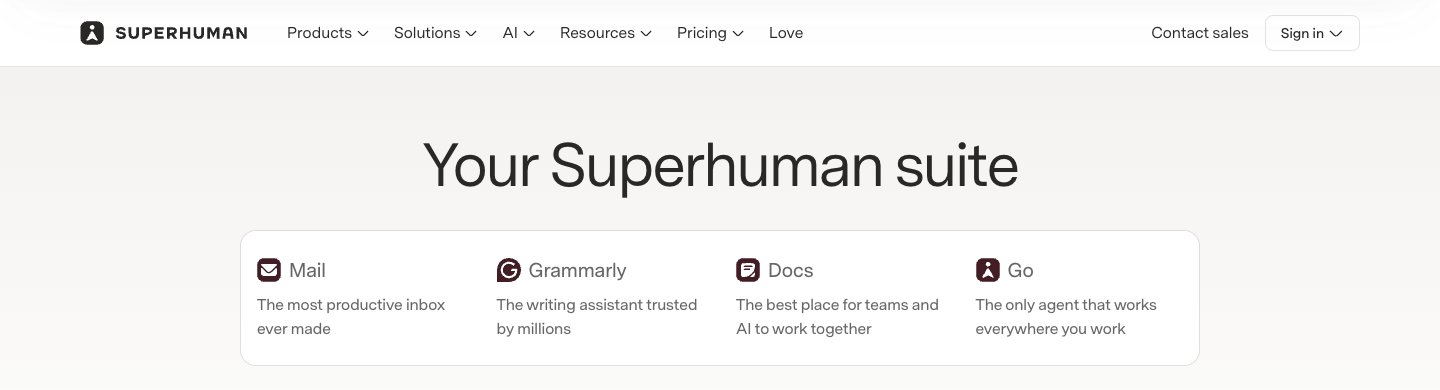
So "Superhuman" can now mean the company, the suite or the email app. This review is about the email app, Superhuman Mail. Two practical effects of the change:
Mail is still sold on its own. Superhuman's billing FAQ says Grammarly, Docs and Mail "will remain available as standalone products".
The cheaper suite plans don't include Mail. The suite pricing page has Free, Pro, Business and Enterprise tiers. Free and Pro include Grammarly, Docs and Go. Mail first appears in Business. Existing Mail subscribers can convert to suite Business, but the FAQ notes that existing Mail discounts don't carry over.
Big numbers you'll see on Superhuman's site, such as "40 million daily users", describe the whole company, mostly Grammarly, not Mail.
What Superhuman Mail does well
Superhuman Mail runs on top of your existing Gmail or Microsoft 365 account, so your address, labels and folders stay where they are. Superhuman says it will save you 4 hours every week and get you through email "twice as fast". Those are its own claims; we haven't measured them.
Speed and keyboard shortcuts
Speed is what Superhuman is known for, and the keyboard is how it gets there. Almost every action has a shortcut, and Superhuman Command (Cmd+K on Mac, Ctrl+K on Windows) lets you type what you want to do and shows the shortcut beside it, so you learn them as you go. C composes and / searches, for example.
Two limits from Superhuman's own help center: shortcuts can't be customized, and they're designed for US QWERTY keyboards. On other layouts there is a separate set of international shortcuts.
Split Inbox, Auto Labels and Auto Archive
Split Inbox divides your inbox into lanes: your team, VIPs, or notifications from tools like Google Docs, Notion and Asana. It comes with a library of ready-made splits.
Auto Labels add AI labels to incoming mail. By default, the built-in labels Marketing, News, Pitch and Social go to an "Other" split, out of your main view. You can build your own labels from rules (sender, subject and so on) on any plan; writing a label as an AI prompt needs Business.
Auto Archive lets chosen labels, senders or domains skip the inbox entirely. It has sensible exceptions: it won't auto-archive someone you've emailed before or someone from your own company domain.
Follow-ups, reminders and read statuses
When you send an email, you can pick a time, say two days, and Superhuman reminds you if nobody replies. With Auto Reminders, its AI decides which sent emails need a follow-up and sets the reminder for you.
Read statuses show when someone opened your email and on which device. There's also Snooze, Send Later, Undo Send, Unsubscribe and Snippets (reusable text, even whole emails with attachments).
Calendar and team features
When you type a date in a reply, Superhuman shows your calendar for that day. Instant Event turns an email into a calendar invite, and Share Availability and Booking Links are on every plan.
For teams, you can share a live view of an email and comment on it, even with colleagues who don't use Superhuman, share drafts and Snippets, and see when a teammate is already replying. That's collaboration on individual inboxes, not a shared support inbox with assignments.
Superhuman AI: what's on Starter and what's on Business
Superhuman's AI features are spread across its two main plans, and the split matters if AI drafting is why you're interested. From the plan comparison table:
Feature | What it does | Starter ($30) | Business ($40) |
|---|---|---|---|
Write with AI | Writes or edits a draft from your notes | Yes | Yes |
Instant Reply | Suggests short replies | Yes | Yes |
Auto Summarize | A one-line summary above each conversation | Yes | Yes |
Auto Labels and Auto Archive | Labels and filters incoming mail | Yes | Yes |
Auto Reminders | Decides which sent emails need a follow-up | Yes | Yes |
Auto Drafts | Drafts replies and follow-ups before you open the email | No | Yes |
Ask AI | Answers questions about your inbox | No | Yes |
Voice and Tone Match, Personalization | Makes drafts sound like you | No | Yes |
Custom Auto Labels with AI | Labels you describe in plain language | No | Yes |
Superhuman Mail MCP | Connects your inbox to AI tools such as Claude and ChatGPT | No | Yes |
In short, Starter helps you write and sort. Business is where Superhuman starts writing for you.
Privacy. The AI overview in the help center says "Neither Mail nor any vendor trains on your data." It also says Instant Reply and Auto Summarize keep queries and responses for 90 days, Write with AI keeps neither, and turning on Ask AI means your emails are stored with a third-party vendor, encrypted in transit and at rest. The company-wide privacy policy, effective July 6, 2026, describes a training control in your account settings that decides whether Superhuman can use your content to train its own models. If that matters to you, check the setting.
Pricing in brief
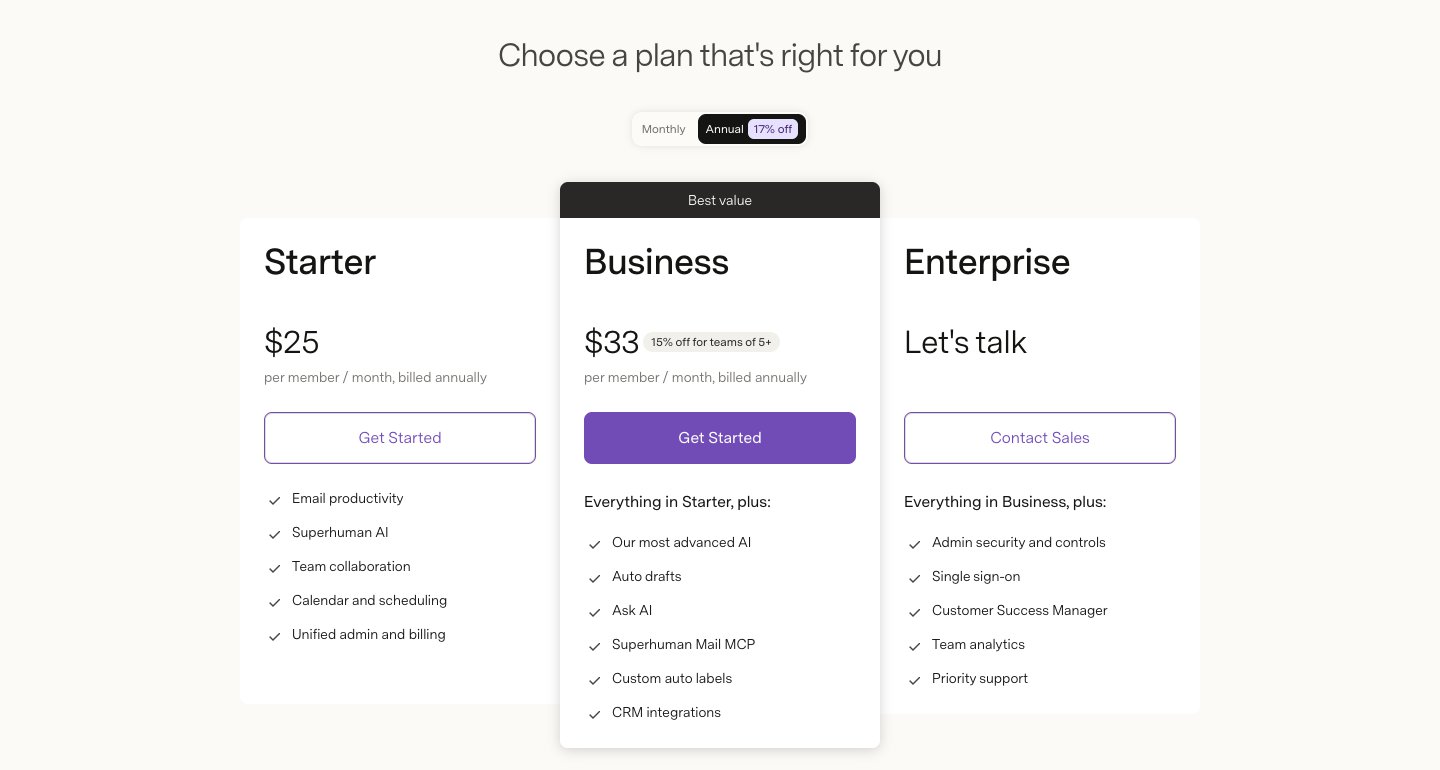
From the Superhuman Mail pricing page:
Plan | Billed monthly | Billed yearly (per month) | One person for a year |
|---|---|---|---|
Starter | $30 | $25 | $300 yearly, $360 monthly |
Business | $40 | $33 | $396 yearly, $480 monthly |
Enterprise | Contact sales | Contact sales | Custom |
Both Starter and Business allow up to 25 seats; Business is discounted for teams of five or more. Single sign-on, SCIM and audit logs are Enterprise only. Our Superhuman pricing guide goes through every plan, the suite tiers and ways to pay less.
Pros
Very fast keyboard workflow. Superhuman Command makes the shortcuts easy to learn, and nearly every action has one.
Good tools for staying on top of replies. Split Inbox, Auto Labels, Auto Archive, follow-up reminders and read statuses work together well.
Useful AI on the base plan. Write with AI, Instant Reply and summaries come with Starter.
Runs almost everywhere. Native Mac and Windows apps, a Chrome extension, and iPhone, iPad and Android apps.
Keeps your account. It sits on Gmail or Microsoft 365, so leaving costs you nothing but your settings.
Strong ratings. 4.6 on the App Store and 4.7 on G2, from thousands of reviews between them.
Cons
Price. $30 a month is the top of the market for one person's email, and the AI that drafts for you costs $40.
No free plan or trial. Superhuman's own FAQ says it doesn't offer free trials, so you pay before you know. Free months are offered only through referral and affiliate links.
Gmail and Microsoft 365 only. The help center says it only supports accounts hosted by Google or Microsoft 365. iCloud, Yahoo, Fastmail and other IMAP accounts can't be added.
No combined inbox. You switch between accounts with a shortcut. App Store and G2 reviewers ask for one inbox for all their accounts. Accounts added on desktop also have to be added again on mobile.
Shortcuts are fixed. They can't be customized and are built around US QWERTY.
Not a team inbox. Sharing and comments work well, but there are no assignments or shared queues for a support@ address.
Mixed signals on AI training. The help center and the privacy policy describe it differently.
What users say
Ratings as shown on October 7, 2026:
App Store: 4.6 out of 5 from 3.7K ratings. The praise is almost always about speed and shortcuts. One review, titled "Overpowered and overpriced", calls it the best email app the writer has used but not worth $360 a year. Another, otherwise glowing, asks for a combined inbox for multiple accounts.
Google Play: 4.5 from 720 reviews, with 50K+ downloads.
G2: 4.7 from 1,309 ratings, 87% of them five stars, as syndicated on AWS Marketplace. Recent reviewers like the shortcuts, Remind Me, Snippets and Split Inbox. The complaints are the learning curve, toggling between accounts, Auto Drafts that are "sometimes a little bit off", and a calendar one reviewer found confusing.
Price is the theme in nearly every critical review. Most of the top-ranking Superhuman reviews are written by long-time users who earn a referral fee, or by companies selling a competing tool (this one included). Treat the glowing six-year verdicts and the harsh ones with the same suspicion.
Is Superhuman worth it? Who should buy it
Buy Superhuman if:
You spend two or more hours a day in email, mostly at a Mac or PC.
All your mail is on Gmail, Google Workspace or Microsoft 365.
You'll learn the shortcuts. Using it by mouse wastes most of what you pay for.
Your company pays, or a faster reply is worth real money to you (sales, recruiting, founders, investors).
You want AI drafting and are happy to pay $40 a month, or $33 billed yearly, for Business.
Skip it if:
You have iCloud, Yahoo or other IMAP accounts you want in the same app.
You check email a few times a day and Gmail or Outlook already works.
You want one combined inbox across accounts.
Your team needs a shared inbox with assignments.
You want to try before paying.
Superhuman alternatives
If Superhuman isn't the right fit, our guide to Superhuman alternatives compares ten options with verified prices. In brief:
Dove (ours): an AI email app that sorts mail into Focus, Feed and Noise and drafts replies in your style. $20 a month or $200 a year, with a free plan of 10 AI actions a day; the 7-day trial asks for a card. It works with Gmail, Outlook, iCloud, Yahoo and IMAP on Mac, Windows, iPhone, Android and the web. Its real downside: it's new, so its track record is short. It also has no PGP or end-to-end encryption. Superhuman is better if keyboard speed is what you want most. See Dove vs Superhuman.
Spark: a polished app with a free plan, on Mac, Windows, iPhone and Android, and support for most providers. See Superhuman vs Spark.
Shortwave: AI-first email for Gmail and Google Workspace, with a free plan.
Mimestream: a fast native Mac app for Gmail, for a few dollars a month, with no AI features listed.
Gmail with Gemini or Outlook with Copilot: AI inside the app you already use, often for less if you already pay Google or Microsoft.
FAQ
Is Superhuman AI any good?
Users rate it well, and its AI covers the basics on Starter: writing from notes, short replies and summaries. Its most capable features, Auto Drafts, Ask AI and drafts that match your voice, are only on the $40 Business plan. G2 reviewers say the drafts are useful but still need checking.
Who owns Superhuman? Is it a legit company?
Yes. Superhuman Mail was founded in 2014 by Rahul Vohra. Grammarly agreed to buy it in mid-2025 and renamed itself Superhuman on October 29, 2025, so Superhuman Mail now belongs to the company that also makes Grammarly.
Why is Superhuman so expensive?
Because it sells itself as a productivity tool for professionals, not as an email app, and claims it saves you four hours a week. Starter is $30 a month ($25 billed yearly), and Business, with Auto Drafts and Ask AI, is $40 ($33 billed yearly). Our Superhuman pricing guide has the full breakdown.
Does Superhuman have a free trial?
Not officially. Its billing FAQ says, "We don't currently offer discounts or free trials for the Superhuman suite," and there's no free Mail plan. Free months circulate through referral and affiliate links.
Is Superhuman better than Gmail?
For heavy email users, it's faster by keyboard and adds Split Inbox, follow-up reminders, read statuses, Snippets and AI. But it's a client for Gmail, not a replacement: your mail stays in Gmail. If you only want AI help, Gemini in Gmail costs far less.
Is Superhuman better than Outlook?
It works with Microsoft 365 accounts, and plenty of people prefer its speed and design. But a Microsoft 365 subscription already includes Outlook, Copilot and the Office apps, so Superhuman only makes sense if keyboard speed is worth $30 a month more to you.
Does Superhuman work with iCloud, Yahoo or IMAP?
No. Superhuman's help center says it only supports accounts hosted by Google or Microsoft 365.
Does Superhuman work on Windows and Android?
Yes. It has native Mac and Windows apps, a Chrome extension, and apps for iPhone, iPad and Android. Older reviews that call it Mac-only are out of date.
More from Dove
Recent posts
October 13, 2026
Outlook Alternatives in 2026: 9 Email Apps for Every Device
Microsoft isn't shutting Outlook down, but Windows Mail is gone and the old Outlook for Mac loses work accounts this month. Here's what's changing, and nine Outlook alternatives for Windows, Mac, iPhone and Android, with prices checked on October 13, 2026.
October 13, 2026
Gmail Alternatives in 2026: A New Provider, or Just a Better App
Leaving Google entirely means picking a new email provider. If you only dislike the Gmail app, you can keep your address and change the app instead. Both routes are covered below, with every price checked on October 13, 2026.
October 12, 2026
AI Email Assistant for Gmail in 2026: Gemini, Add-ons and What They Cost
Gmail already has a free AI assistant, at least in the US. Here's what Gemini does on each plan, how to switch it on or off, and when an add-on like Fyxer, Cora or Inbox Zero is worth paying for.