'/%3e%3c/g%3e%3c/svg%3e)

Outlook Alternatives in 2026: 9 Email Apps for Every Device
You don't have to give up your Outlook.com, Hotmail or Microsoft 365 address to stop using Outlook. Every app below can read it. If you want free with no ads on a computer, use Thunderbird. If you want one free app on your computer and your phone, use Spark. If you want your mail sorted for you, try Dove (ours). If you need to bring old PST files with you, eM Client is the easiest route.
Disclosure: Dove is made by the team behind Canary Mail, and both are on this list. Every product, ours included, gets the same fields and one real downside, and every price comes from the vendor's own site.
Is Outlook being phased out?
No. Microsoft is retiring some older apps, but Outlook itself is staying. This is what Microsoft's own pages say:
Windows Mail is gone. "Support for Windows Mail, Calendar, and People ended December 31, 2024." The new Outlook for Windows replaced it.
Classic Outlook for Windows is still supported. Microsoft says existing installations "will continue to be supported until at least 2029." For work accounts, the new Outlook is currently opt-in, and Microsoft says it will give at least 12 months' notice before the later stages. For personal Microsoft 365 accounts, Microsoft started switching people to the new Outlook in October 2024, and you can still switch back.
The old Outlook for Mac is losing work accounts. "Starting October 2026, the legacy Outlook for Mac client will stop working against Exchange Online mailboxes," and support for personal and family Microsoft 365 licences ends this month too (Microsoft). The current Outlook for Mac isn't affected.
Outlook.com and Hotmail are still free. Free accounts show ads: "ads appear alongside messages in your inbox," plus a larger display ad on the web.
What you're leaving: the app, not the address
Most people who search for an Outlook alternative want a different app, not a different email address. That's the easy kind of switch. Your mail stays on Microsoft's servers, and a new app just reads it. You can run both side by side for a week before you decide.
The usual reasons for leaving:
The new Outlook was put in front of you. Windows 11 ships with it, and Windows Mail no longer works.
Ads. Free Outlook.com and Hotmail accounts show them in the inbox.
Missing classic features. Microsoft's own feature comparison lists COM add-ins, VBA macros and custom forms as not supported in the new Outlook, with PST files and offline work only partly there.
You're on a Mac or a phone and never liked Outlook there.
If you'd rather leave Microsoft altogether and get a new address, see "Or change provider" further down.
The 9 Outlook alternatives at a glance
Prices are in US dollars from each vendor's own site, checked on October 13, 2026. Each product's section links to its pricing page. "PST import" means the vendor documents a way to bring in Outlook's data files.
App | Outlook.com | Microsoft 365 / Exchange | PST import | Platforms | Paid price | Free tier |
|---|---|---|---|---|---|---|
Thunderbird | Yes | Yes, email only | Only from an installed Outlook | Windows, Mac, Linux, Android | Free (donations) | Everything |
Spark | Yes | Yes | No | Windows, Mac, iPhone, iPad, Android | Plus $10/mo or $99/yr | Yes, unlimited accounts |
Dove (ours) | Yes | Yes | No | Windows, Mac, iPhone, iPad, Android, web | $20/mo or $200/yr | Yes, 10 AI actions a day |
eM Client | Yes | Yes | Yes | Windows, Mac, iPhone, Android | $39.95/yr or $59.95 once (US) | 2 accounts, home use |
Mailbird | Yes | Exchange on Premium | Only into a POP account | Windows, Mac (Android in beta) | Not shown in US dollars to us | 1 account |
Apple Mail | As an "other" account | Yes (Exchange) | No | Mac, iPhone, iPad | Free, built in | Everything |
Canary Mail (ours) | Yes | Yes | No | Windows, Mac, iPhone, iPad, Android | $36/yr or $100 once | Yes, 2 devices |
Mailspring | Yes | Office 365 | No | Windows, Mac, Linux | Pro $8/mo | Yes |
Superhuman | Not supported | Microsoft 365 only | No | Windows, Mac, iPhone, iPad, Android, Chrome | $30/mo or $25/mo yearly | No |
Outlook itself isn't on this list, because you're leaving it. If you're happy with Outlook and just want it to look different, our guide to the best email clients for Windows includes the new Outlook.
How we chose
We kept apps that can open an existing Outlook.com or Microsoft 365 mailbox, so you can keep your address. For each one we checked, on the vendor's own pages, which Microsoft accounts it supports, whether it documents PST import, which devices it runs on, the price, and what the free version actually gives you. Where a vendor doesn't publish something, we say so. We didn't run speed tests and don't claim any.
The best Outlook alternatives
1. Thunderbird: best free Outlook alternative on a computer
Thunderbird is the closest thing to classic Outlook that costs nothing: a full desktop client, open source, with no ads and no subscription.
Who it's for: anyone who wants a traditional desktop email program with no subscription.
Outlook.com and Microsoft 365: yes. Thunderbird's own Exchange support now includes Microsoft Graph, shipped in version 154, for email. Exchange calendars and contacts aren't supported natively yet.
PST import: partly. Its import tool brings in mail, address books, calendars and settings from Outlook, but Mozilla says Outlook has to be installed on the same PC. "It is not sufficient to have a .pst file."
Platforms: Windows, Mac, Linux and Android.
Price (checked October 13, 2026): free, funded by donations.
One real downside: there's no iPhone or iPad app yet, so iPhone users need a second app.
2. Spark: best free app for your computer and your phone
Spark, from Readdle, shows up on almost every "Outlook alternatives" list. The free plan is genuinely usable, and there's a version for Windows, Mac, iPhone and Android.
Who it's for: people who want one free app on Windows or Mac and on their phone.
Outlook.com and Microsoft 365: yes. Spark supports Outlook and Office 365, Exchange, Gmail, iCloud, Yahoo and other IMAP accounts.
PST import: none documented.
Platforms: Windows, Mac, iPhone, iPad and Android.
Price (checked October 13, 2026): free with unlimited accounts. Plus is $10 a month or $99 a year, and Pro is $20 a month or $199 a year. See Spark's pricing.
One real downside: Spark doesn't publish its AI allowances as numbers. Plus gets "Extended" credits and Pro "High", so you can't tell in advance how much you'll get.
3. Dove: best if you want your inbox sorted for you (ours)
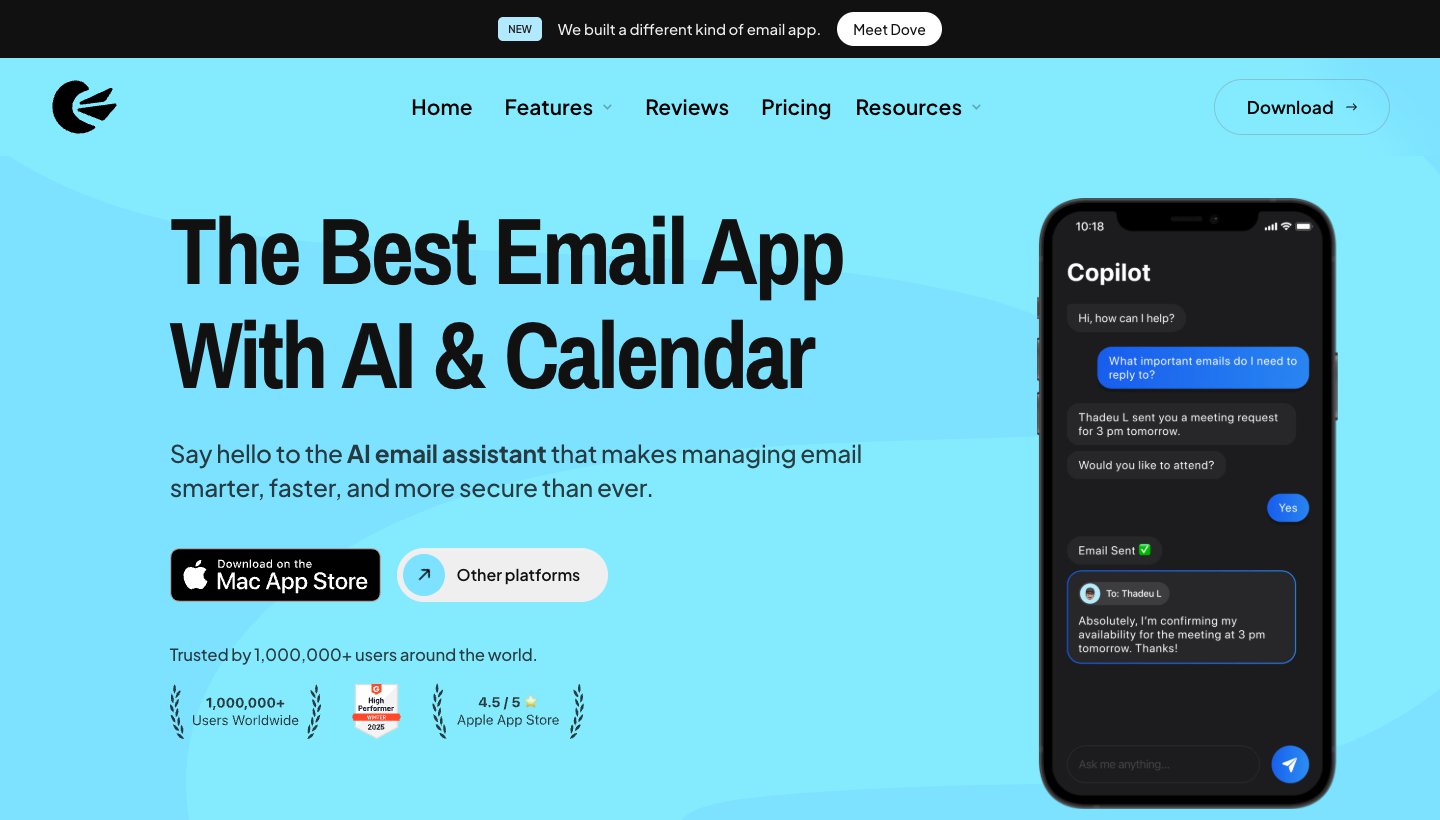
Dove is ours: it's made by the team behind Canary Mail. It's for people whose problem with Outlook is the amount of mail, not the look of the app. It sorts mail into Focus, Feed and Noise, so newsletters and notifications stay out of the way, and Today shows what needs you, your schedule and what you're waiting on. AI drafts replies and summarizes long threads. Email content is stored locally when possible, and Dove doesn't offer PGP or end-to-end encryption.
Who it's for: one person with a busy inbox, maybe across Outlook.com, a Microsoft 365 work account and Gmail, who wants the same app on every device.
Outlook.com and Microsoft 365: yes. Dove also works with Gmail, Google Workspace, iCloud, Yahoo and any IMAP account, and every plan, including free, allows unlimited accounts.
PST import: no. Dove reads the mail on your server, so anything stored only in a PST file stays behind.
Platforms: Windows, Mac, iPhone, iPad, Android and the web.
Price (checked October 13, 2026): $20 a month or $200 a year. The free plan includes 10 AI actions a day. Sorting into Focus, Feed and Noise, and Today, need the paid plan, which has a 7-day free trial that asks for a card. See Dove's pricing.
One real downside: Dove is new, with few ratings and a short track record, and it isn't a replacement for Outlook's calendar.
4. eM Client: best for bringing your Outlook data with you
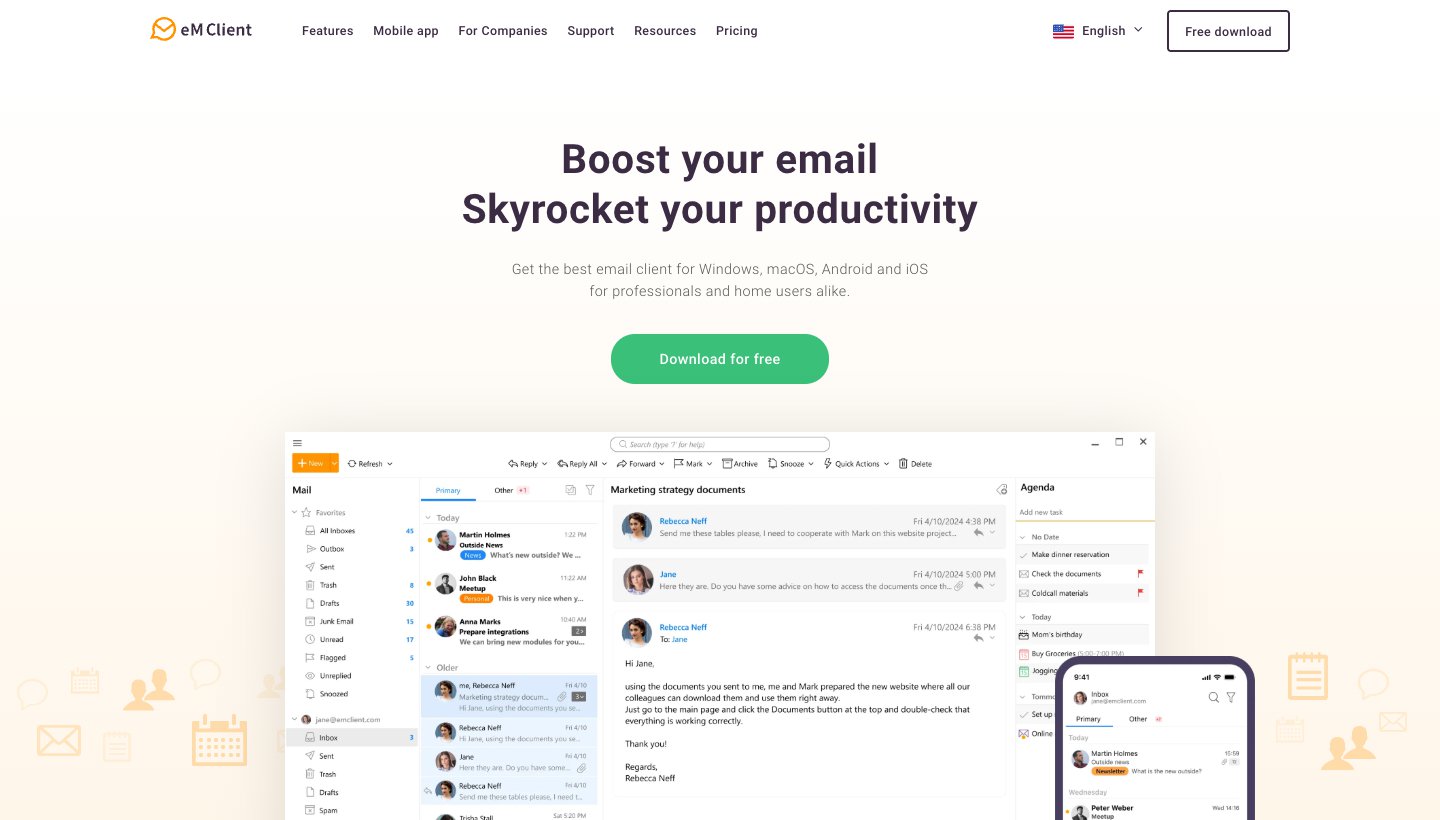
eM Client looks and works the most like classic Outlook: mail, calendar, contacts and tasks in one desktop window. It's the one to pick if you have years of mail in PST files.
Who it's for: people who want an Outlook-style desktop app without Microsoft 365, and anyone who'd rather pay once.
Outlook.com and Microsoft 365: yes. eM Client lists Office 365, Exchange, Outlook, Google Workspace, iCloud and POP, IMAP or EWS accounts.
PST import: yes. Its import tool detects an installed Outlook and also takes .pst files, according to eM Client's import guide (written in 2020; we couldn't find a newer help page).
Platforms: Windows and Mac, with free iPhone and Android apps.
Price (checked October 13, 2026): free for home use on 1 device with 2 accounts. In the US, Personal is $39.95 a year (3 devices, AI included) or $59.95 once. eM Client sets prices by country, so yours may differ. There's a 30-day trial. See eM Client's pricing.
One real downside: the one-time licence covers only the current major version and doesn't include AI. Future major versions cost extra.
5. Mailbird: best for a simple unified inbox on Windows
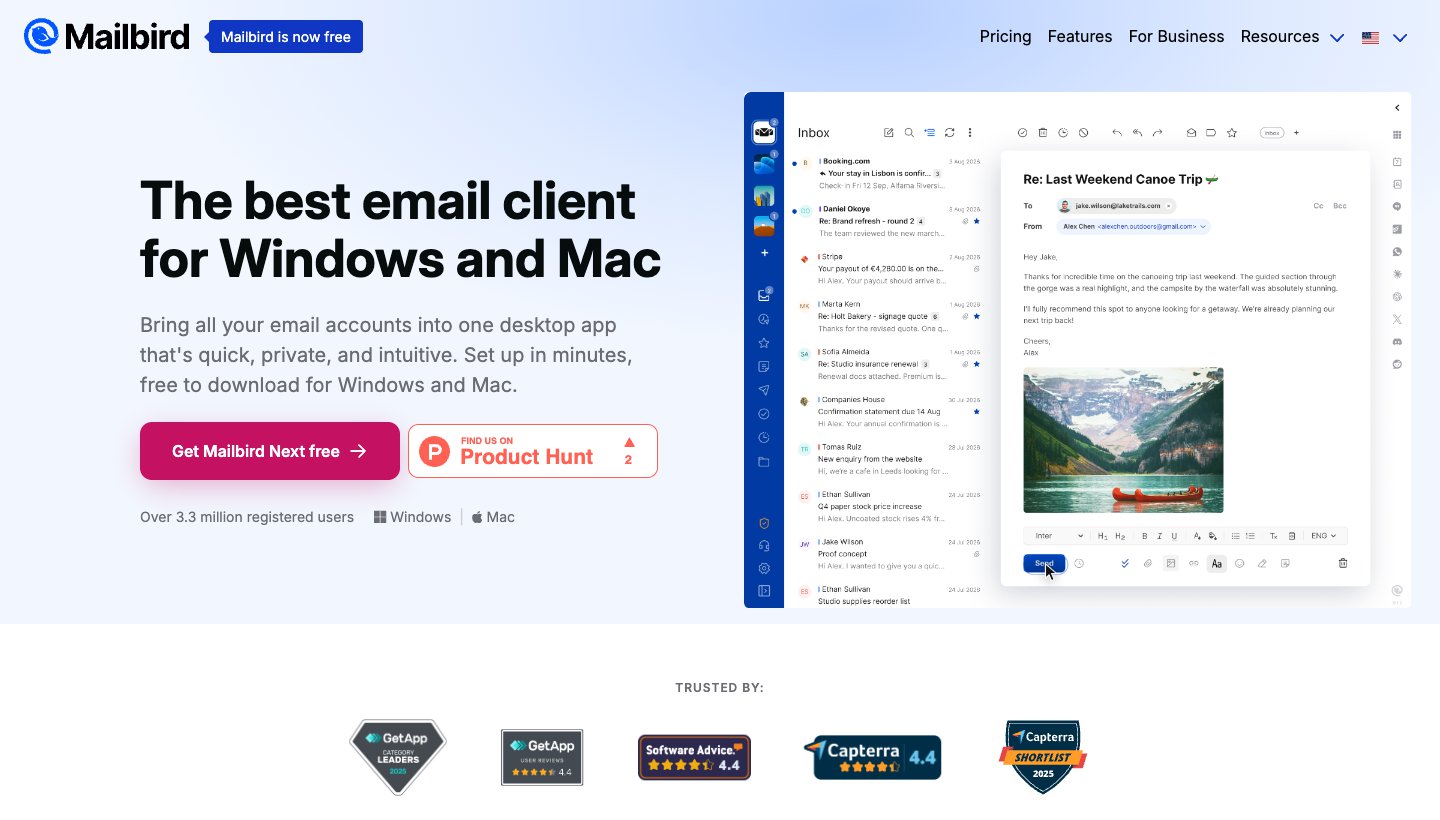
Mailbird started on Windows and is built around one inbox for all your accounts. The current version is called Mailbird Next.
Who it's for: Windows users who want something simpler than Outlook and keep their mail on their own PC.
Outlook.com and Microsoft 365: Outlook, Microsoft 365, Gmail, iCloud, Yahoo, Proton and IMAP are supported. Exchange needs Premium.
PST import: only into a POP3 account, according to Mailbird's help center.
Platforms: Windows, and Mac, though Mailbird's own pages disagree on whether the Mac version is generally available. The Android app is in public beta, and the iPhone app isn't out yet.
Price (checked October 13, 2026): a free plan with 1 account, plus a Premium yearly plan and a Pay Once option. New accounts get Premium free for 7 days. Mailbird's pricing page showed us only local currency, so we haven't quoted US prices.
One real downside: the free plan covers just 1 account, which isn't much for an app whose main job is combining inboxes.
6. Apple Mail: best free option on a Mac and iPhone
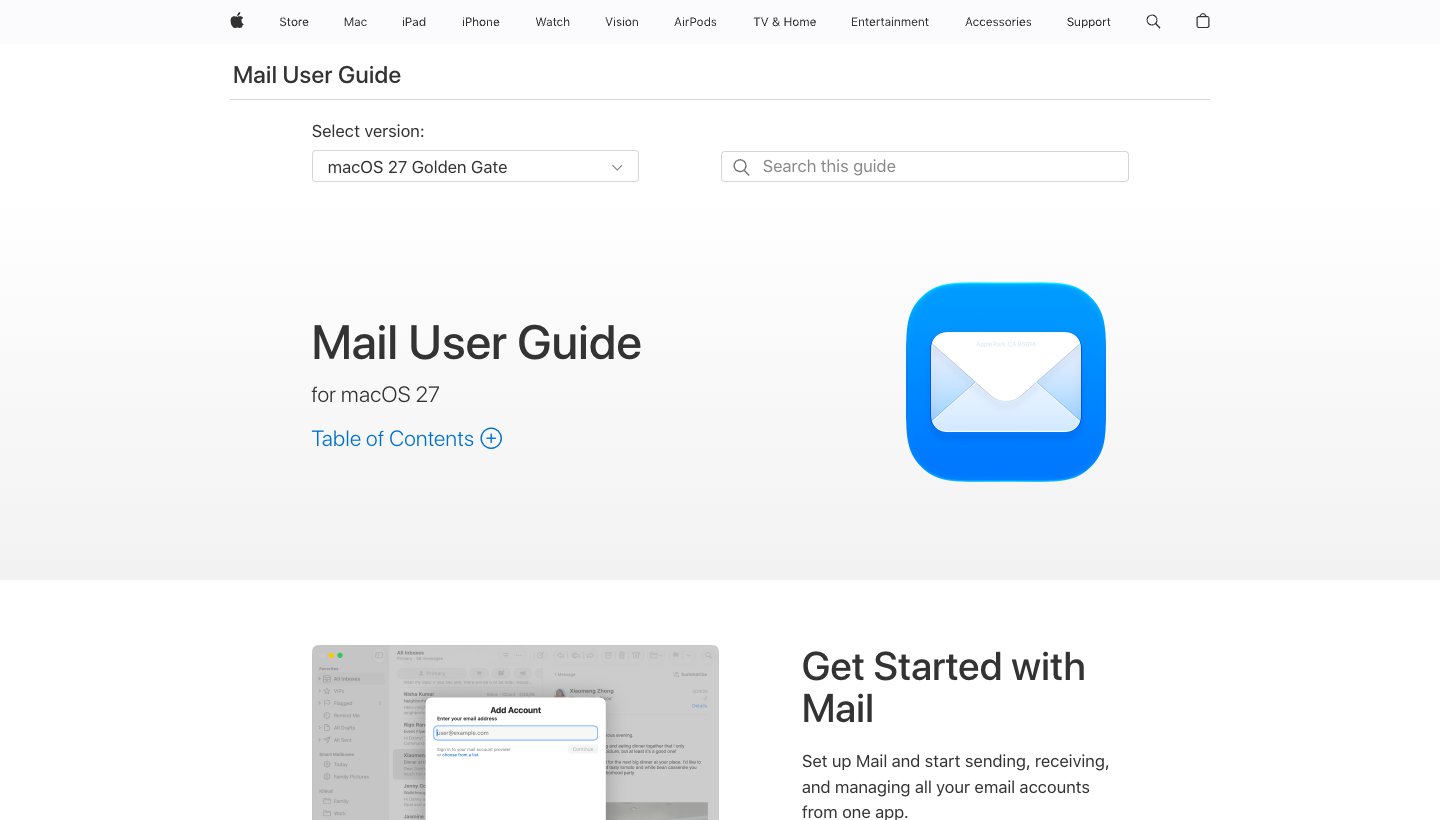
If you're on a Mac because the old Outlook for Mac stopped working with your account, Apple Mail is already installed and costs nothing.
Who it's for: Mac, iPhone and iPad users who want a free app that's already there.
Outlook.com and Microsoft 365: Microsoft Exchange is built in. Apple names iCloud, Google, Exchange, and work or school accounts. Outlook.com isn't named, but it can be added as another account.
PST import: no. Apple's Import Mailboxes accepts Apple Mail and mbox files only.
Platforms: Mac, iPhone and iPad.
Price (checked October 13, 2026): free, built into macOS, iOS and iPadOS.
One real downside: it works only on Apple devices, so if you also use a Windows PC or an Android phone, you'll need a second app.
7. Canary Mail: best for encryption you control (ours)
Canary Mail is also made by our team. It has more than 2 million users and has been featured by Apple on the App Store and Mac App Store.
Who it's for: people who want PGP encryption and a low yearly price or a lifetime licence.
Outlook.com and Microsoft 365: yes. Canary names Outlook, Exchange, Office, Google, iCloud, Yahoo, Zoho Mail and Proton Mail.
PST import: none documented.
Platforms: Windows, Mac, iPhone, iPad and Android.
Price (checked October 13, 2026): free on up to 2 devices with unlimited accounts. Growth is $36 a year or $100 once. Pro+ is $100 a year or $300 once, and includes PGP. There's no monthly plan. The 7-day trial doesn't ask for a card. See Canary's pricing.
One real downside: there's no monthly plan, so you pay for a year or a lifetime up front.
If you need PGP, choose Canary over Dove. Dove has no PGP or end-to-end encryption.
8. Mailspring: best free open-source app for desktop
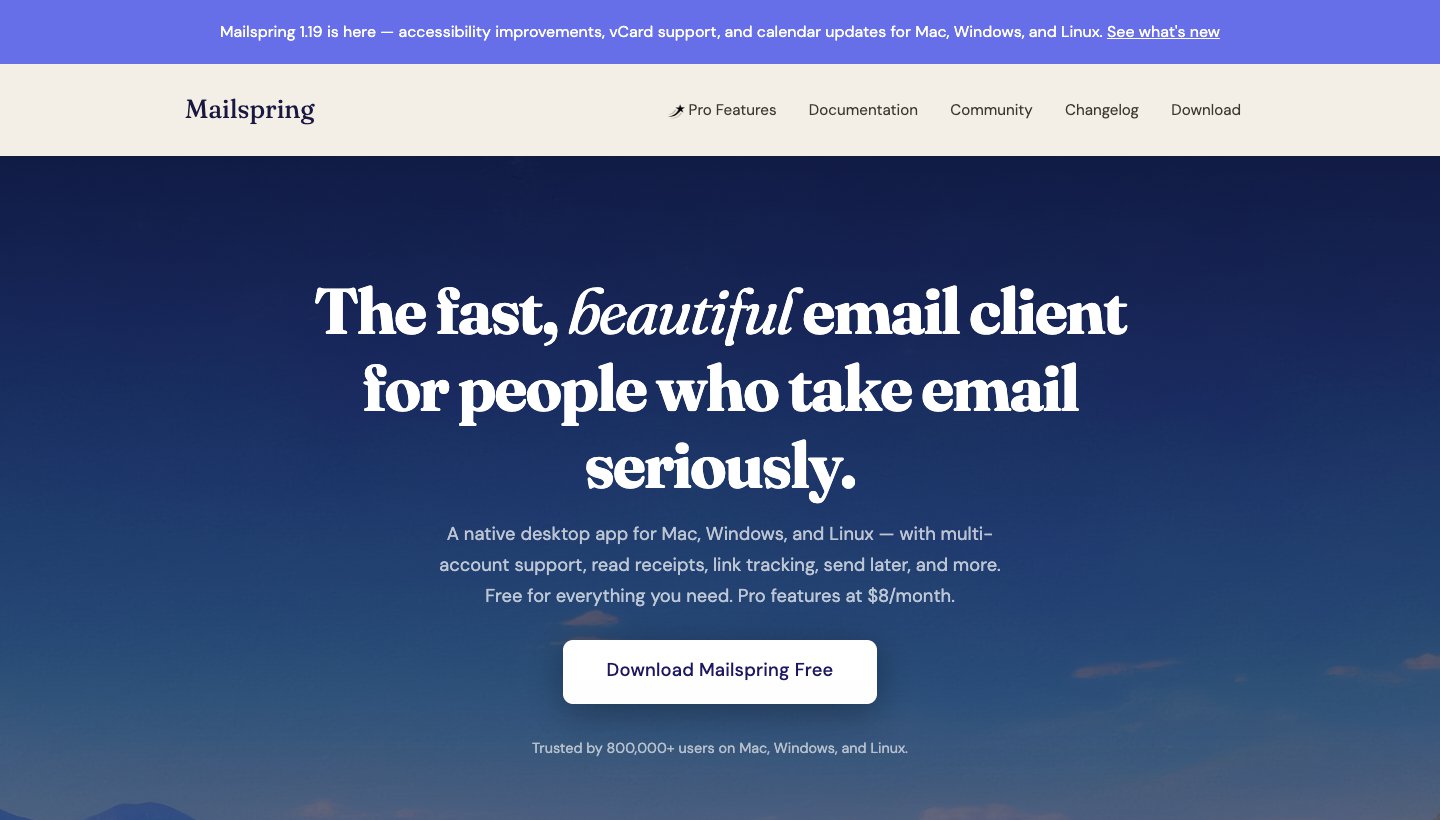
Mailspring is free and open source, and looks newer than Thunderbird. It also runs on Linux.
Who it's for: people who want a modern-looking free desktop client, especially across Windows and Linux.
Outlook.com and Microsoft 365: Outlook.com and Office 365 are supported, along with Gmail, iCloud, Yahoo, Fastmail and IMAP. Exchange (EWS) isn't mentioned.
PST import: none documented.
Platforms: Windows, Mac and Linux.
Price (checked October 13, 2026): free. Mailspring Pro is $8 a month and adds read receipts, link tracking, send later, snooze and templates.
One real downside: it's desktop-only, with no phone app.
9. Superhuman: best for fast keyboard triage on Microsoft 365
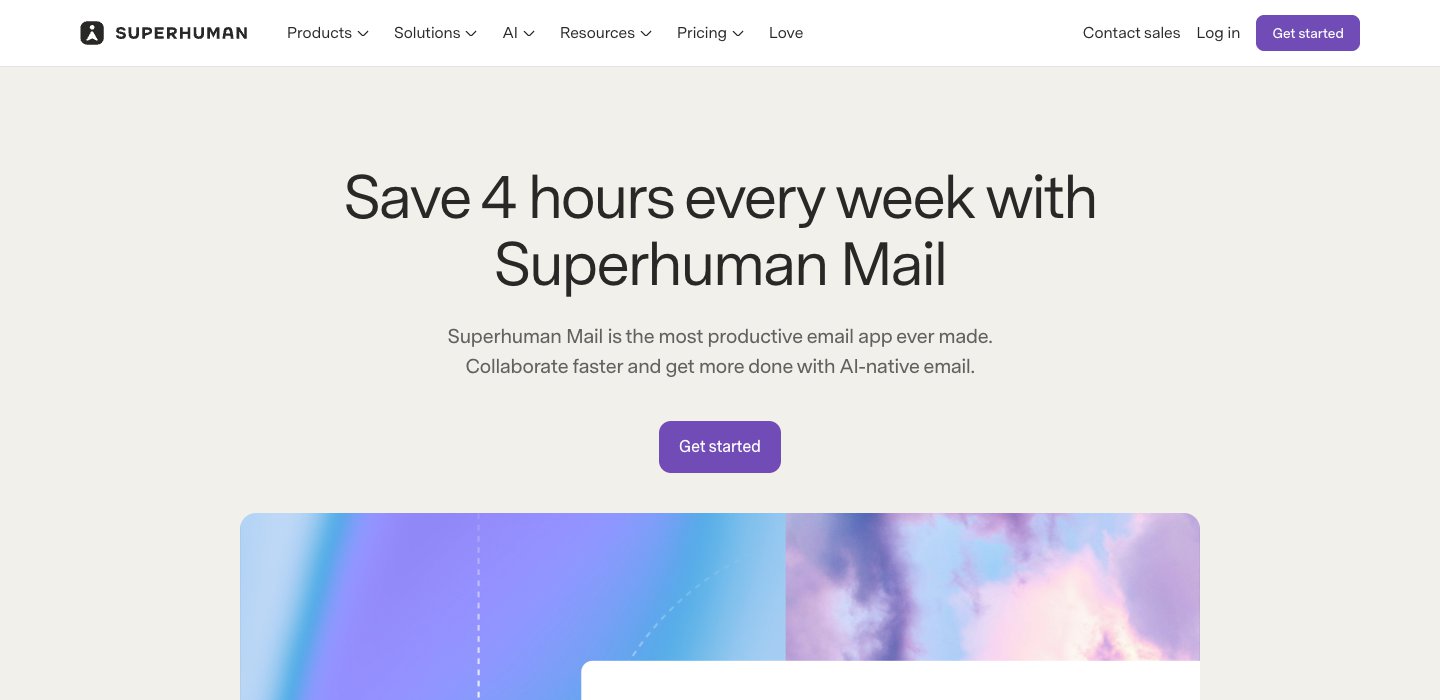
Superhuman is for people who get through hundreds of emails a day and want a keyboard shortcut for everything.
Who it's for: heavy email users with a Microsoft 365 or Gmail work account.
Outlook.com and Microsoft 365: Microsoft 365 only. Superhuman's help center says, "We only support Gmail and Microsoft 365 hosted accounts at the moment." A personal Outlook.com or Hotmail address isn't covered.
PST import: no.
Platforms: Windows, Mac, iPhone, iPad, Android and Chrome.
Price (checked October 13, 2026): Starter is $30 a month, or $25 a month billed yearly. Business is $40 a month, or $33 billed yearly. No free plan or trial. See Superhuman's plans.
One real downside: it's the most expensive app here and has no trial, and it can't open Outlook.com, iCloud, Yahoo or IMAP accounts.
If Superhuman's price puts you off, our Superhuman alternatives guide covers cheaper options.
The best Outlook alternative on each device
Windows
Thunderbird for free with no ads, eM Client if you're bringing PST files, and Spark or Dove if you also want the app on your phone. Mailbird and Mailspring are the simpler free options. For the full Windows list, including Wino Mail for people who miss the old Windows Mail, see our guide to the best email clients for Windows.
Mac
If the old Outlook for Mac just stopped working with your work account, your choices are the current Outlook for Mac or another app. Apple Mail is free and handles Exchange. Spark, Dove, Canary and eM Client also run on a Mac and on your phone. More options are in our guide to the best email app for Mac.
iPhone and Android
Thunderbird has an Android app but no iPhone app yet, and Mailspring has no phone app at all. On a phone, look at Spark, Dove, Canary, eM Client's free apps or Superhuman. Apple Mail covers the iPhone. See the best email app for iPhone and the best email app for Android.
Bringing your old Outlook mail with you
If your mail is on Outlook.com or Microsoft 365, there's nothing to move. Sign in to the new app and your folders come down from the server.
PST files are different. They hold mail that lives only on your computer, often from an old POP account or an archive. Your options:
eM Client imports .pst files directly.
Thunderbird imports from Outlook, but only when Outlook is installed on the same PC.
Mailbird imports PST mail into a POP3 account only.
Everything else here has no documented PST import, so keep a copy of Outlook around if you still need those files.
Fixes if you'd rather not switch
Sometimes a smaller change fixes what bothers you.
The ads: any Microsoft 365 plan removes them. The cheapest is Microsoft 365 Basic at $1.99 a month or $19.99 a year, which also gives you a 100 GB mailbox.
The new Outlook on a personal account: Microsoft says you can still switch back to classic Outlook from the new Outlook options.
You want AI in Outlook: our guide to AI email assistants for Outlook covers Copilot and the add-ons that work inside it.
Or change provider
If it's Microsoft you want to leave, not just the app, you need a new address. That's a bigger move: you'll need to tell your contacts and update every account that uses your old address. The common choices:
Gmail: free and ad-supported, with Gemini on paid plans.
Proton Mail: stores message bodies and attachments with end-to-end encryption. The free plan has 1 GB, and using Proton in another app needs a paid plan plus its Bridge desktop app. Mail Plus is $4.99 a month or $47.88 a year (Proton's pricing).
Zoho Mail: a free plan for your own domain, but without IMAP, so you're limited to Zoho's apps unless you pay.
Fastmail: no ads and no free plan. Individual is $6 a month or $60 a year after a 30-day trial (Fastmail's pricing).
We compare these and other providers, with what each one's free tier really includes, in our guide to Gmail alternatives. Most of them work in the apps above, so you can change provider and app separately.
Which Outlook alternative should you choose?
Choose Thunderbird if you want a full desktop client, free, with no ads.
Choose Spark if you want one free app on your computer and your phone.
Choose Dove (ours) if your inbox is the problem and you want it sorted for you on every device.
Choose eM Client if you have PST files to bring, or want an Outlook-style app you pay for once.
Choose Mailbird if you're on Windows and want a simple unified inbox.
Choose Apple Mail if you only use Apple devices.
Choose Canary (ours) if you need PGP encryption.
Choose Mailspring if you want free and open source, including on Linux.
Choose Superhuman if you're on Microsoft 365 at work and keyboard speed is worth $30 a month.
To try Dove, download it and sign in with your Outlook or Microsoft 365 account. For apps on every platform, see our guide to the best email apps.
FAQ
Which email is better than Outlook?
It depends on what you dislike about Outlook. For no ads and no cost on a computer, Thunderbird. For one free app on your computer and phone, Spark. For PST import and an Outlook-style layout, eM Client. For an inbox that's sorted for you, Dove (ours). For PGP, Canary (ours). If you mean Outlook.com the email service, Gmail, Proton Mail and Fastmail are the usual alternatives.
What is the best free email client?
Thunderbird, for Windows, Mac and Linux: it's free with no ads and no account limit. Spark is the best free choice if you also want it on your phone. Apple Mail is free on Apple devices. Mailspring is a lighter free option for desktop.
Is Hotmail email still free?
Yes. Hotmail addresses run on Outlook.com, which is free. Free accounts show ads in the inbox, and Microsoft gives them 5 GB of free cloud storage that attachments count against. Any Microsoft 365 plan removes the ads, starting with Basic at $19.99 a year.
Is Outlook being phased out?
No. Microsoft retired Windows Mail at the end of 2024 and is moving people from classic Outlook to the new Outlook in stages, but classic Outlook is supported until at least 2029. The old Outlook for Mac stops working with Exchange Online accounts in October 2026. Outlook.com stays free.
What has replaced Outlook?
The new Outlook for Windows replaced Windows Mail and is gradually replacing classic Outlook. On a Mac, the current Outlook for Mac replaces the legacy version. If you want to replace Outlook yourself, any app above can read your Outlook.com or Microsoft 365 mail, apart from Superhuman, which takes only Microsoft 365 accounts.
Can I keep my Outlook.com or Hotmail address in another app?
Yes. Every app on this list except Superhuman can open a personal Outlook.com or Hotmail account. Your mail stays on Microsoft's servers, so you can go back to Outlook at any time.
More from Dove
Recent posts
October 13, 2026
Gmail Alternatives in 2026: A New Provider, or Just a Better App
Leaving Google entirely means picking a new email provider. If you only dislike the Gmail app, you can keep your address and change the app instead. Both routes are covered below, with every price checked on October 13, 2026.
October 12, 2026
AI Email Assistant for Gmail in 2026: Gemini, Add-ons and What They Cost
Gmail already has a free AI assistant, at least in the US. Here's what Gemini does on each plan, how to switch it on or off, and when an add-on like Fyxer, Cora or Inbox Zero is worth paying for.
October 12, 2026
AI Email Assistant for Outlook in 2026: Copilot and the Add-ins Worth Adding
If you pay for Microsoft 365, Copilot may already be in your Outlook. Here's which plans and versions get it, how to switch it on or off, and when an add-in like MailMaestro, Fyxer or SaneBox is worth paying for.