'/%3e%3c/g%3e%3c/svg%3e)

Best Email Apps for Real Estate Agents in 2026
The best email apps for real estate agents in 2026, compared by platform, AI, pricing, strengths, and weaknesses. See how Dove, Gmail, Outlook, Spark, and Superhuman handle leads, contracts, and wire-fraud risk.

Real estate runs on email, and the volume is brutal. A single active agent juggles new buyer leads, listing inquiries, lender and title updates, inspection reports, contract redlines, and a steady drip of portal notifications from listing sites like Zillow and the MLS. Miss one message and you can lose a deal. Reply to the wrong one first and you waste the hour that mattered.
There is also a risk most inbox roundups ignore: real estate is a top target for wire fraud. Criminals impersonate agents, lenders, and title companies to reroute closing funds, and the attack almost always arrives by email. So for agents, the right app is not just about speed. It has to sort what needs you, help you reply on your phone between showings, and flag the message that is trying to steal a client’s down payment.
This guide ranks the best email apps for real estate agents by what they actually do, with clear notes on platform support, pricing, and honest trade-offs. Dove and then we cover the strongest mainstream options.
Key takeaways
Dove is the strongest overall pick for real estate agents. It is AI-native, sorting every lead into Focus, Noise, and Done, reading long contract and lender threads, and scoring messages for wire fraud before they reach you. Free plan available; Pro is $20/month.
Gmail and Outlook are dependable, familiar defaults, but they organize rather than triage and ship only basic native fraud warnings.
Spark suits small teams that share an inbox, and Superhuman fits agents who will pay a premium for raw keyboard speed.
The deciding factors for agents are automatic triage, a strong mobile app, thread intelligence, and built-in wire-fraud protection.
What real estate agents should look for
Before the list, it helps to name what actually matters when your inbox is also your pipeline.
Triage that decides, not just files. You need to know which of forty new messages is a ready buyer and which is a newsletter, without reading all forty.
Mobile that keeps up. Most agent email happens between showings, in the car, or at a closing. The phone experience cannot be an afterthought.
Help inside the thread. Contract redlines and lender chains hide changed terms, deadlines, and action items. A good app surfaces them so nothing slips.
Fraud and phishing protection. Wire-fraud attempts and impersonation should be flagged automatically, before you forward payment instructions to a client.
Document handling and privacy. Disclosures, IDs, and financials move through your inbox, so encryption and secure sending are real features, not extras.
Honest pricing. You should know what you pay, what you get, and whether a custom domain is included.
The best email apps for real estate agents at a glance
The table below is the fast version. Each app is covered in detail further down.
Email app | Platforms | AI approach | Starting price | Strengths for agents | Watch-outs |
|---|---|---|---|---|---|
iOS, Android, macOS, Windows, Web | AI-native (triage is the foundation) | Free plan (10 AI actions/day); Pro $20/month, 7-day trial | Sorts leads into Focus, Noise, and Done automatically, reads threads, extracts follow-ups, scores messages for fraud and phishing | Newer app, smaller third-party integration list today | |
Gmail (Google Workspace) | Web, iOS, Android (desktop via browser) | Light AI in paid Workspace tiers | Free personal; Workspace from $7/user/month | Familiar, reliable, huge integration ecosystem, custom domain on Workspace | Noisy by default, no real triage, weak native fraud warnings |
Outlook | Windows, macOS, iOS, Android, Web | Copilot AI on paid Microsoft 365 | Free personal account; Microsoft 365 from $6.99/month | Strong calendar and scheduling, common in brokerages, solid rules | Cluttered for high-volume inboxes, AI gated behind pricier plans |
Spark | iOS, macOS, Android, Windows, Web | Built-in AI assist and smart inbox | Free plan; Premium from about $8/month | Shared inbox and templates for teams, snooze, send later | Team features are the paid draw; triage is lighter than Dove |
Superhuman | macOS, Windows, iOS, Android, Web | AI for drafting, summaries, and triage hints | No free tier; from about $25/seat/month | Very fast keyboard-driven workflow, quick replies, follow-up reminders | Expensive per seat, built for speed more than fraud safety |
Pricing is approximate and changes often, so check each provider for current rates before you commit.
1. Dove: best AI-native inbox for real estate agents
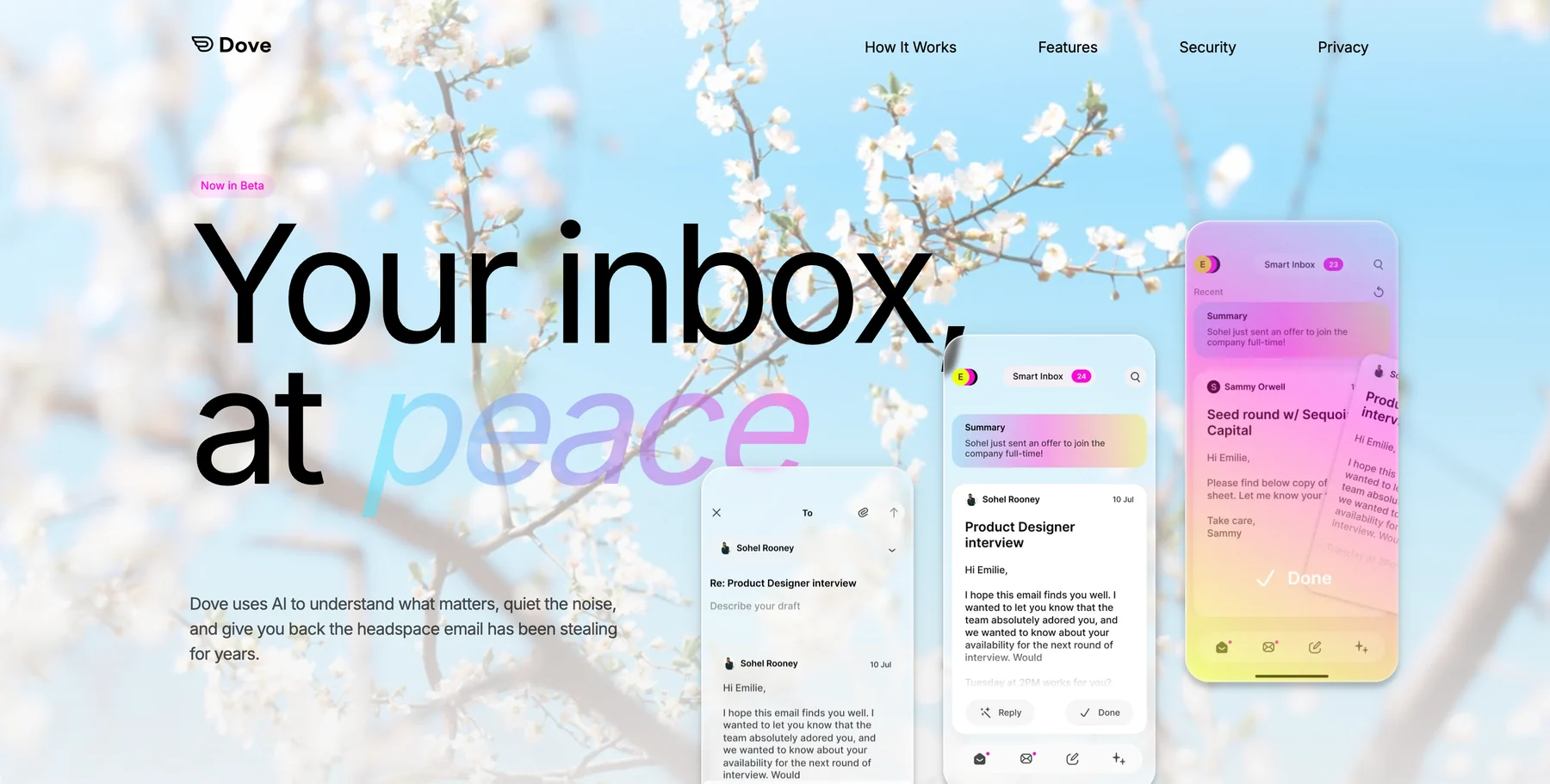
Dove is an AI-native email app, which is the cleanest fit for an agent drowning in lead volume. The AI is not a sidebar feature bolted onto an old client. It is the foundation, so every message gets read and sorted the moment it lands.
Each incoming email is placed into one of three states: Focus (needs you, like a buyer ready to make an offer), Noise (does not need you, like a portal digest), or Done (already handled). When you open a Focus message, Wingman reads the whole thread and points out changed terms, deadlines, and overdue items before you reply, which matters when a contract addendum is buried in a long chain. AI Assist lets you talk to your inbox in plain language to search, archive, and draft. Every morning, Daily Tasks turns your Focus mail into a ranked follow-up list so no warm lead goes cold.
For agents specifically, the standout is Dove’s security scoring, which quarantines suspicious messages before they reach you. Given how often wire-fraud and impersonation attacks hit real estate, that is a genuine safety layer rather than a nice-to-have. If you want to harden your whole workflow, pair it with our guide on how to protect yourself from phishing emails.
Platforms: iOS, Android, macOS, Windows, and Web, with server-side classification that syncs across every device instantly, so triage you do on your phone shows up on your laptop.
What it does well: Automatic triage that actually decides, thread intelligence through Wingman, follow-up extraction through Daily Tasks, and built-in security scoring that flags fraud. The interface is calm by design, which helps when the pipeline is loud.
Where it falls short: Dove is the newest app here, so it connects to fewer third-party tools today, and some traditional power-user shortcuts are still being added.
Pricing: A free plan covers core inbox features with 10 AI actions per day across unlimited accounts, so you can run it at no cost. Pro is $20/month with a 7-day free trial and unlocks unlimited AI, daily tasks, meeting detection, and one inbox across Gmail, Microsoft, and IMAP.
Best for: Agents who want the inbox to triage leads, surface follow-ups, and flag fraud automatically rather than just hold mail.
Want to try Dove? Connect your existing inbox and let it triage your next lead.
2. Gmail (Google Workspace): the familiar default
Gmail is the default for a huge share of agents, and for good reason. It is reliable, familiar, and connects to nearly every CRM and transaction tool in real estate. On Google Workspace you also get a custom domain, which looks more professional than an @gmail.com address on a listing.
Platforms: Web, iOS, and Android, with desktop access through the browser.
What it does well: Rock-solid delivery, the broadest integration ecosystem, powerful search, and labels and filters you can tune. Workspace adds a custom domain and shared tools for teams.
Where it falls short: Out of the box it is noisy. Gmail sorts into broad tabs but does not truly triage what needs you, the native fraud and phishing warnings are basic, and high-volume agents end up building fragile filter rules by hand. For ways to tame that, see our guide on how to manage too many emails.
Pricing: Free for personal Gmail. Google Workspace starts around $7/user/month for Business Starter (billed annually, about $8.40 month to month), with Gemini AI now bundled and higher tiers adding storage and admin controls.
Best for: Agents who want a dependable, widely supported inbox and are willing to add structure themselves or layer another tool on top.
3. Outlook: best for brokerages on Microsoft 365
Outlook is everywhere brokerages standardize on Microsoft 365, and its calendar is genuinely strong, which matters when your week is showings, inspections, and closings. Scheduling, rules, and shared calendars are the real reasons agents stay.
Platforms: Windows, macOS, iOS, Android, and Web.
What it does well: Excellent calendar and scheduling, solid rules and categories, and tight integration with Microsoft 365 documents that many brokerages already use. Copilot AI is available on paid plans.
Where it falls short: The interface gets cluttered fast under heavy lead volume, triage is manual, and the better AI features sit behind pricier Microsoft 365 tiers. It organizes, but it does not decide what needs you first.
Pricing: Free with a personal Outlook account. Microsoft 365 starts around $6.99/month for personal use, with business plans adding custom domains and Copilot at higher tiers.
Best for: Agents and teams already inside the Microsoft 365 ecosystem who lean on calendar and document integration.
4. Spark: best for small real estate teams
Spark rebuilt the inbox around a smart inbox view, team collaboration, and email templates. For small teams and brokerages, the shared inbox and ability to draft replies together are the standout features, and the template library saves time on repetitive buyer and seller emails.
Platforms: iOS, macOS, Android, Windows, and Web.
What it does well: Shared inboxes and collaborative drafting for teams, reusable templates for common agent emails, snooze, send later, and a built-in AI assist for writing. The smart inbox groups notifications and newsletters out of the way.
Where it falls short: The most valuable features are team-oriented and sit on the paid plan, and the triage is lighter than a dedicated AI-native client. Solo agents may not need the collaboration layer.
Pricing: Free plan available. Premium starts around $8/month for individuals, with team pricing per seat.
Best for: Small real estate teams that want shared inboxes, templates, and collaborative replies in one app.
5. Superhuman: best for keyboard speed
Superhuman is built for speed. It is a keyboard-driven client with quick replies, follow-up reminders, and AI that can draft and summarize. Agents who live in their inbox and value raw velocity tend to love it, and the follow-up reminders help keep leads from going quiet.
Platforms: macOS, Windows, iOS, Android, and Web, for Gmail and Outlook accounts.
What it does well: Extremely fast workflow, AI drafting and summaries, snippets for repeated replies, and follow-up reminders that nudge you when a lead has gone silent.
Where it falls short: It is the most expensive option here per seat, it works only with Gmail and Outlook accounts, and its strength is speed rather than fraud safety or true triage. There is no free plan.
Pricing: No free tier. Plans start around $25 per seat per month billed annually (about $30 month to month), with a trial.
Best for: High-volume agents who want maximum speed and keyboard control and do not mind paying a premium.
How to choose the right email app for your real estate business
If you want the inbox to think for you, sorting leads, reading threads, and flagging fraud, an AI-native client like Dove is the strongest fit, especially given how often wire fraud targets real estate. For more options in that category, see our roundup of the best AI email apps in 2026, and if your real problem is sheer volume, our guide on how to build an email triage system that sticks goes deeper.
If sending sensitive client documents is your top concern If you are committed to a familiar ecosystem, Gmail and Outlook are dependable but expect to add structure yourself. Spark suits small teams that share an inbox, and Superhuman fits solo agents who will pay for speed. Many agents also run two or more accounts across personal, brokerage, and team addresses, so it is worth checking our guide to thebest email apps for multiple accountsbefore you settle.
Learn more about how Dove turns a noisy inbox into Focus, Noise, and Done.
Frequently asked questions
What is the best email app for real estate agents in 2026?
For most agents who want more than a basic inbox, Dove is the strongest pick because it is AI-native: it triages every message into Focus, Noise, or Done, reads threads to surface deadlines and changed terms, builds a daily follow-up list, and scores messages for fraud. If sending encrypted documents is your priority with optional AI you turn on only when you want it.
How do email apps help protect real estate agents from wire fraud?
Wire-fraud and impersonation attempts almost always arrive by email, often disguised as a lender, title company, or another agent changing payment instructions. Apps with built-in security scoring, like Dove, flag and quarantine suspicious messages before they reach you, and encrypted clients like . No app replaces verifying wire instructions by phone, but the right inbox catches a lot of attempts early.
Which email app is best for agents who work mostly from their phone?
Dove Spark, Outlook, and Gmail all have capable mobile apps, but Dove has an edge for high-volume agents because its triage and follow-up list sync from the server, so what you sort on your phone between showings is already organized when you open your laptop. Superhuman is fast on mobile too but works only with Gmail and Outlook accounts.
Do I need a custom email domain as a real estate agent?
A custom domain looks more professional on listings and signatures than a free address. Google Workspace and Microsoft 365 both include custom domains on their paid plans, and Dove and so you can keep a branded address while gaining AI triage or encryption on top.
How much does Dove cost for real estate agents?
Dove has a free plan with core inbox features and 10 AI actions per day across unlimited accounts, so you can start at no cost. The Pro plan is $20/month with a 7-day free trial and unlocks unlimited AI, daily tasks, meeting detection, and one unified inbox across Gmail, Microsoft, and IMAP.
The bottom line
For real estate agents, the right inbox has to do three things at once: sort leads so the ready buyer surfaces first, read long contract and lender threads so no deadline slips, and flag the wire-fraud attempt before it reaches a client. Dove is the strongest pick across all three because triage and security are the foundation rather than add-ons. If encrypted document handling is your first concern while Gmail, Outlook, Spark, and Superhuman remain solid if you are committed to their ecosystems or simply want raw speed. Match the app to the part of the job that hurts most, and your inbox stops being the thing that loses deals.
Try Dove free - works on top of your existing firm email, takes 2 minutes to connect.
More from Dove
Recent posts

August 17, 2026
Best Email App for Multiple Accounts in 2026
Juggling more than one inbox? Here is the best email app for multiple accounts in 2026, plus two other ways to fix inbox overwhelm for good.

July 1, 2026
Best Airmail Alternatives in 2026
The best Airmail alternatives in 2026 compared. See platform support, pricing, strengths, and weaknesses for Dove, Canary Mail, Spark Mail, Mimestream, Edison Mail, Shortwave, Outlook, and Apple Mail.

June 30, 2026
Best Spike Alternatives in 2026
The best Spike alternatives in 2026 compared. See platforms, pricing, strengths, and weaknesses for Dove, Shortwave, Spark, Missive, and Superhuman.