'/%3e%3c/g%3e%3c/svg%3e)

Email Anxiety: How to Stop Dreading Your Inbox
Feel a knot in your stomach every time you open email? Learn why email anxiety happens and practical strategies to take control of your inbox in 2026.
By Phoebe Brown. Last updated May 18, 2026.
You know the feeling. You wake up, reach for your phone, and see 47 unread emails. Your chest tightens. You scroll past the first few subject lines, feel overwhelmed, and lock the screen. Maybe you will deal with it later. Maybe later turns into tomorrow.
Email anxiety is real. It is not laziness. It is not poor time management. It is the cumulative stress of an inbox that demands constant attention without giving you any signal about what actually matters.
This guide breaks down why email triggers anxiety and what you can actually do about it, from behavioral shifts to tools built to fix the problem at its root.
What Email Anxiety Actually Is
Email anxiety is persistent dread or stress associated with opening, reading, or responding to email. It shows up in different ways:
Avoiding your inbox for hours or days
Compulsively checking email but not responding
Feeling guilty about unread messages
Spending disproportionate mental energy on low-stakes replies
Physical symptoms like tension, racing thoughts, or a tight chest when you see your inbox count
A 2023 study from the Future of Work Institute found that 60% of knowledge workers described email as their biggest source of workplace stress. That number has not improved. If anything, the rise of AI-generated outreach and automated notifications has made the average inbox noisier than ever. If you are dealing with pure volume, our guide on how to manage too many emails covers the tactical side in more detail.
Why Email Makes You Anxious
Understanding the root causes helps you pick the right fix. Most email anxiety comes from three overlapping problems.
Everything demands equal attention
Your inbox treats a message from your CEO the same as a newsletter promo. There is no built-in priority system. Every unread message carries the same visual weight, so your brain tries to evaluate all of them at once. That is exhausting.
The inbox never closes
Unlike a physical mailbox, email arrives constantly. There is no natural endpoint to “being done.” Even after you clear your inbox, new messages arrive within minutes. This creates a treadmill effect where you never feel finished.
Responding feels high-stakes
You agonize over tone. You re-read your reply four times. You wonder if you sounded too blunt or too eager. For many people, composing a response carries more stress than reading the message itself.
Practical Strategies That Actually Help
You do not need to become a productivity guru. Small, specific changes make a real difference.
1. Set fixed email windows
Check email at specific times instead of reactively. Two to three windows per day works for most people: once in the morning, once after lunch, and once before wrapping up. Between windows, close your email tab entirely.
This is not about ignoring urgent messages. It is about breaking the reflex of checking every five minutes, which fragments your attention and keeps your stress response activated throughout the day. For more on this, see our email productivity tips.
2. Use the two-minute rule
If a reply takes less than two minutes, send it immediately. If it takes more, move it to a task list with a specific time to handle it. This prevents small messages from piling up and becoming a source of guilt.
3. Unsubscribe aggressively
Most people receive dozens of emails per day that they never asked for or stopped caring about. Spend 15 minutes unsubscribing from newsletters, marketing emails, and automated notifications you never read. Reducing volume is the simplest way to reduce stress.
4. Separate reading from responding
Open your inbox with the intent to scan, not to reply. Flag or star anything that needs a response, then close the inbox and respond in a separate, focused session. Mixing scanning with responding forces constant context-switching, which is a major driver of anxiety.
5. Write shorter replies
Not every email needs a three-paragraph response. A clear, two-sentence reply is professional and respectful. If you find yourself drafting an essay, that conversation probably belongs in a call or a meeting.
6. Accept the backlog
If you have hundreds of unread emails, declare inbox bankruptcy on anything older than two weeks. Archive it all. If something was truly urgent, the sender followed up or found another way. Carrying a massive unread count creates constant low-grade stress that is worse than the slim chance of missing something. Building a proper email triage system can prevent the backlog from returning.
Why Traditional Email Clients Make It Worse
Most email apps were designed around a chronological feed. Messages arrive, they stack up, and you scroll through them one by one. This design made sense when people received 20 emails a day. It does not work when you receive 120.
Features like folders, labels, and manual filters were supposed to help. But they require you to do the sorting yourself, which adds another layer of work on top of the work email already creates. The organizational system becomes its own source of stress.
Notifications compound the problem. Default email notifications interrupt you for every message regardless of importance. Over time, your nervous system learns to associate the notification sound with the possibility of bad news or more work.
How AI Triage Changes the Equation
The most effective way to reduce email anxiety is to remove the decision-making that causes it. Instead of you evaluating every message, the right tool does that before you ever see your inbox. We compared the best AI email apps in 2026 if you want to see the full landscape, but two stand out for anxiety relief specifically.
Dove
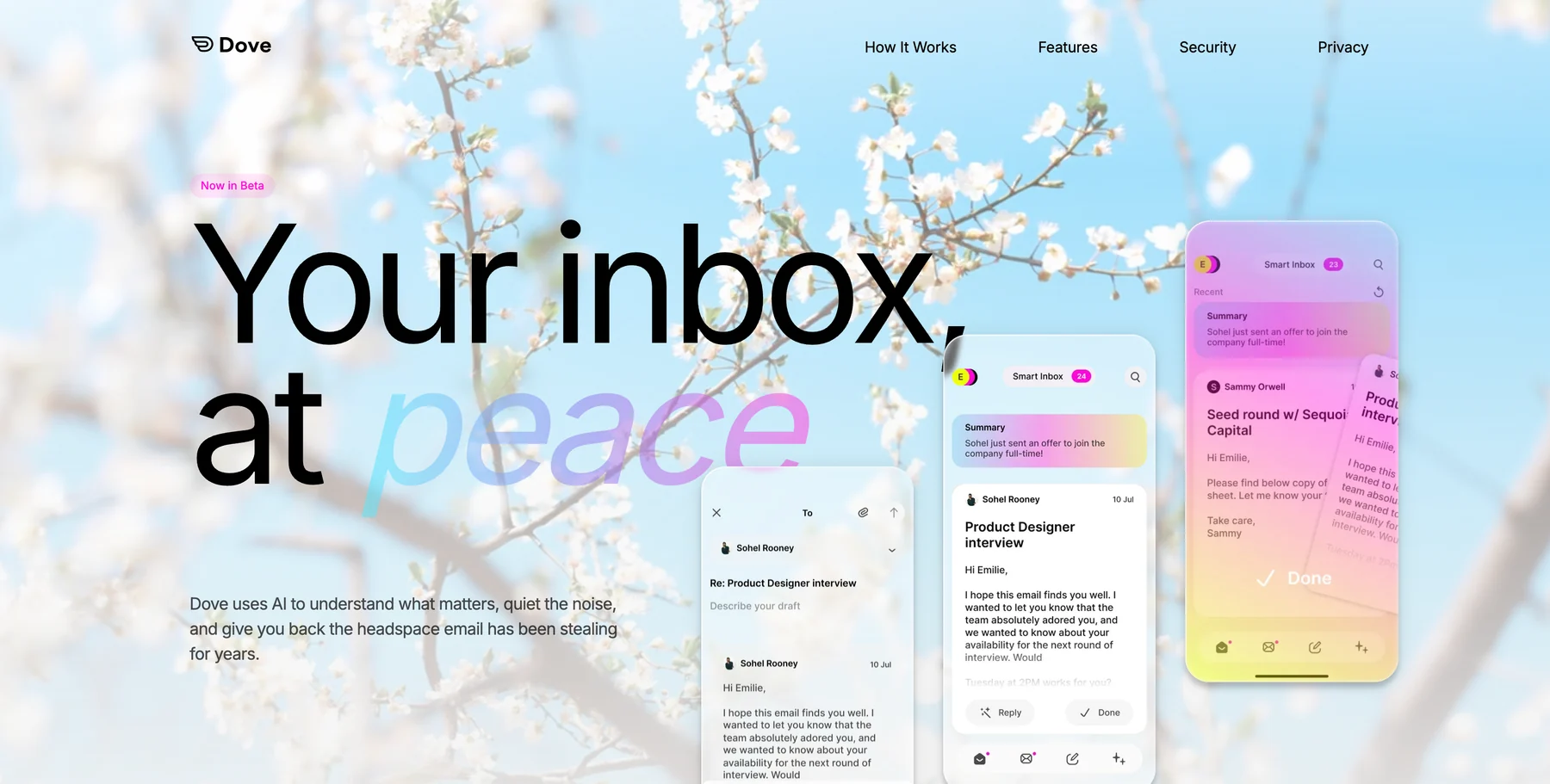
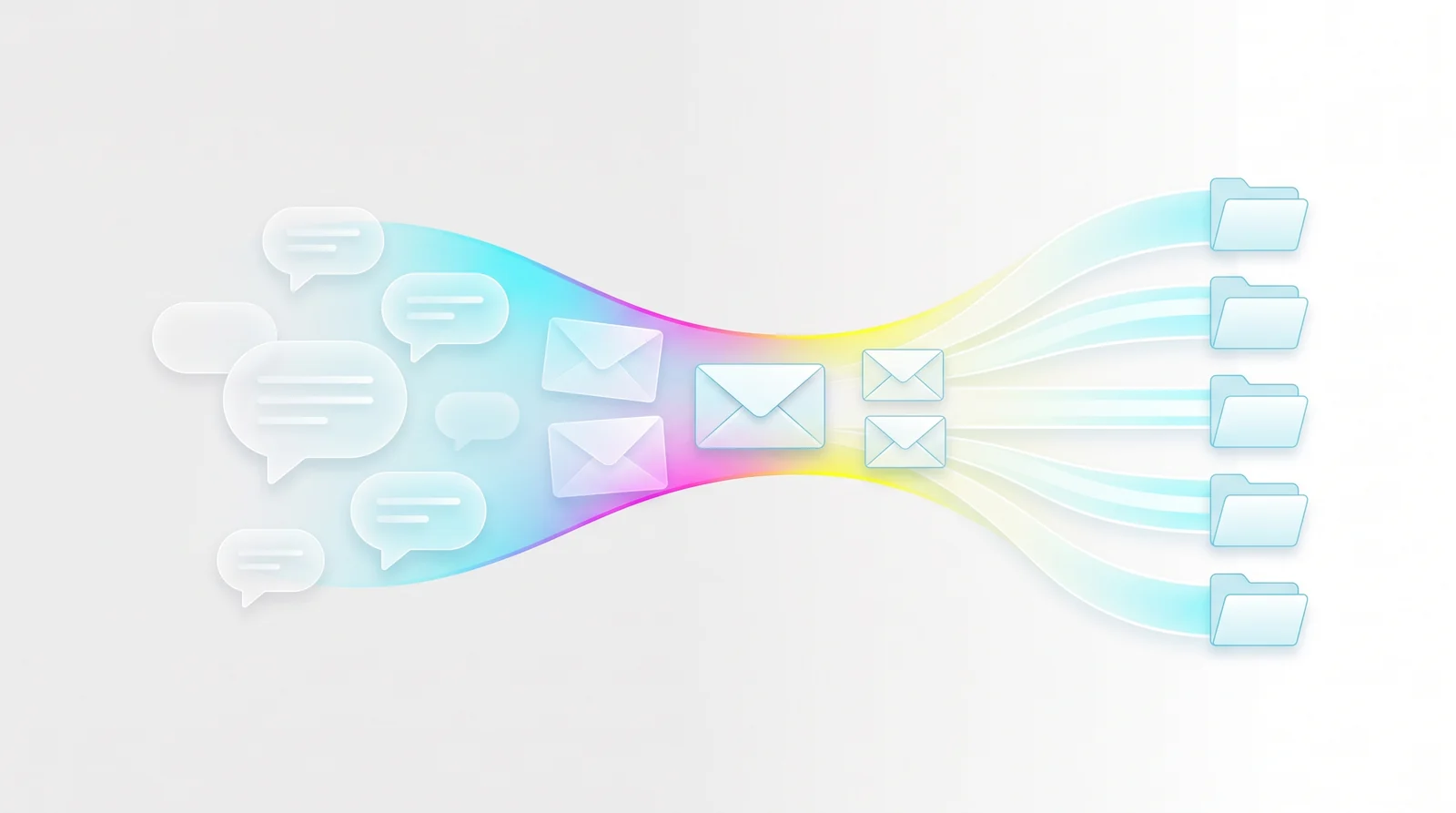
Dove is built around this idea. When you open Dove, your inbox is already sorted into three streams:
Focus contains messages that need your attention: replies from real people, action items, time-sensitive requests.
Noise catches newsletters, marketing emails, and automated notifications. They are still there if you want them, but they do not compete with your important messages.
Done holds messages you have already handled or that need no action.
This means the first thing you see is a short list of what actually matters. The 47 unread messages become 6 that need your attention and 41 that do not. That shift alone eliminates most of the dread.
Dove’s AI also drafts contextual replies, so you spend less time composing. If responding is a major source of your anxiety, having a well-written starting draft removes the blank-page paralysis. You can download Dove to try it.
Canary Mail
Canary Mail approaches inbox management differently. It is a privacy-first email client with end-to-end encryption and optional AI features. Canary’s AI inbox sorting works well, but the real draw is security: if part of your email anxiety comes from privacy concerns or sensitive communications, Canary’s PGP encryption gives you peace of mind that traditional clients cannot.
Canary also offers a clean, focused reading mode and smart filters that reduce visual clutter. If privacy is your primary concern, see our roundup of the best email apps for privacy.
Building a Long-Term Relationship with Email
Tools solve the structural problem. But lasting relief from email anxiety also involves changing how you think about your inbox.
Your inbox is not a to-do list
Email is a communication channel, not a project management tool. If you treat every message as a task, your task list grows uncontrollably. Move action items out of email and into a dedicated task manager where you control the priority and timeline.
Not responding is a valid response
Some emails do not need a reply. Internal FYI threads, informational updates, and CCs where you are not the primary audience can be read and archived without guilt.
Boundaries are professional
Setting email boundaries does not make you less responsive. It makes you more reliable. When you respond during focused windows, your replies are more thoughtful and accurate than when you fire off reactive responses between meetings.
Progress over perfection
You do not need to achieve inbox zero every day. The goal is to reduce the anxiety, not to optimize for an empty inbox. If you end the day with 10 unread messages but none of them are urgent, that is a good day.
When Email Anxiety Signals Something Bigger
Sometimes inbox dread is not really about email. It can be a symptom of:
Burnout. If everything feels overwhelming, not just email, the problem is workload, not inbox management.
Communication culture. If your organization expects instant email responses, no personal strategy will fix the structural pressure.
Conflict avoidance. If specific emails trigger anxiety because of difficult relationships or unresolved issues, the fix is the relationship, not the inbox.
If your email anxiety is severe and persistent, consider talking to a therapist who specializes in workplace stress. There is no shame in getting professional support for something that genuinely affects your daily wellbeing.
Making the Switch
If you are ready to stop dreading your inbox:
Today: Unsubscribe from 10 newsletters you never read. Archive everything older than two weeks.
This week: Set two or three fixed email windows and close your inbox between them.
This month: Try an AI-powered email client like Dove or Canary Mail that handles triage for you. The difference between sorting your own inbox and opening one that is already sorted is the difference between dread and calm.
Frequently Asked Questions
Is email anxiety a real thing?
Yes. Email anxiety is a recognized form of workplace stress characterized by persistent dread, avoidance, or physical tension related to opening and managing email. Studies consistently show that email is one of the top sources of workplace stress for knowledge workers.
How do I stop feeling anxious about emails?
Start by setting fixed times to check email instead of reacting to every notification. Unsubscribe from messages you never read. Separate scanning from responding. If the volume is the issue, try an AI-powered client like Dove that automatically sorts your inbox into Focus, Noise, and Done so you only see what matters first.
Why does email give me so much anxiety?
Three main factors drive email anxiety: every message demands equal attention with no built-in priority system, the inbox never stops receiving new messages so you never feel done, and composing replies feels high-stakes because of tone and expectations.
Should I declare inbox bankruptcy?
If you have hundreds of unread emails older than two weeks, yes. Archive everything. If something was truly urgent, the sender has already followed up. Carrying a large unread count creates constant low-grade stress that is worse than the small risk of missing something.
Can an email app actually reduce anxiety?
It can if it solves the root cause. Apps that automatically triage your inbox, like Dove, remove the decision fatigue of evaluating every message yourself. When you open your inbox and see 6 messages that need attention instead of 120 unsorted ones, the anxiety drops significantly.
Your inbox is not going away. But the anxiety it causes does not have to be permanent.
More from Dove
Recent posts
August 17, 2026
Best Email App for Multiple Accounts in 2026
Juggling more than one inbox? Here is the best email app for multiple accounts in 2026, plus two other ways to fix inbox overwhelm for good.
July 1, 2026
Best Airmail Alternatives in 2026
The best Airmail alternatives in 2026 compared. See platform support, pricing, strengths, and weaknesses for Dove, Canary Mail, Spark Mail, Mimestream, Edison Mail, Shortwave, Outlook, and Apple Mail.
June 30, 2026
Best Spike Alternatives in 2026
The best Spike alternatives in 2026 compared. See platforms, pricing, strengths, and weaknesses for Dove, Shortwave, Spark, Missive, and Superhuman.